
RobbertS
Participant
July 14, 2017
Resuelto

Is it possible to adjust the Low,High,Mid tones (Color correction)

  • July 14, 2017
  • 1 respuesta
  • 2767 visualizaciones

Hi guys, i have a cool new project and now its time to color correct, i have a style in mind but i dont know

if you can make a color correction and adjust the Low, Mid and High tones, just like in other programs...

How do i adjust these tones?

Can you guys help me out? Style i want to create:
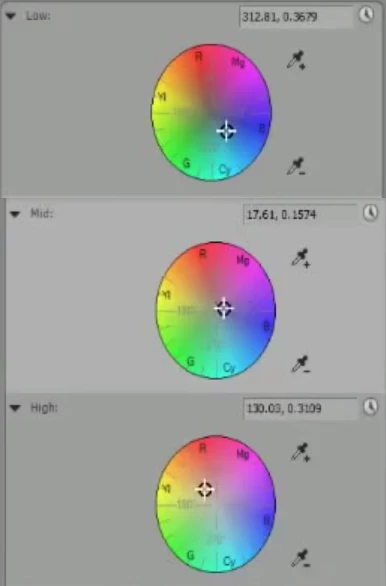
Sorry for the bad English, i am Dutch..

Greets,

Robbert

Este tema ha sido cerrado para respuestas.
Mejor respuesta de Richard van den Boogaard

Yes, but these are Mid,Shadows and highlights, so eh is Shadows low tone and highlights high tone in premiere pro?


You probably want to start in the panel called Basic Correction.

However, the quickest way to ruin your footage is to aggressively use the Contrast slider. So mainly focus on doing basic work here, such as exposure and color temperature, perhaps tweak the Highlights/Shadows and Whites/Blacks a bit.

Your next best approach is using the Curves panel to do individual RGB. For more contrast, apply an s-curve in the RGB (white section) and next adjust any individual colors. This panel is intended for overall tweaks to the image.

If you want to adjust only certain sections, use the HSL Secondary Panel.

Please use YouTube or AdobeTV to find more tips.

1 respuesta

Community Expert
July 14, 2017

Look at the Lumetri colour correction panel

RobbertS
Participant
July 14, 2017

Eh sorry i am a noob, which panel now?

Ann Bens
Community Expert
Community Expert
July 14, 2017

Try openening one? Color wheels perhaps.