
Participant
January 23, 2025
Answered

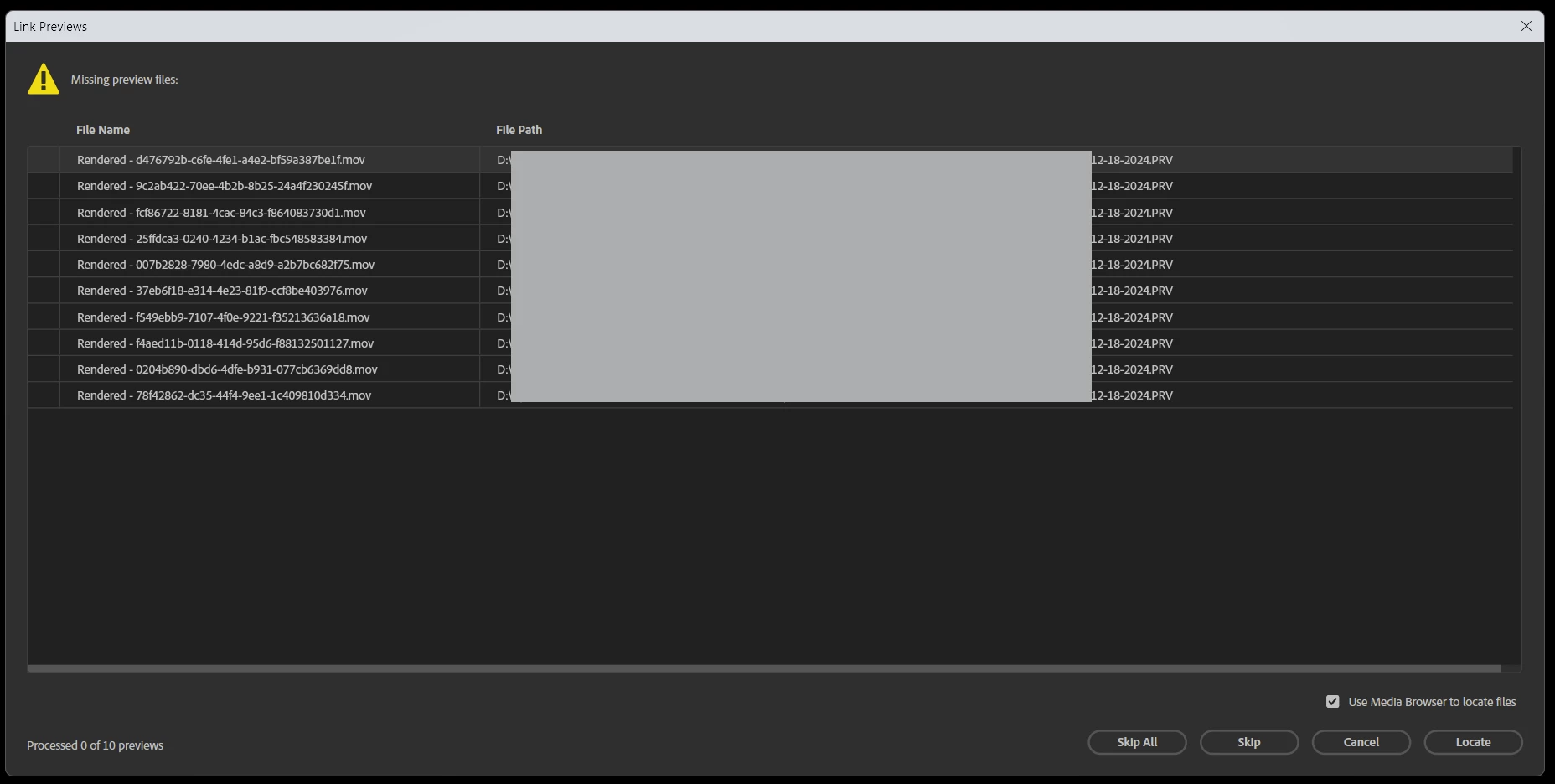
Is it possible to disable/skip the Link Previews dialog?
  • January 23, 2025
  • 1 reply
  • 586 views


Hi!

Is it possible to automatically skip this dialog when I open a project? Maybe an option in preferences or some way to close it programmatically via a script.

I'm opening premiere via a script for automation and this is blocking the continuation of the script.
 

Correct answer Bruce Bullis

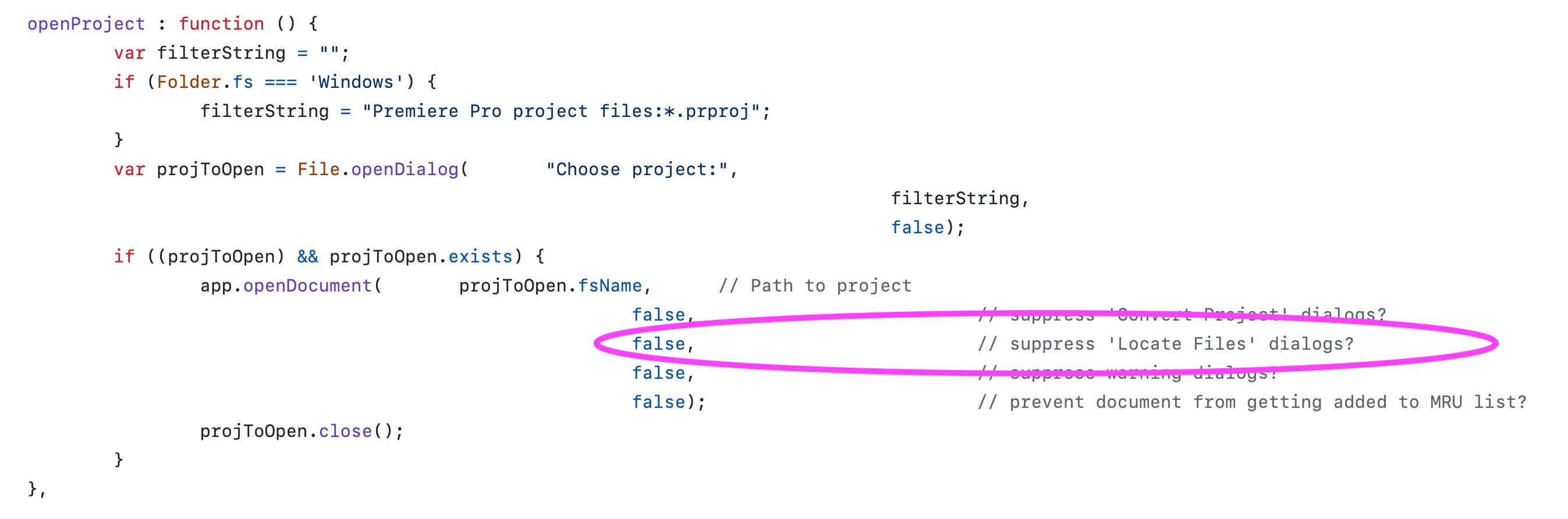
PProPanel shows how to do that: 


Also, it's not necessary to save a project, to close it; see project.closeDocument() documentation.


1 reply

Ishan Y
Community Manager
Community Manager
January 23, 2025

Hey Fernando,

I'm sorry, but I couldn't find an option like that. The best option would be to click "Skip All." Is this window obstructing your workflow? If you could share more details, maybe we can find an alternate solution.


Thanks,

Ishan

Please tag me (@) in your replies so that it notifies me and helps me respond promptly.
Participant
January 23, 2025

I'm basically running the following script in an automated manner:


var projectPath = new File('project.prproj');
if (projectPath.exists) {
    app.openDocument(projectPath.fsName);
    ExportProjectDirectly();
    app.project.save();
}

app.quit();

function ExportProjectDirectly() {
    var activeSequence = app.project.activeSequence;
    if (activeSequence) {
        var outputPath = 'output.mov';
        var presetPath = 'preset.epr';
        const result = activeSequence.exportAsMediaDirect(outputPath, presetPath, app.encoder.ENCODE_ENTIRE);
    }
} 


The issue is that any dialog that shows up blocks this script from continuing. For instance, I had to add the app.project.save() because otherwise the app would never quit and would be stuck in the confirm save dialog.

Kevin-Monahan
Community Manager
Community Manager
January 23, 2025

This interests me. Are you creating batches of videos with different inputs? I am curious about your use case and how you are using Premiere Pro. Content velocity is a keen interest of mine. That is, if you wouldn't mind sharing what you are trying to achieve.


Thanks,
Kevin


Kevin Monahan - Sr. Community & Engagement Strategist – Pro Video and Audio