Question
Is it possible to disable "trim view"?
Hey guys,
I currently have to re-edit an existing video in Premiere Pro. I dragged the original video on track 2 and set the opacity on 50%. Now I need to adjust the in- and out-points of the source footage to match the original film.
Sadly when I use the Slip-tool ("y") to adjust the clip content, I get this "trim view" (don't know the actual name):
The "trim view":
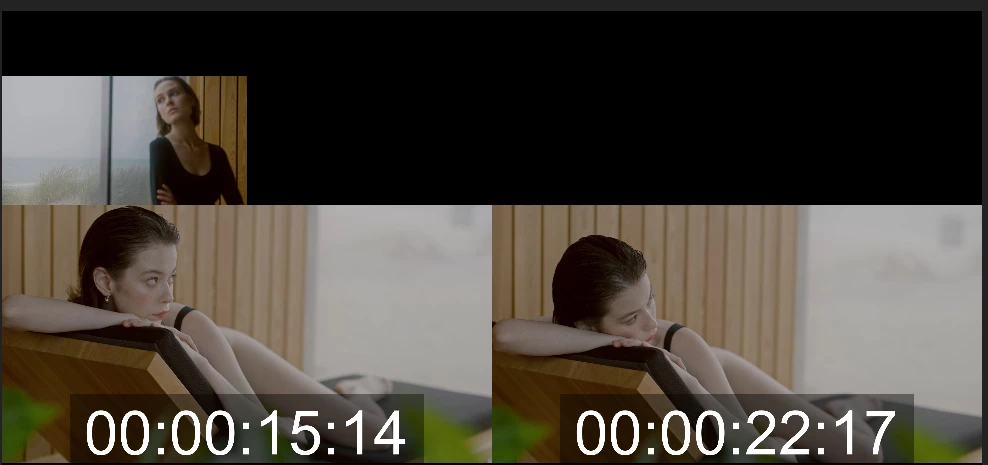
The view I need:
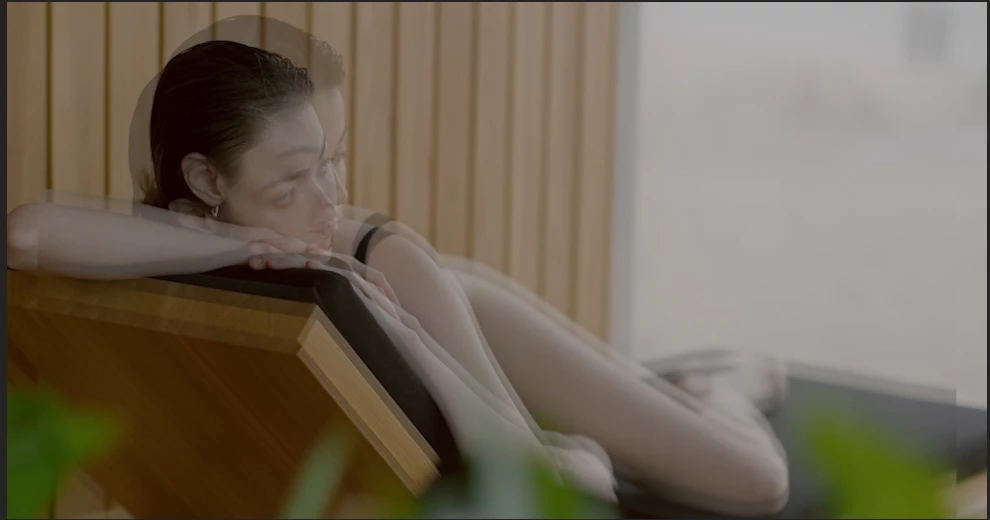
This prevents me from seeing the tranparent original on top of the source footage to match their timing perfectly. Is there a way to disable that view? Or any other proven workflow for a situation like this?
Thank you!
Martin
 AdChoices