

AntDX316
Inspiring
September 16, 2023
Answered

Is there a way to export per youtube chapter clip automatically?
  • September 16, 2023
  • 1 reply
  • 1110 views


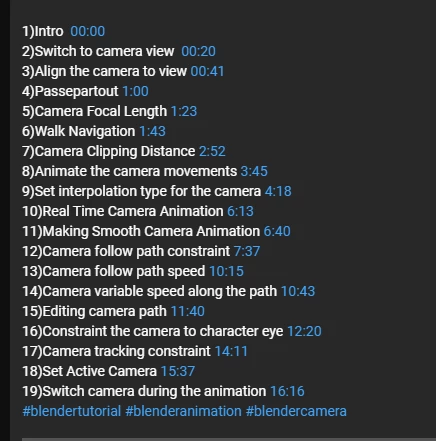
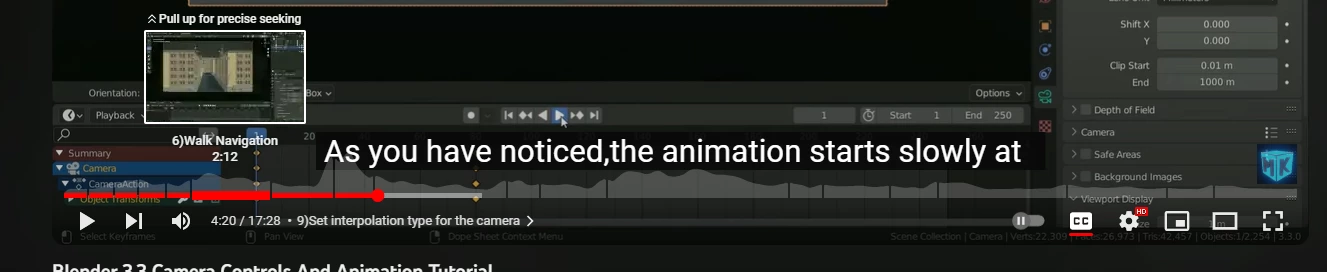
You see how it's already chopped up but it plays through the whole thing?

Certainly it should be possible to get that metadata then Premiere Pro has an ability somewhere to nest then export each or even just export each without nest?

For example, it's all already blade cut with the option to have them on each new row too from import?

There's all kinds of metadata for many things such as photo, GPS, telemetry, 3D Modeling etc. if it can't be done with .mp4 there should be a new format or a way to export like a transcript where it can do this automatically? Adobe having lots of talent, engineering, etc. should be able to make this happen as a standard if there isn't one already.

Right now I have to eye and arrow every frame to blade cut each which will be time consuming. Imagine if there were no timestamps in the description.

Also, is there a way to paste attributes such as transform of each clip into each clip inside a nest on all the nest without going inside? It could get super tedious if you change the main resolution, everything has to be adjusted?


This topic has been closed for replies.
Correct answer Ali Jaber

You have to use Markers in PPro, not chopping your video. The problem is that YouTube doesn't read the embedded markers. You may try to install the "YouTube Chapters" extension from the Creative Cloud app > Stock and Marketplace tab, or you can watch some YouTube tutorials on how to export markers and turn them into readable text that you can paste in the description of your video at YouTube.

1 reply

Ali JaberCommunity ExpertCorrect answer
Community Expert
September 16, 2023

You have to use Markers in PPro, not chopping your video. The problem is that YouTube doesn't read the embedded markers. You may try to install the "YouTube Chapters" extension from the Creative Cloud app > Stock and Marketplace tab, or you can watch some YouTube tutorials on how to export markers and turn them into readable text that you can paste in the description of your video at YouTube.

AntDX316
AntDX316Author
Inspiring
September 27, 2023

Does it place the markers by itself?

Community Expert
September 27, 2023

No, instead of cutting the video at chapter points, add a marker and name it with the desired chapter title.