Known Participant
June 25, 2022
Answered

Is there a way to make paragraph text in Premiere Pro?

  • June 25, 2022
  • 3 replies
  • 4124 views

What I want is to be able to create a text area so anything I type stays within that rectangle. Is that possible? 

This topic has been closed for replies.
Correct answer Ann Bens

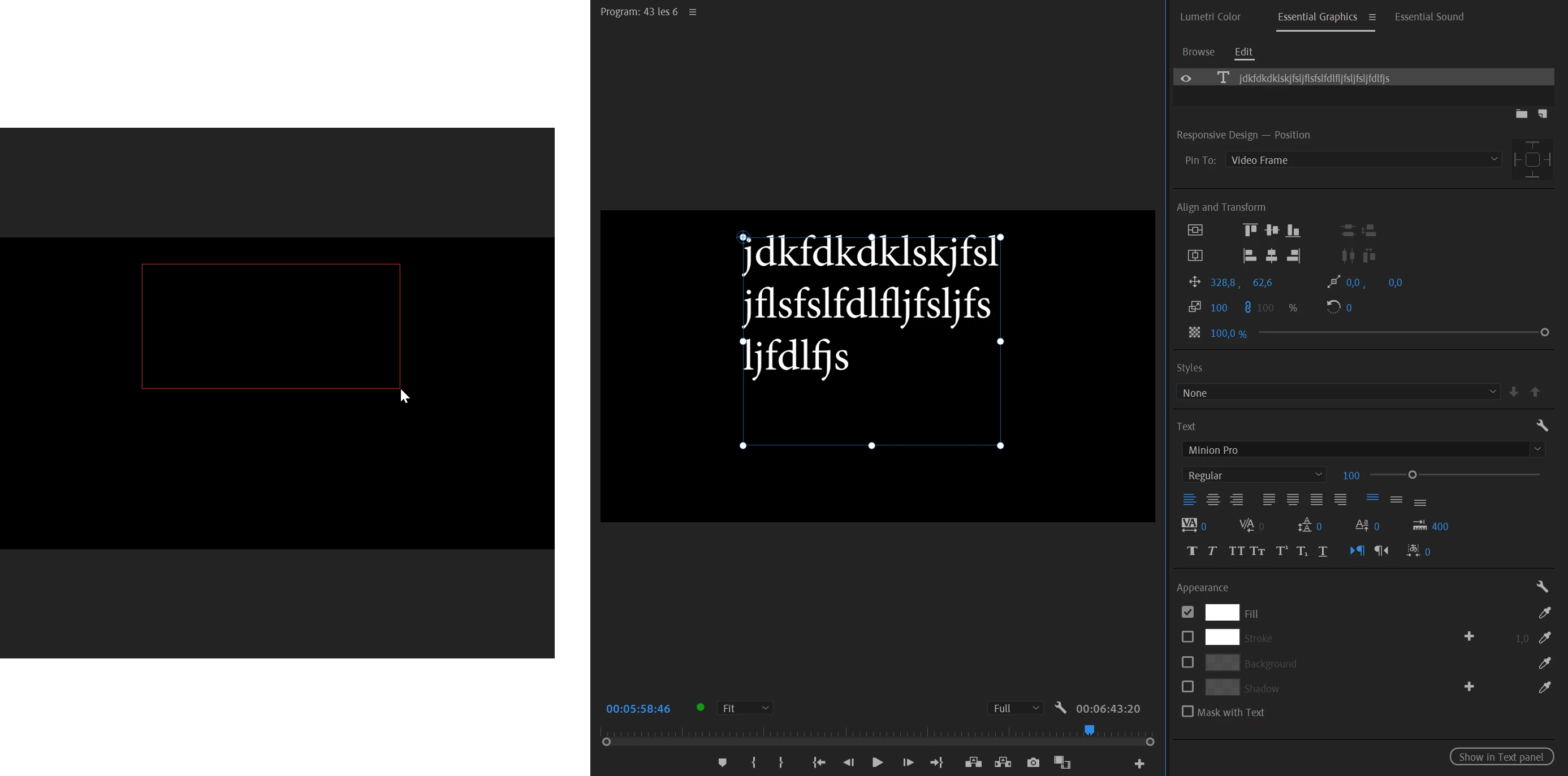
Select the T(ype) tool and draw a box in the program window.


3 replies

Inspiring
August 31, 2022

Is there any way to convert a point text to paragraph text after the fact? You can do this in After Effects (even though its an esentially hidden feature) but I have been clicking around for 5 min and can't find a way to do it in the essential graphics panel.

R Neil Haugen
Legend
August 31, 2022

Copy then paste into a text box ... I don't think there's a way to convert them.


Neil

Everyone's mileage always varies ...
Ann Bens
Community Expert
Ann BensCommunity ExpertCorrect answer
Community Expert
June 25, 2022

Select the T(ype) tool and draw a box in the program window.


Known Participant
June 25, 2022

Oh gosh, I should have thought of that!!! Thank you so much.      🙂

shooternz
Legend
June 25, 2022

Absolutely


Its called Area Type Tool in the Legacy Titler

and..god only knows what,  in the dogs breakfast called Captions and Graphics.


Be a sad day for me that the Legacy Titler dissapears into the Adbobe vacuum called Feature Creep!!!!!

Known Participant
June 25, 2022

I'm new to Premier Pro so can't speak to the Titler features but I really HATE some of the changes they've made to Photoshop recently. So I get it.

Ann Bens
Community Expert
Community Expert
June 25, 2022

I must say I was not happy about the legacy titler being replaced. But now I am working quite a bit with the new Ess. Graphics I am liking it more and more. Especially in the Beta, they just added a new mask feature.