WanderElla
Inspiring
June 24, 2020
Answered

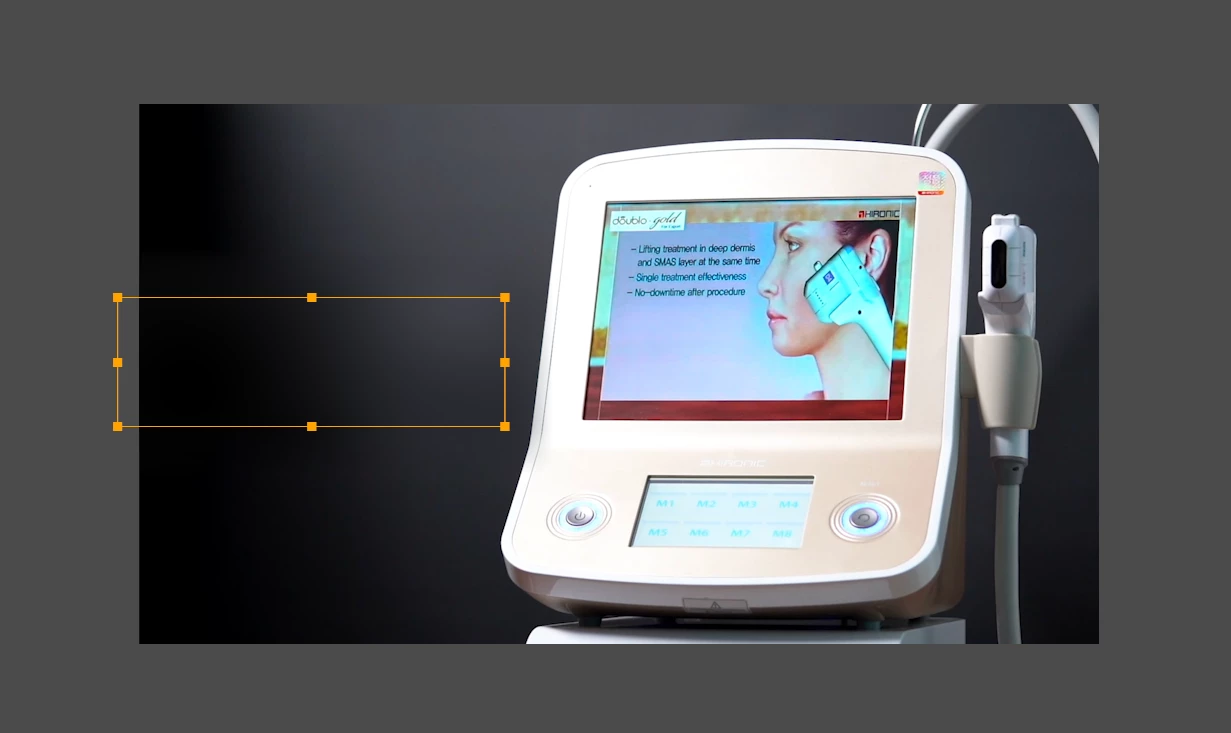
Is there a way to naturally cover a text that is already imbedded in a video in Adobe Premiere Pro?

  • June 24, 2020
  • 3 replies
  • 1477 views

Is there a way to naturally cover a text that is already imbedded in a video in Adobe Premiere Pro?

I'm using MacOS Catalina 10.15.5 and Adobre Premiere Pro v14.3.0 (Magician)


See photo.


Because I want to change the position and design of text. But since I don't have the source file, I want to atleast do something about it. 

Thanks in advance. 🙂
This topic has been closed for replies.
Correct answer Ann Bens

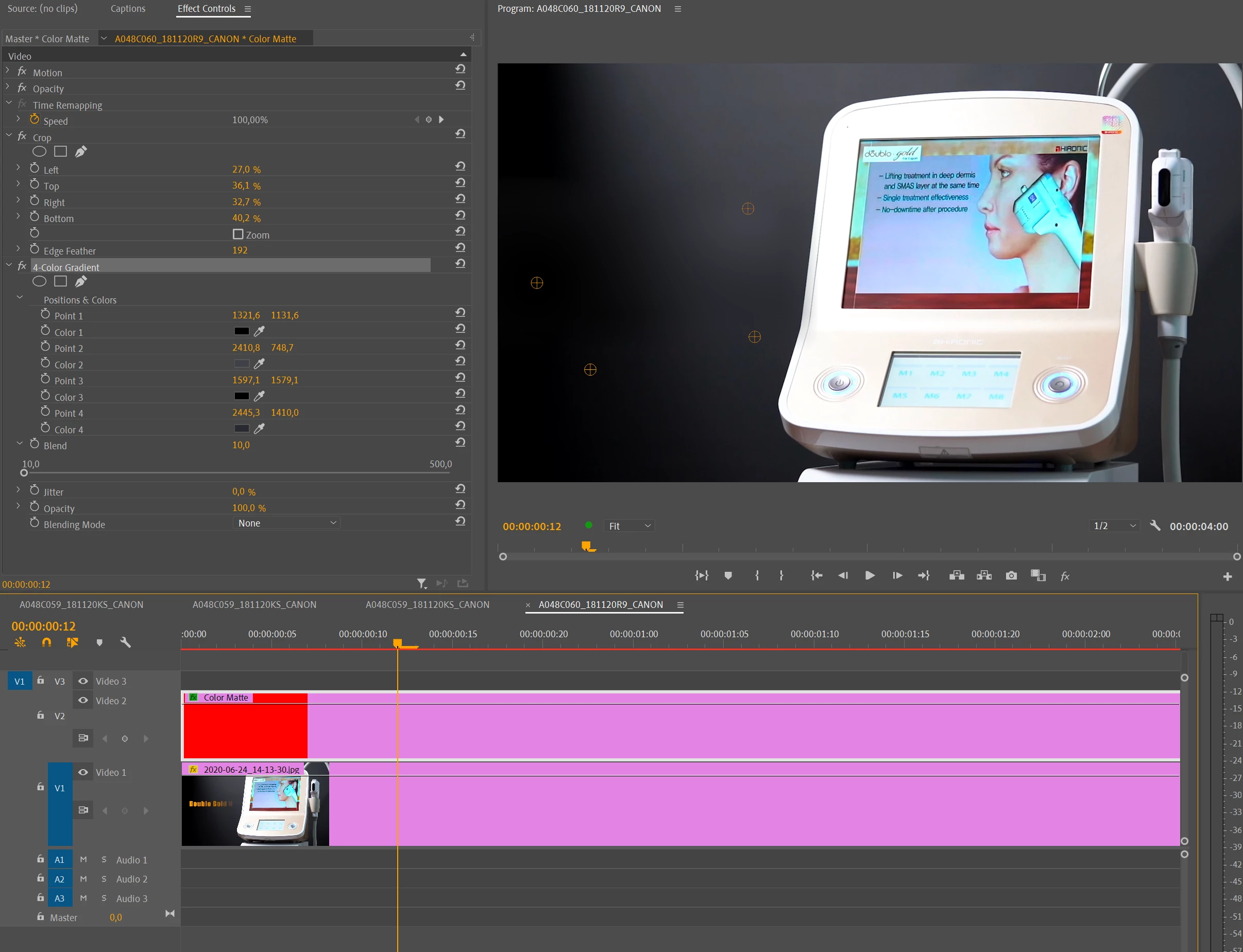
Color Matte, crop (to cover the text) and 4 color gradient should do the trick.


3 replies

WanderElla
Inspiring
June 25, 2020

Thank you so much for your detailed explanation. It was very helpful. 🙂

Ann Bens
Community Expert
Ann BensCommunity ExpertCorrect answer
Community Expert
June 24, 2020

Color Matte, crop (to cover the text) and 4 color gradient should do the trick.


Joëlle Bh
Community Expert
Community Expert
June 24, 2020

You can create a gradient frame on photoshop with two colors (white and black) export it as png and add it to your timeline to cover the text then crop it a bit from the right side and increase the feather so the picture look smooth as if this is the real part of the old frame 

or

you can crop a clean part from the black part from the original frame in the video and add it to your timeline then scale it until you cover the text and all the left area of the frame then crop it a bit from the right side and increase the feather in the crop effect 

WanderElla
Inspiring
June 25, 2020

Thank you so much for your help. That's very good idea. It worked. Thank you so much! 🙂