Known Participant
April 2, 2024
Answered

is there really no way to export captions in .scc format?

  • April 2, 2024
  • 2 replies
  • 1140 views

I am rerquired to export captions in this format, but there is no option in export to do this.

Correct answer Warren Heaton

In your Timeline, set the Captions Track to CEA 608-1 and then choose File > Export > Captions....


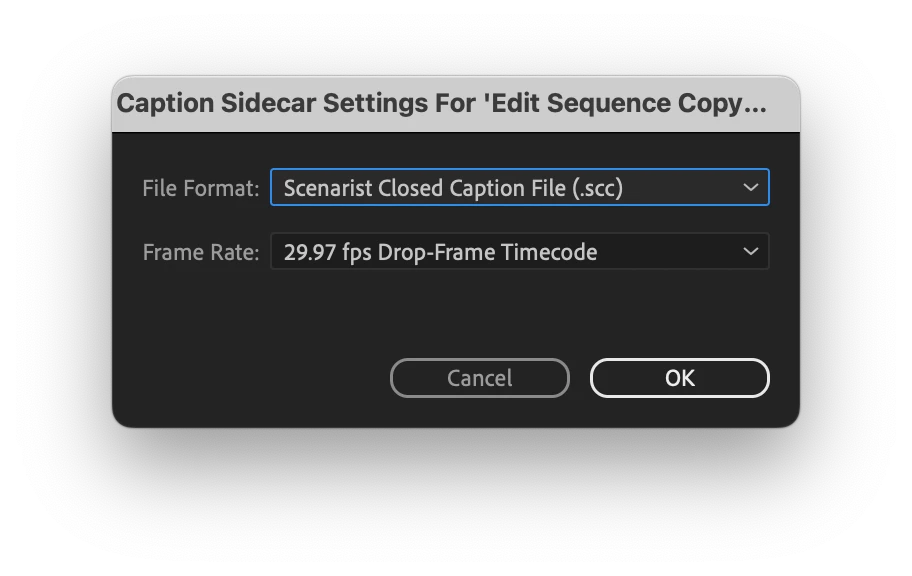
In the Captions Sidecar Settigs dialog box, set the File Format pop-up to Scenarist Closed Caption File (.scc) and then click OK.


2 replies

Warren Heaton
Community Expert
Warren HeatonCommunity ExpertCorrect answer
Community Expert
April 2, 2024

In your Timeline, set the Captions Track to CEA 608-1 and then choose File > Export > Captions....


In the Captions Sidecar Settigs dialog box, set the File Format pop-up to Scenarist Closed Caption File (.scc) and then click OK.


Participant
February 20, 2025

Hi! How do you set the Captions Track to CEA 608-1 ? Thank you!

Participant
July 4, 2025


for anyone wondering, right-click on the controls portion of your captions track and choose "Track Settings..."

from there, you can change it.

Known Participant
April 2, 2024

ok, found it.  You can't do this from the text window, you have to actually export your video and do it under the captions section of tyhe export window