
Issue with exporting video in Adobe Premiere Pro 2022
I am currently experiencing an issue exporting video through Adobe Premiere Pro 2022. After rendering an In and Out in my sequence, I go to export the clip. My format is H.264, with using Youtube 1080 HD as a preset. When I click on export, it begins to export but immediately hits me with an error message:
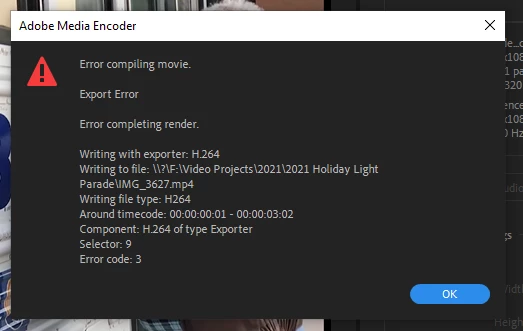
I have attempted previous solutions for common export issues, including check to see if my organizations Premiere Pro is up to date, restarting my computer, checking the System Compatibility Report, free space on the hard drive, and moving the export to a different location on my PC. I also attempted to deselect Enable hardware accelerated decoding. I also used different presets. None of those solutions worked.
I also attempted to export other files, including a single unaltered clip, and previous files that were exported cleanly. Each of those attempts gave me the same error message as seen above.
 AdChoices