Participant
August 8, 2022
Answered

Issue with Multicam

  • August 8, 2022
  • 2 replies
  • 460 views

Hello everyone! From time to time I've been having trouble with multicam in premiere pro 2022. 


I have a sequence with many cameras but I don't want to use multicam in the hole sequence. So what I do is select the cameras for the part that I want to multicam and then nest them. I select the nested sequence and enable multicam, and then I right click on the program monitor and go to display mode, then multicamera. 


In various cases it works perfectly. But then in other cases on the program monitor I only see the same image twice. (Not the different cameras on one side and the selected camera on the other side as it should be) 
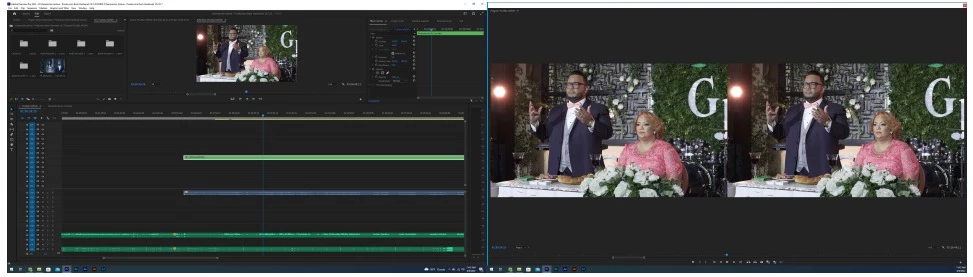


If anyone can help me with this I would appreciate it.
This topic has been closed for replies.
Correct answer Ali Jaber

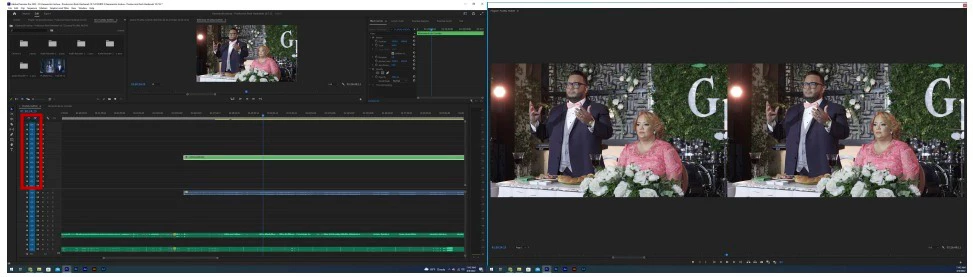
Turn off the Track Targeting on all video tracks (shift click on any blue track number: see the picture), then turn it on for the track where your multi-cam sequence is located (maybe it's V7 in your case, you uploaded a really low res screen capture), then your multi cam monitor should work correctly:

2 replies

Ali JaberCommunity ExpertCorrect answer
Community Expert
August 8, 2022

Turn off the Track Targeting on all video tracks (shift click on any blue track number: see the picture), then turn it on for the track where your multi-cam sequence is located (maybe it's V7 in your case, you uploaded a really low res screen capture), then your multi cam monitor should work correctly:

Participant
August 8, 2022

Thank you, it worked!!

Community Expert
August 8, 2022

Glad it works

R Neil Haugen
Legend
August 8, 2022

The best most complete current multicam information is found in the following two places:


Multicam chapter of the new Adobe pdf: Adobe Long-form and Episodic Best Practices Guide


And Jarle’s blog expansion of the pdf Multicam section: Premiere Pro Multicam  


Neil

Everyone's mileage always varies ...
Participant
August 8, 2022

Thanks, I'll check it out.