Participant
August 26, 2021
Answered

Issue with rendering Premier Pro project

  • August 26, 2021
  • 2 replies
  • 274 views

Hi. I'm having problems with a project I'm exporting from PP.


The file within PP is fine and playing how I want it. The opening title is made in AE. The exported file is not playing correctly. 


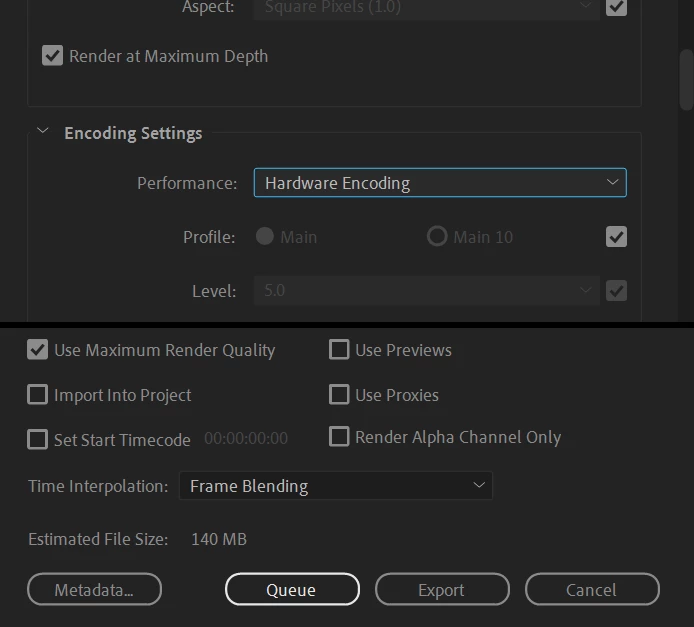
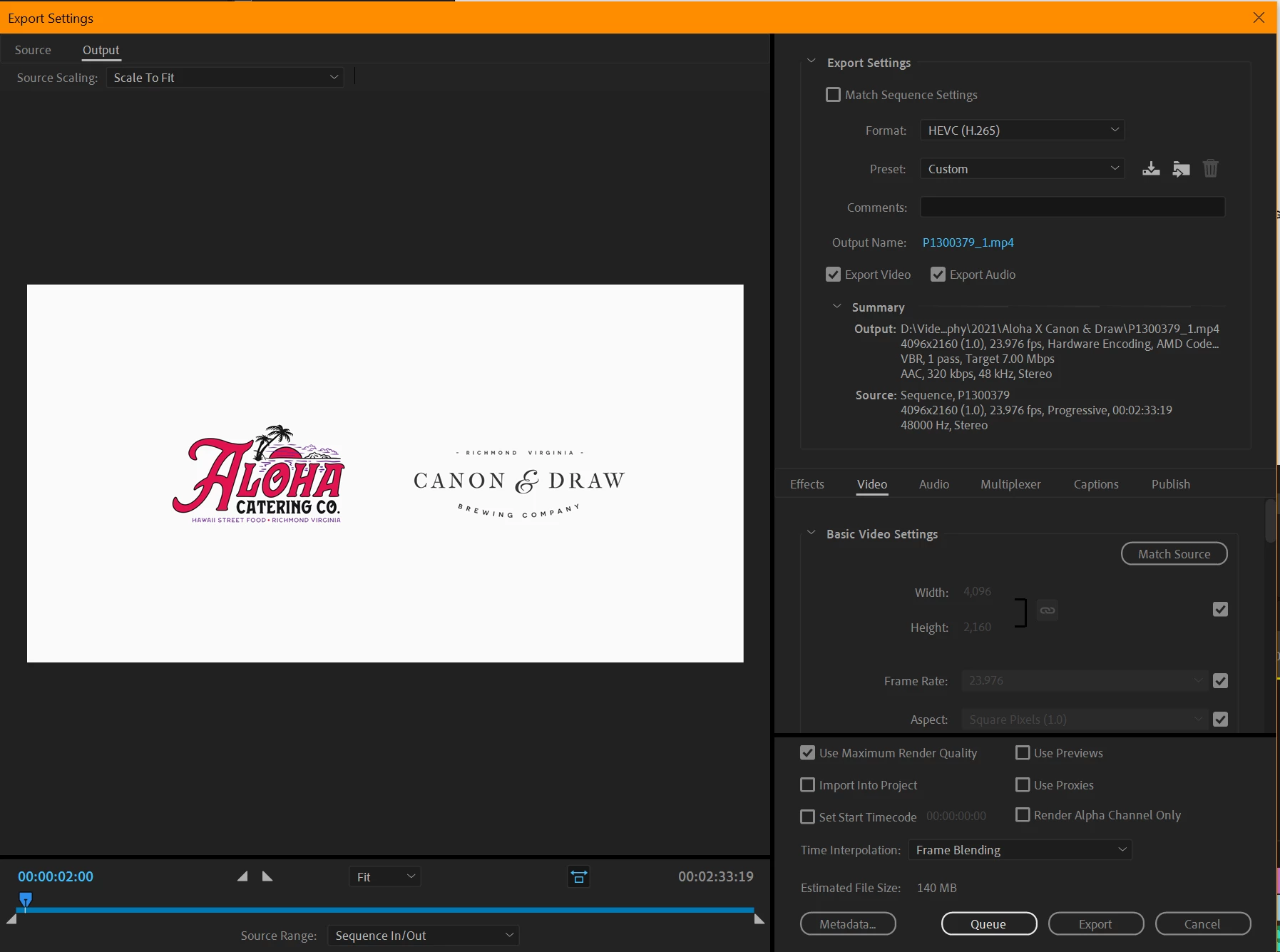
I'm exporting from a PC and using HEVC (H.265) as this is the only way I've been able to transfer & save it to my iPhone gallery. I'm also exporting via ME rather than through PP.


Please help as this is driving me crazy. Happy to send more screenshots if needed.


Thanks in advance.


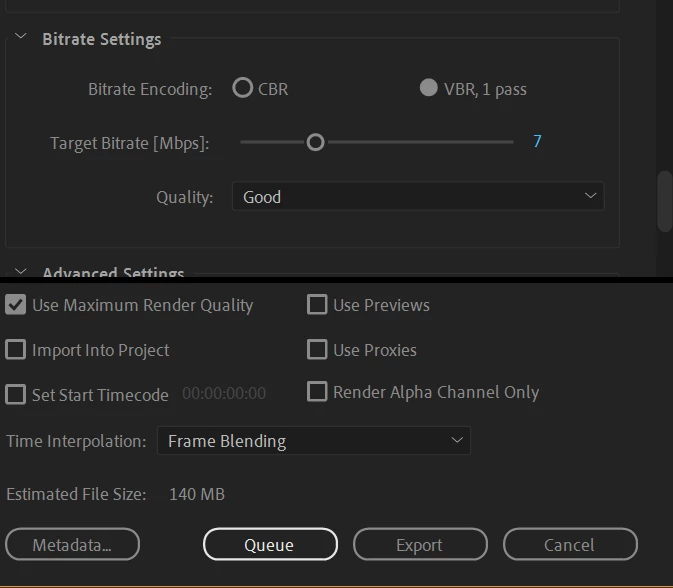
Here are screenshots of my export settings:
 

This topic has been closed for replies.
Correct answer MyerPj

Try other export option, how about h.264.

Turn off both those check boxes, you don't need them. 

In sequence settings turn off Composite in linear color

Try software encoding.


2 replies

MyerPj
Community Expert
MyerPjCommunity ExpertCorrect answer
Community Expert
August 26, 2021

Try other export option, how about h.264.

Turn off both those check boxes, you don't need them. 

In sequence settings turn off Composite in linear color

Try software encoding.


Participant
September 4, 2021

Thanks for this. I was successfully using h.264 previously, and it stopped working for me for some reason. But I tried it again and it worked, so thank you.

Participant
August 26, 2021

Follow up to this with more details on playback. I'm using VLC to playback and the start of the video is jittery, where it should fade up smoothly. Strangly, it's playing fine when I prview the file, but when I open in VLC it goes wrong, and also when I transfer to my Iphone.