
Inspiring
April 2, 2018
Answered

Issues adjusting keyframes on photos with transition?

  • April 2, 2018
  • 2 replies
  • 311 views

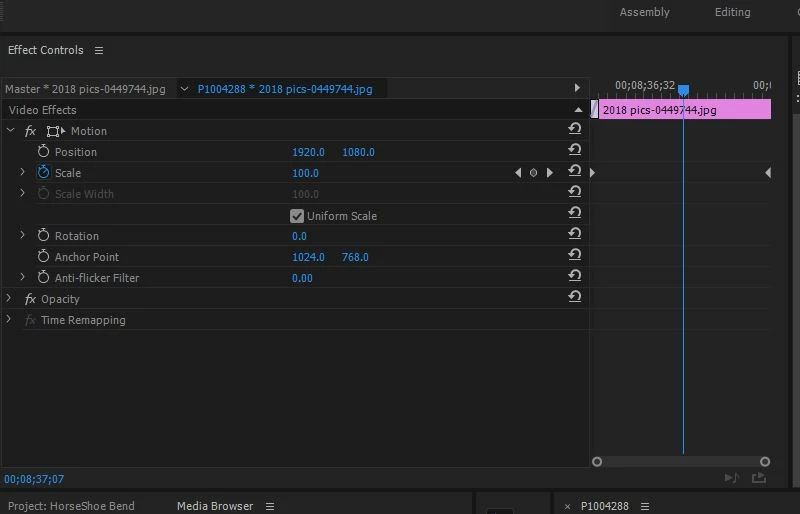
I'm having some issues with the key frames on photos when I try to apply certain effects like scale, motion, rotation when i have a transition. my issue is how do i adjust scale (for example). In the example below, i have transition in place. If i go to the first keyframe buy using the left arrow key on the scale line, it take me to the previous image.

the other challenge i'm having is if i manually go to that first key frame, and adjust the size,the scale I want doesn't happen until after the transition. so it has extra scale movement in when the sequence is played.

.
    This topic has been closed for replies.
    Correct answer Kevin J. Monahan Jr.

    Azpix,

    I think I have your solution. When I'm in this situation and can't monitor my effect since it is within a transition, I temporarily move the keyframes into an area without the transition, make my adjustment, then move them back. Does that work for you?

    Thanks,
    Kevin

    2 replies

    Kevin J. Monahan Jr.
    Community Manager
    Kevin J. Monahan Jr.Community ManagerCorrect answer
    Community Manager
    April 4, 2018

    Azpix,

    I think I have your solution. When I'm in this situation and can't monitor my effect since it is within a transition, I temporarily move the keyframes into an area without the transition, make my adjustment, then move them back. Does that work for you?

    Thanks,
    Kevin

    Kevin Monahan - Sr. Community and Engagement Strategist – Adobe Pro Video and Audio
    azpixAuthor
    Inspiring
    April 3, 2018

    can anyone help with this question?