
Issues exporting H.264 and corrupting files
Hello,
I've been having issues when exporting Premiere Pro projects recently, and I have no idea what I'm doing wrong! I started experiencing issues when exporting videos on a H.264 match source- high bitrate, these were short videos but would take a long time and I'd get the error code below during export.
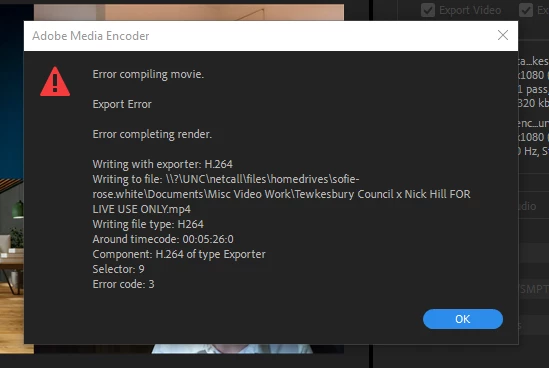
After looking at other community answers and google, I've since changed the frame rate to 23.976, moved the video to the second track, changed the preset to youtube 1080p (not high bitrate), tried having the encoding settings performance on software encoding, etc. Nothing seems to work as the file will always come out corrupted. Export settings below.
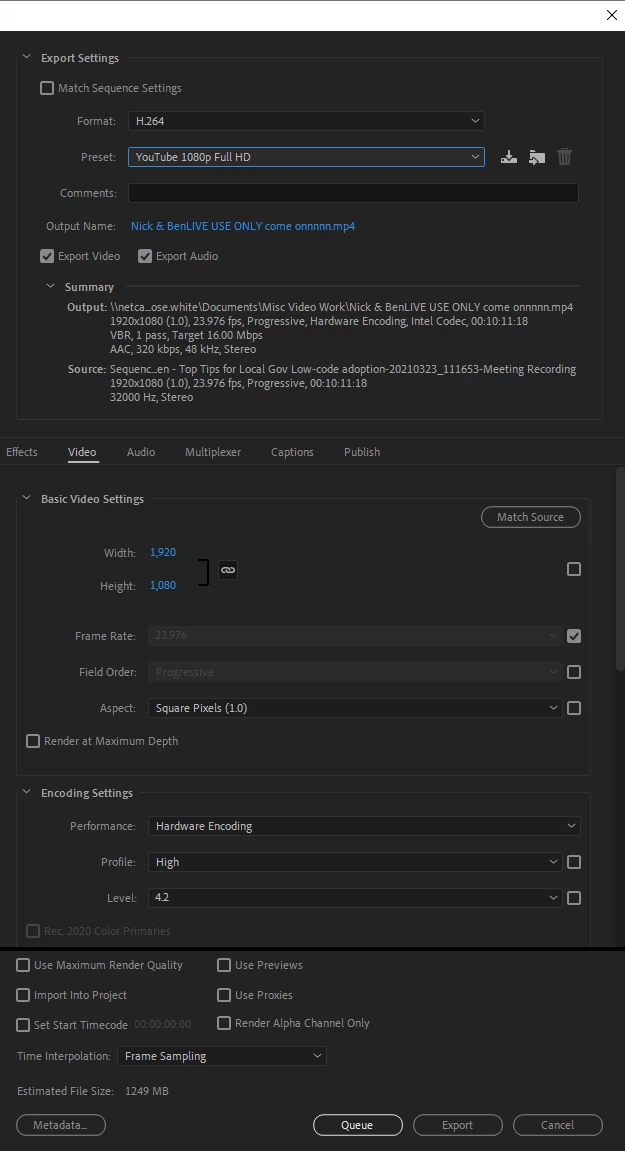
I'm in the process of getting more RAM (only on 8GB at the moment), and I've cleared my disk space - but would this be the only thing causing the issue? Any advice or links to other community Q's are appreciated!
 AdChoices