


Issues working with LOG and Rec.709 footage on an ACEScct timeline
Hey all,
I regularly work on projects that comprise of content shot internally (log) and rec709 footage.
The new (to me) colour management feature is really helping me to get the best from my log footage but as soon as I need to incorporate rec.709 footage (or on some occassions GFX) the whole thing falls apart.
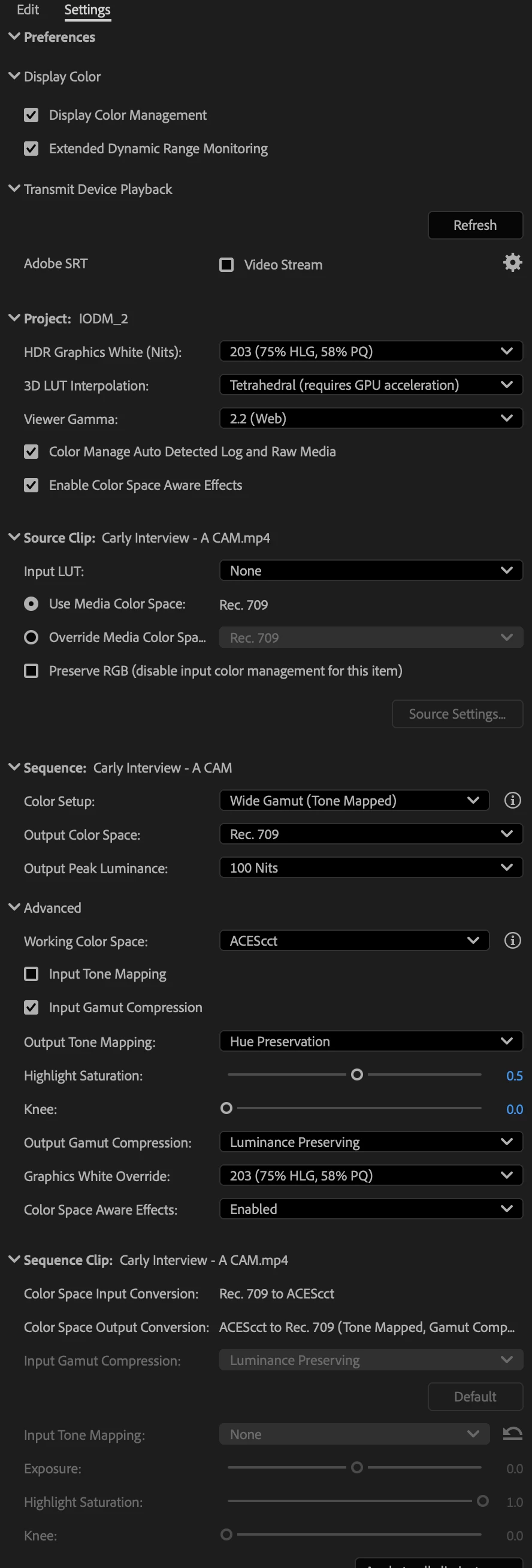
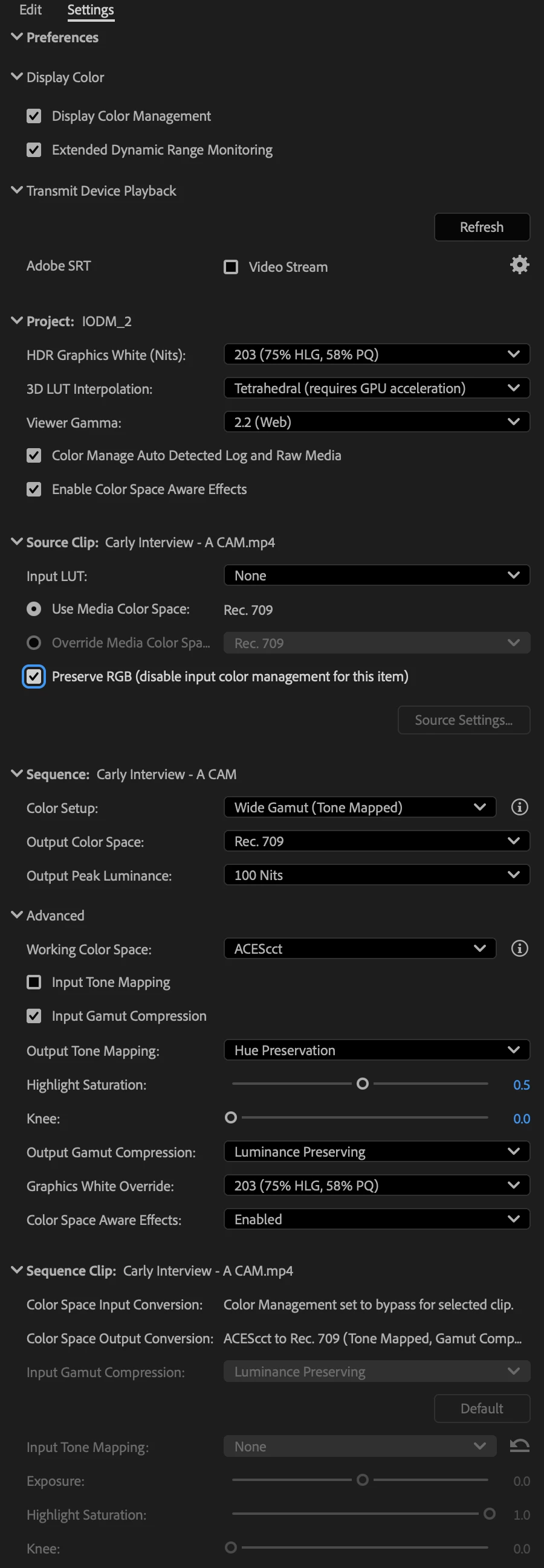
The rec.709 content is coming in dull, washed out and dark. If I check 'Preserve RGB' then the image becomes nuclear.
Am I missing a trick here? Can the two colour sciences can peacefully co-exist on the same timeline or would I have to nest/export the graded log content and then add the rec709 content on a separate timeline that bypasses colour management?
I've conducted a test, exporting a shot from my timeline and then bringing it back in to illustrate my issue. The same issue applies to stock footage and externally produced rec.709 content so it isn't specific to my export/settings.
Another issues I've had (may need a separate thread) is that when I go to export the preview monitor on the export tab displays a darker image than what I can see in the program monitor. Once uploaded to frame/the web the content looks a touch darker but it's hardly noticeable. However when brought back in to prem and played through VLC it is significantly darker and more saturated. I can't seem to find anything that addresses this issue. I am very aware of the apple colour shift but that tends to be exporting lighter and more washed out rather than darker and is mitigated if working in web2.2 colour space providing you're outputting for web.
Any help on either of these two points would be greatly appreciated.
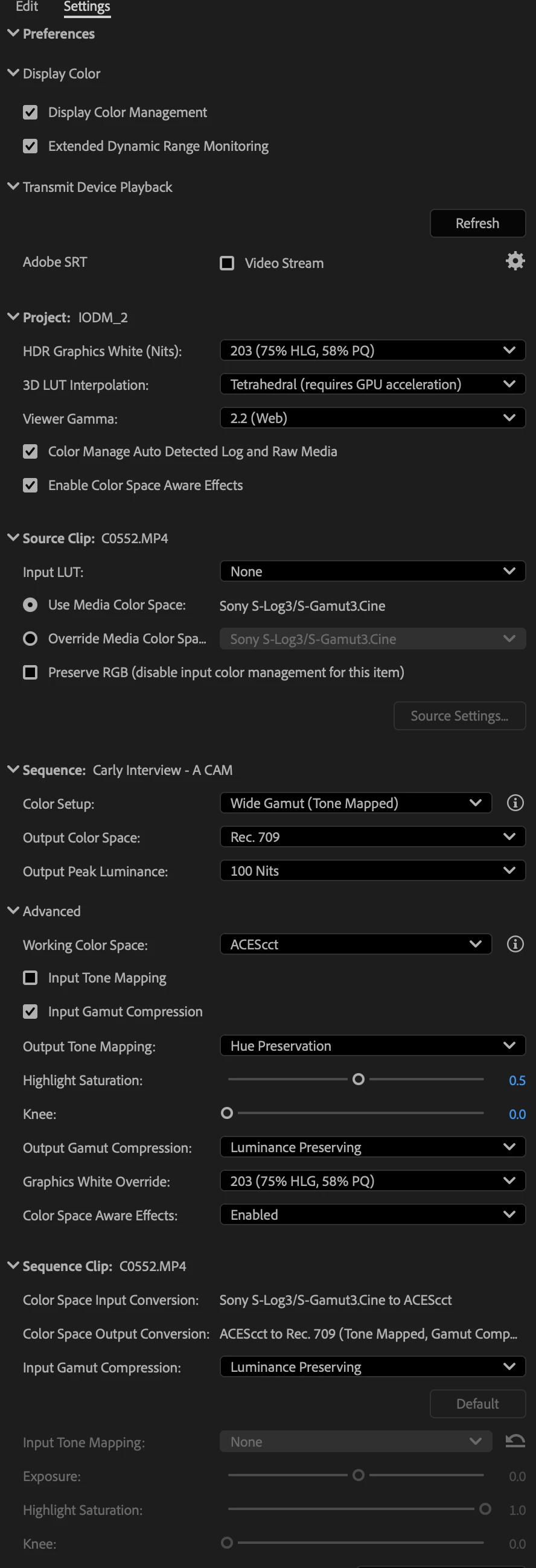
Here are my CM settings for grading Slog3.cine and how the image looks

Here's the settings and how the export looks when brought back in on the timeline

And here is the same clip with 'Preserve RGB selected'

 AdChoices