
Inspiring
June 5, 2021
Answered

JSX -> EXE (second round)

  • June 5, 2021
  • 2 replies
  • 1150 views

I want to run my app.exe application from CEP panel.

I've only started learning CEP.

I've read this thread:

https://community.adobe.com/t5/premiere-pro/jsx-gt-exe-gt-jsx/m-p/11993263


and installed CEP_HTML_test extension. As far as I understand from the above thread this HTML test panel already has the functionality to run external .exe file. But where? All that I see is this:
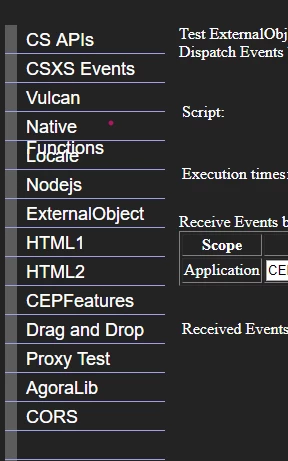
I even wrote a script:

var oShell = new ActiveXObject("Shell.Application");
var commandtoRun = "D:\\mypath\\app.exe"; 
oShell.ShellExecute(commandtoRun,"","","open","1");

trying to run the app.exe 


Needless to say I got a run script error: ActiveXObject does not have a constructor

So what is the correct way to do this?


Yaroslav.


This topic has been closed for replies.
Correct answer Bruce Bullis

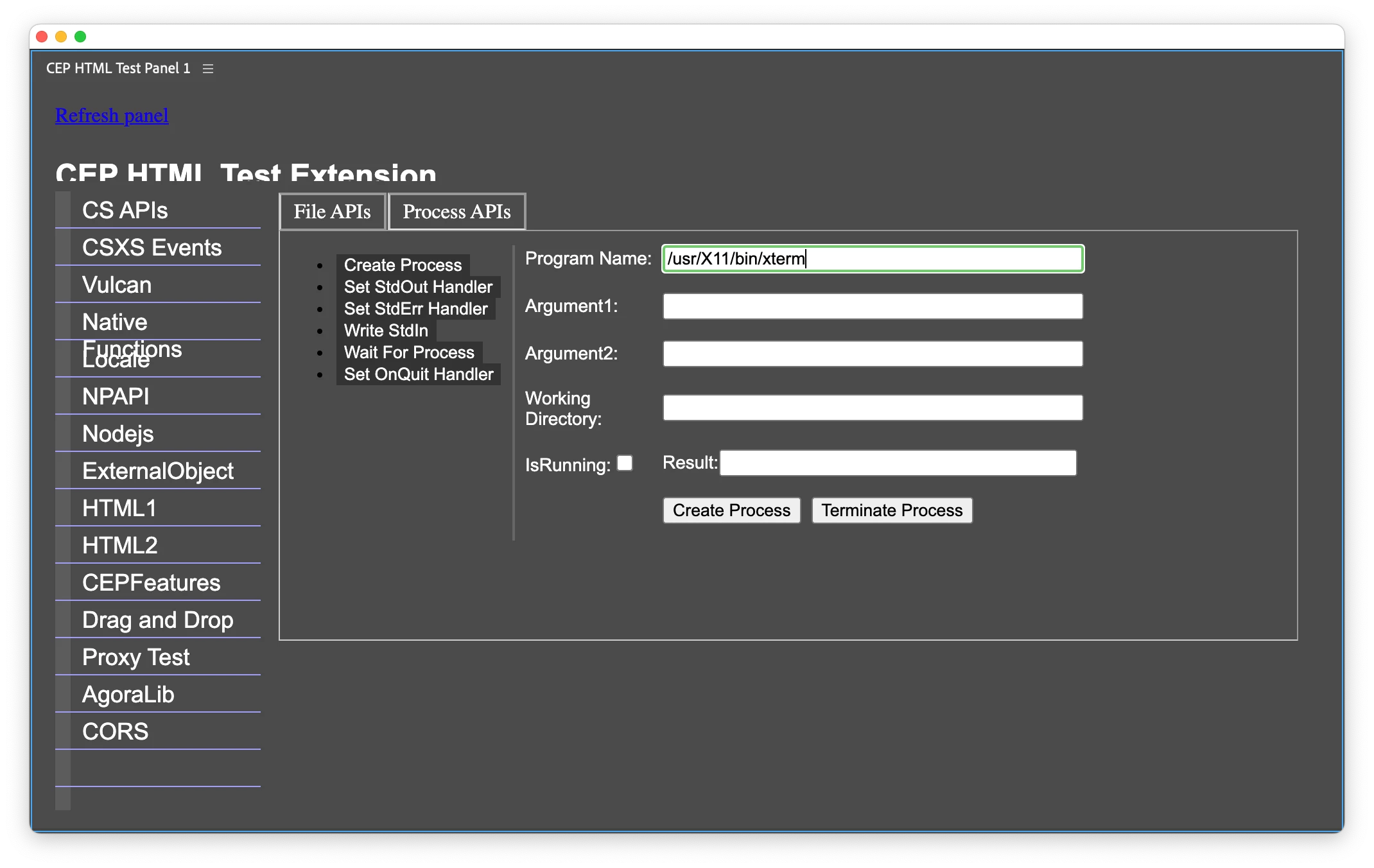
Under the Native Functions --> Process APIs. 

2 replies

Bruce Bullis
Community Manager
Bruce BullisCommunity ManagerCorrect answer
Community Manager
June 5, 2021

Under the Native Functions --> Process APIs. 

Ivan Stepanov
Legend
June 5, 2021

I think it is under Native Functions -> Process APIs -> Create process


Also CEP panels can work with Node.js modules. You can use exec child process.

e.g.:

const exec = require('child_process').exec; // async
exec(PATHtoEXE, function(err, stdout, stderr) {
           // callback
});


Inspiring
June 5, 2021

Thank you Ivan and Bruce.

I have one more question.

Here are the steps I followed so far:

1.

To allow nodejs I added nodejs.html  (copied from CEP_HTML_test_extension) to my client folder (where index.html and CSInterface.js reside).

2. My index.js and index.jsx are in the same folder with Nodejs.html .

In the index.js I put a simple code:


var csInterface = new CSInterface();
var openButton = document.querySelector("#open-button");
openButton.addEventListener("click", openDoc);
function openDoc() {
  csInterface.evalScript("openDocument()");
}


In my index.jsx I entered the following code:

function openDocument(){
const exec = require('child_process').exec; // async
exec("D:\\Yaroslav2021\\anytex\\anytex.exe", function(err, stdout, stderr) {});
}

However, when I start the panel and click the button  it gives an error:

"require is not a function"


How could I avoid this problem?


Inspiring
June 5, 2021

It seems that for the usage node.js one needs to install the node.js 

I think it is easier to use the already given functionality of  CEP_HTML_test_extension