Inspiring
October 26, 2021
Answered

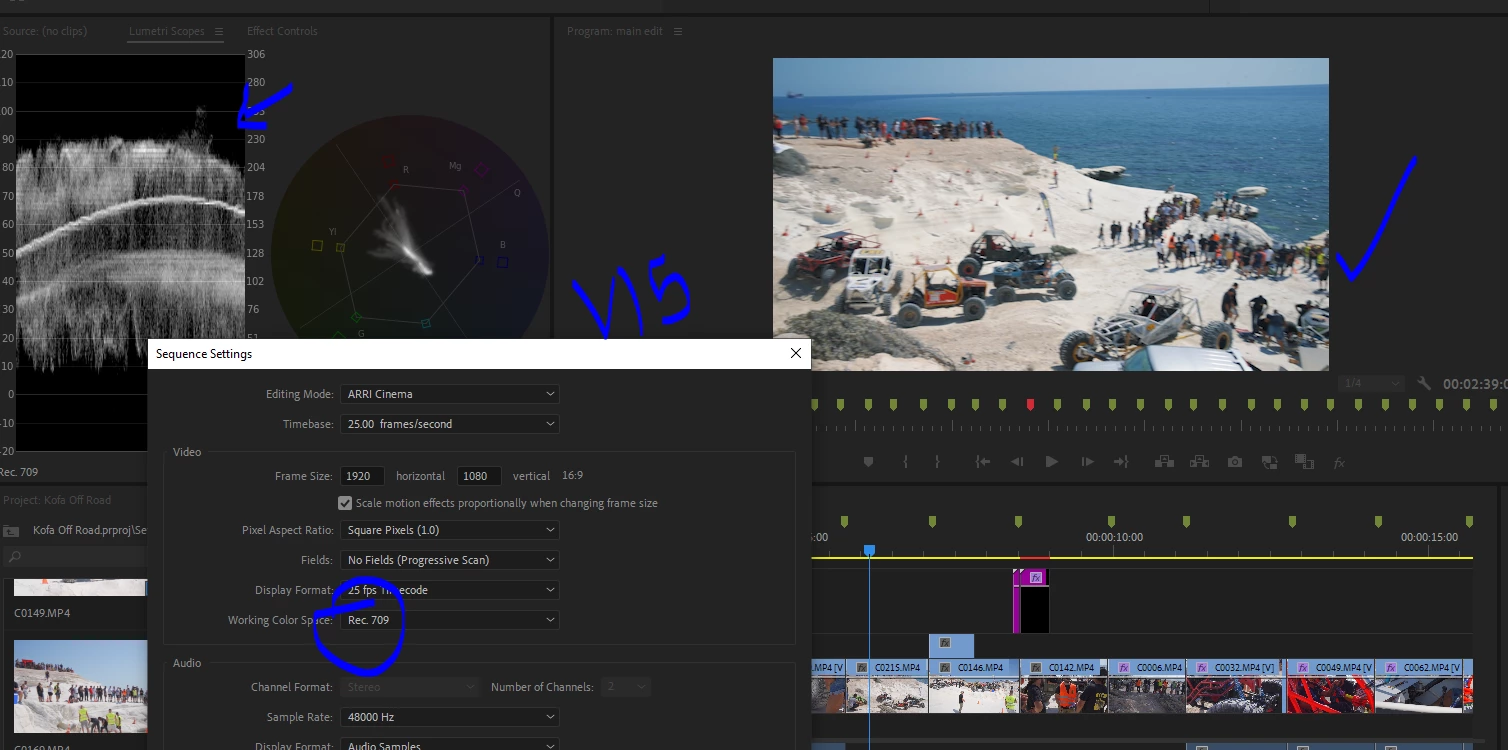
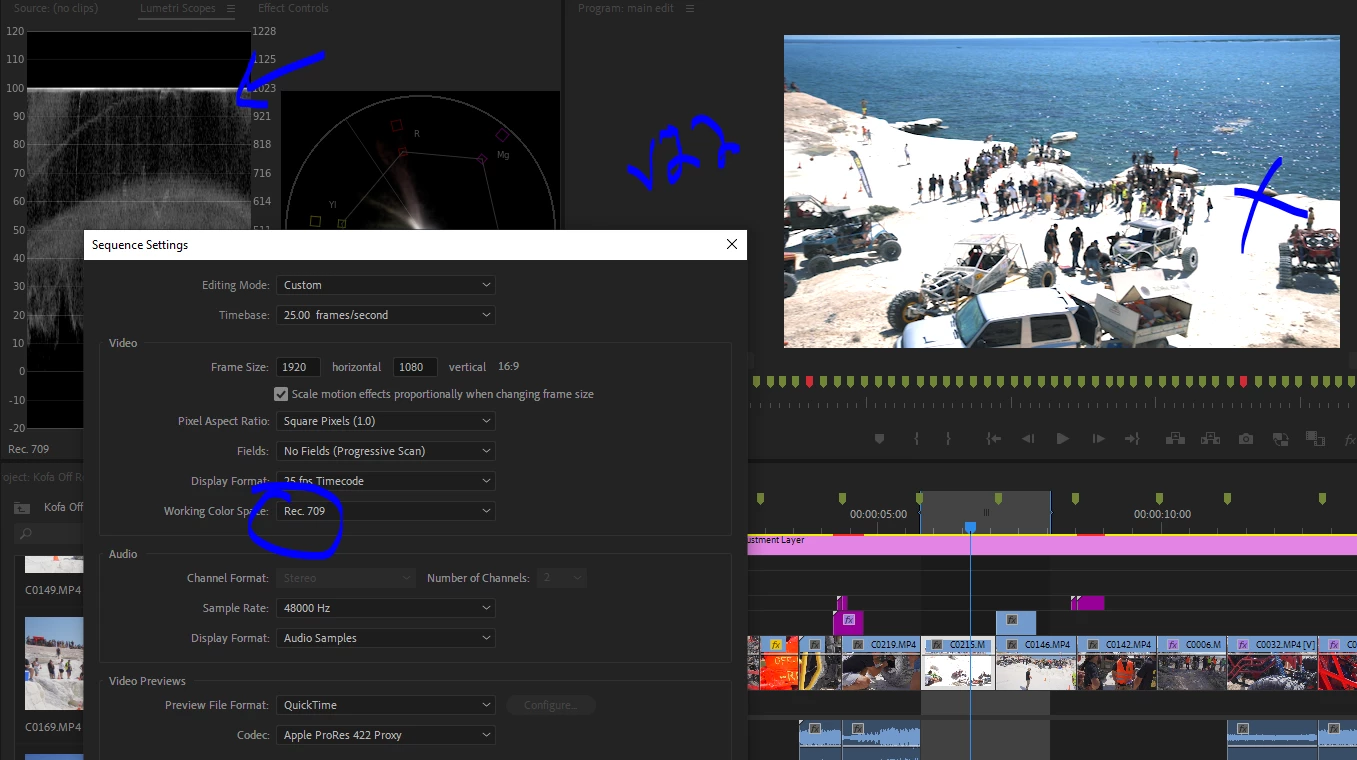
Just upgraded to v22 HLG footage overexposed

  • October 26, 2021
  • 11 replies
  • 23320 views

Hello,


I updated and opened a project which i already delivered, using hlg3 clips.

Now in premiere 22 the footage is overexposed 


I cleans the cache in settings but also emptied the cache folders.

How can i refresh the previews? or resolve the issue? its a big project with many clips all 'over exposed' now in v22..


Even on export the exposure is wrong now.


thanks


/J
 

This topic has been closed for replies.
Correct answer vasileiosk65998977

Hello, i had the same problem after upgrading to Premiere 2022.

I solved the problem by selecting sequense/sequence settings/working color space/rec2100 HLG

11 replies

Inspiring
October 26, 2021

Ok Right click footage > Modify> Interpret > Color space rec709 fixed the issue.


But why do i have to do that now, when before it was automatic?

Footage is hgl3 from sony a7iii


Participant
October 26, 2021

thank you