Participating Frequently
August 17, 2025
Answered

keying

  • August 17, 2025
  • 3 replies
  • 535 views

hey, can someone help me with this, i want to make this man visible on the white shape however not on the green background, i tried matte key, it didn't work

Correct answer Richard M Knight

As is often the case with Premiere there are many ways to do this.

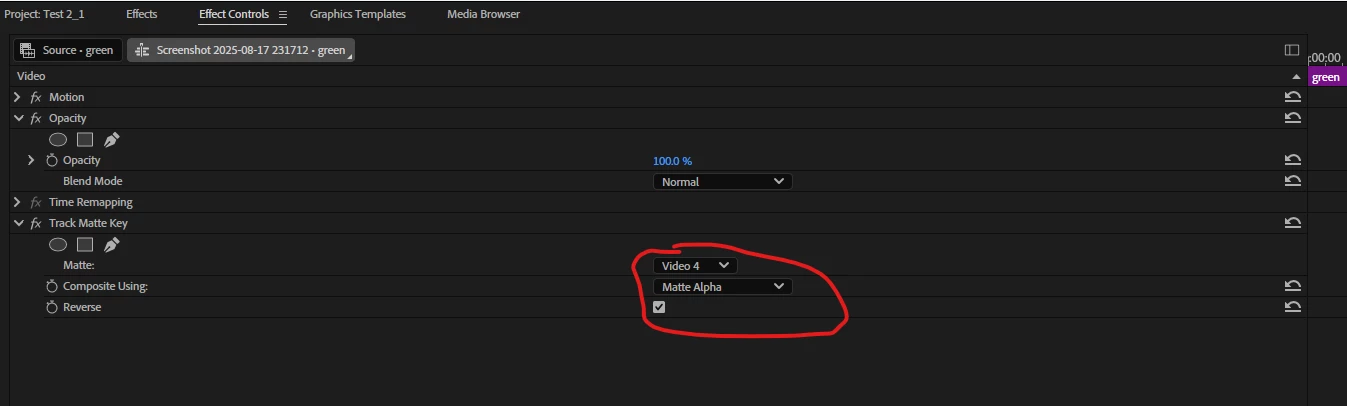
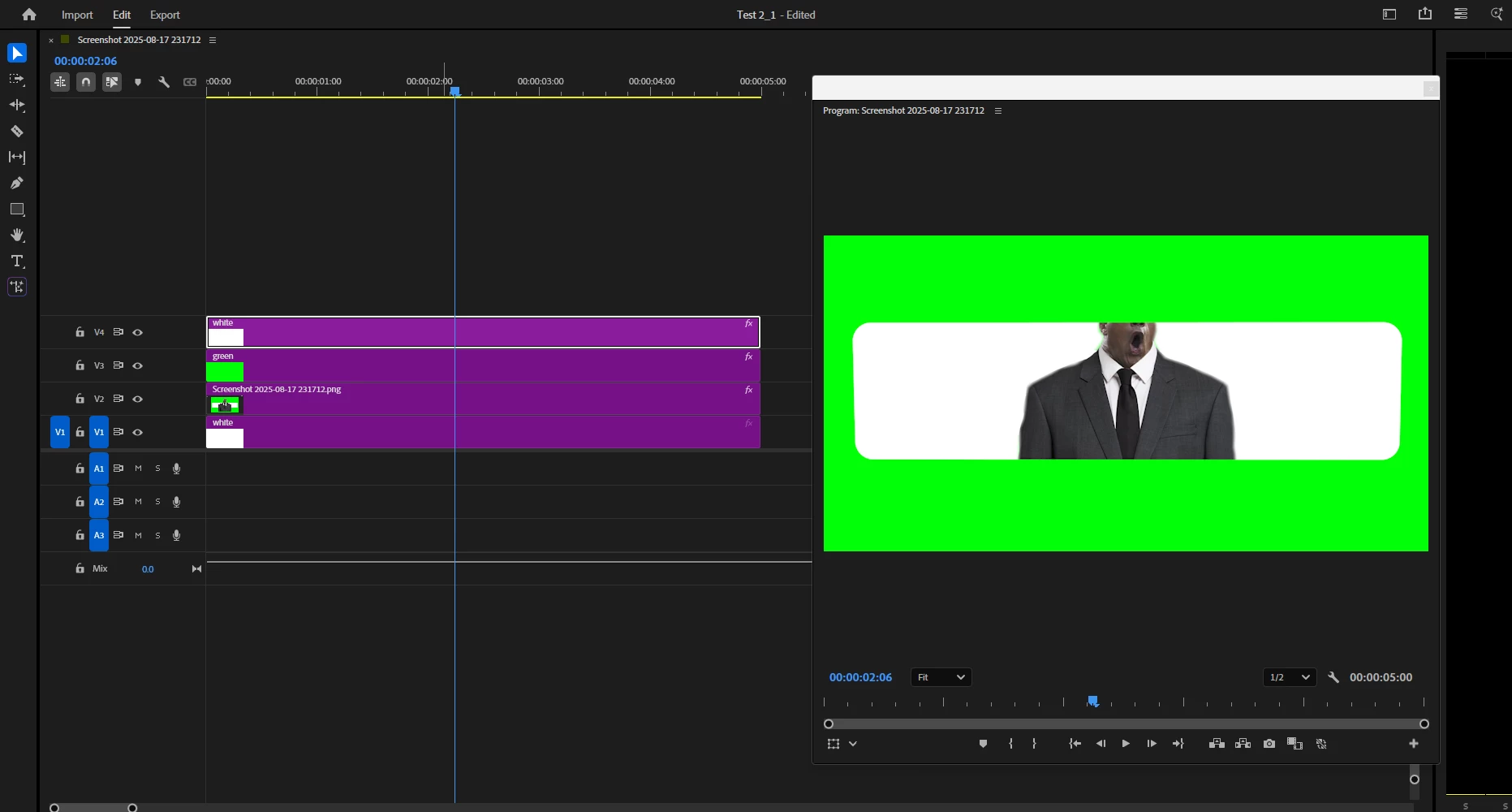
I put a solid white colour on Video track 1, the man on Tr2, the green solid colour on Tr3 and the white shape on Tr4. Then add the track matt key on Tr 3 with the keys selected to Tr 4.


3 replies

Richard M KnightCommunity ExpertCorrect answer
Community Expert
August 18, 2025

As is often the case with Premiere there are many ways to do this.

I put a solid white colour on Video track 1, the man on Tr2, the green solid colour on Tr3 and the white shape on Tr4. Then add the track matt key on Tr 3 with the keys selected to Tr 4.

Participating Frequently
August 18, 2025

thanks man, really appreciate it. 🙂

Community Expert
August 18, 2025

What layers do you have at the moment?

Participating Frequently
August 18, 2025

one layer of the green bg, one for the white shape and one of the man


Ann Bens
Community Expert
Community Expert
August 17, 2025

Try Ultra Key.

Participating Frequently
August 17, 2025

the thing is i also want the green bg 


Ann Bens
Community Expert
Community Expert
August 17, 2025

Let me get this straight: you want the green to stay and the white made transparent?