

Answered
LABEL COLOR CHANGES WHOLE CLIP INSTEAD OF SPECIFIC PARTS ONLY
Hey everyone!
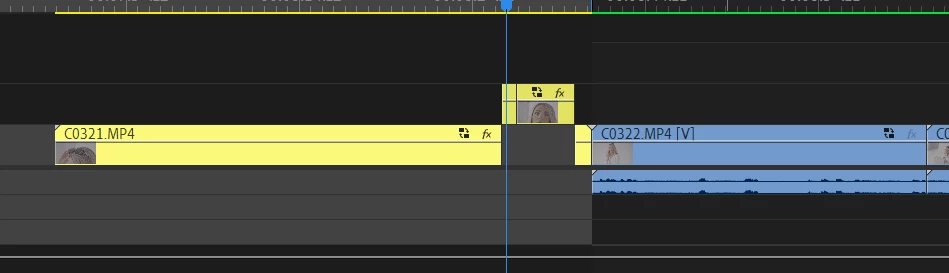
Does anyone of you experience the same? I updated Premiere pro now to 24.4 and I was coloring as usual but this time, when I highlighted a clip and added a certain color to that clip only it affects the whole clip. Does that make sense? Before, I could just color that certain scene from the clip and the rest has the usual IRIS color. But this time, the rest of the clip is included 😕😕
This is just frustrating at the moment. Any workarounds so far?


 AdChoices