wimg13154738
Participant
June 26, 2020
Question

Lagging issues

  • June 26, 2020
  • 1 reply
  • 179 views

I made some scenes with puppets in adobe Character Animator and now I tried to export it to premiere pro cc. But the video lags on premiere pro CC and I have no clue what the reason is. The audio is running smooth but the mouth and the movements from the puppets are lagging.
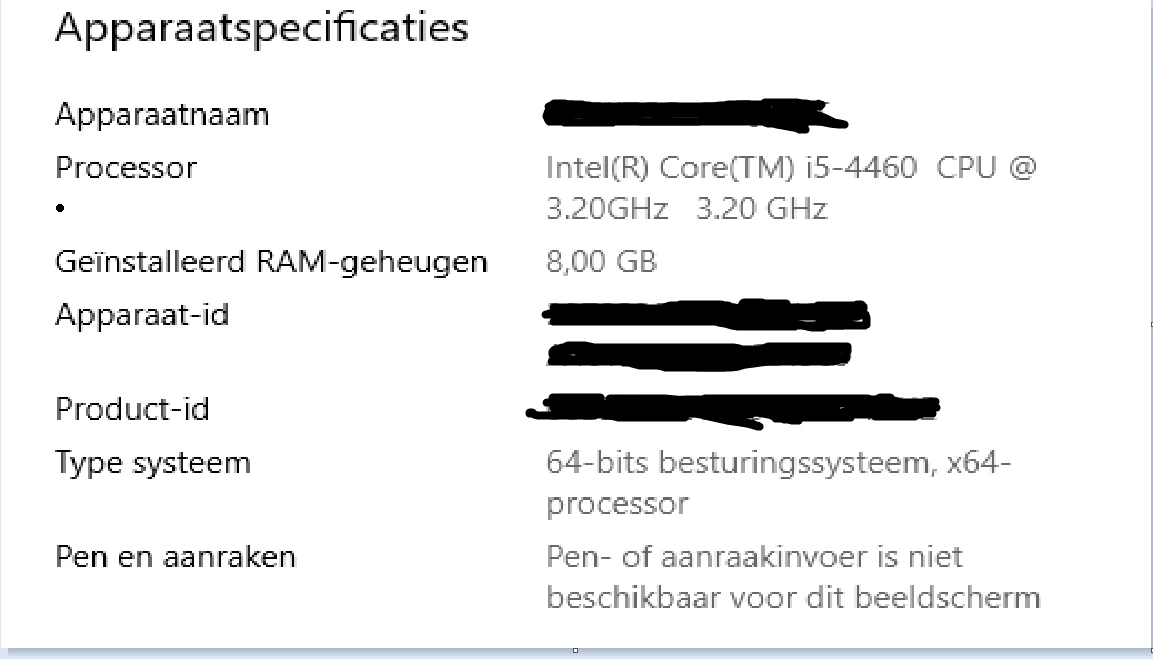


You can see in the video that in character it is running smooth but once exported to premiere not

This topic has been closed for replies.

1 reply

Community Expert
June 27, 2020

You'll have to forgive me because I have no experience with Character Animator and I don't know anything about the roundtripping between the two programs. Is this a dynamic link type of scenario? Or is your character sequence exported out of Character Animator and then imported into Premiere?


If the former -- it's not uncommon for dynamic link to come with its own slow-downs. You would likely want to render that in your sequence.

If the latter -- what is are the specs of the file that you've exported from CA? The type of codec that you are using, the resolution, bitrate, framerate, etc., are all going to factor in to how well it plays (along with your hardware). If you're working with a poor editing codec or a high bitrate file, you'd want to get it into a good codec or make proxies out of it.