Participating Frequently
December 27, 2024
Question

Legacy user needs help getting started with Premiere Pro 25.1

  • December 27, 2024
  • 1 reply
  • 804 views

I started out in Premiere 5.1.  A long time ago, yes.  But I've been in and out of PP over the years and getting back in is always a "relearn"  A couple of years ago I moved up to the then current version of CS and had to start with the most basic of tutorials, how to preview.  Now, I'm having to get back into Premiere again. I did the update (2025 version 25.1.0) and added my clips, but couldn't filnd the audio controls!  I had sound, but I could't control it.  Back to the tutorials one more time. But, perhaps because I had run then when I first moved to CS a few years ago, the files it loaded for the getting started lesson, have no audio (nothing identified in Properties and no sound when run in media player) and the files get inserted into a "new" project with 5 hour+ time codes.  Went back to my own project and tried to find a simple fade from black and couldn't find those controls.  As much as I hate to, I guess I'll have to go back to the tutorials and start all over, once again. But how do I get fresh files/tutorials?

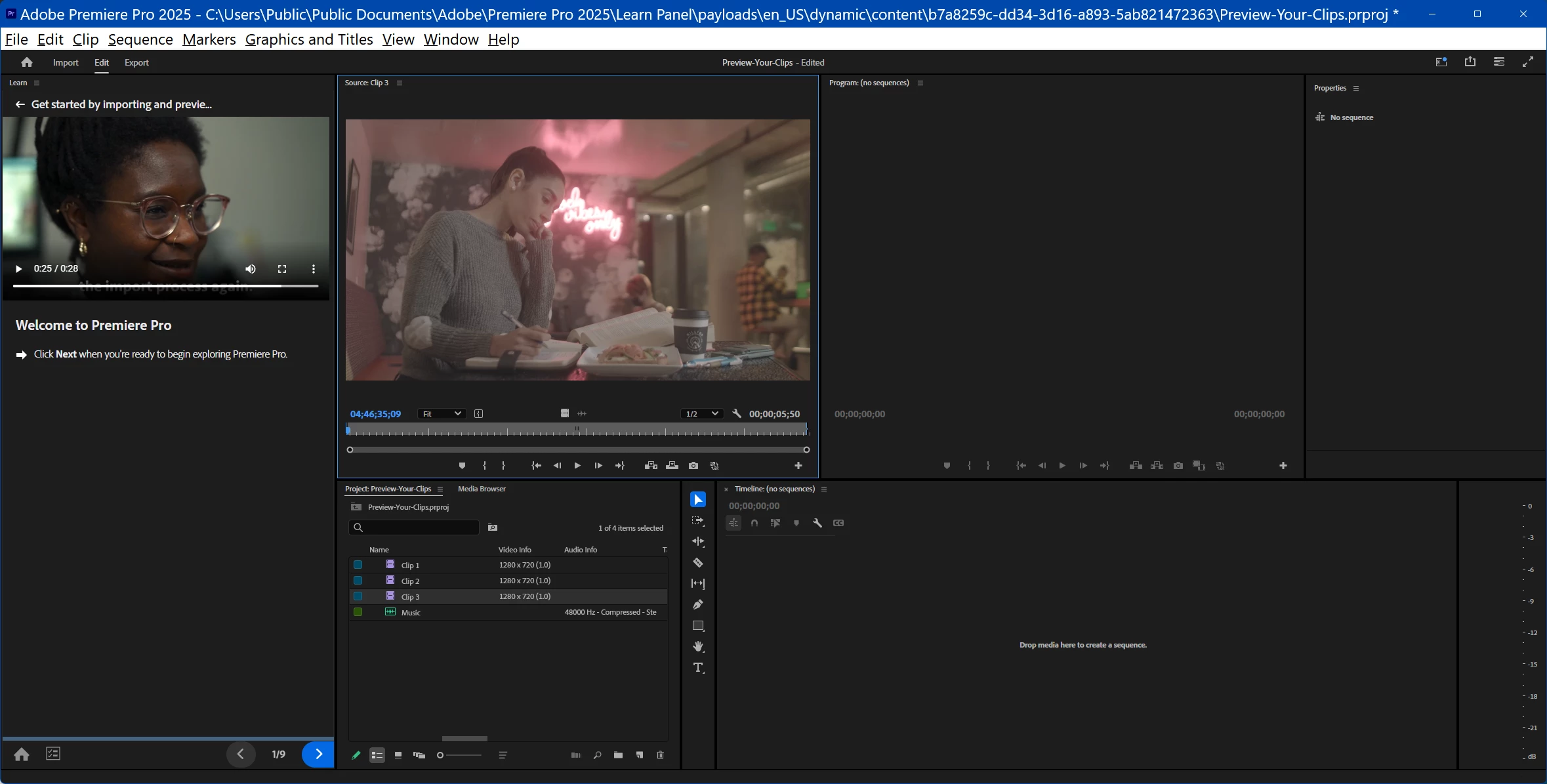
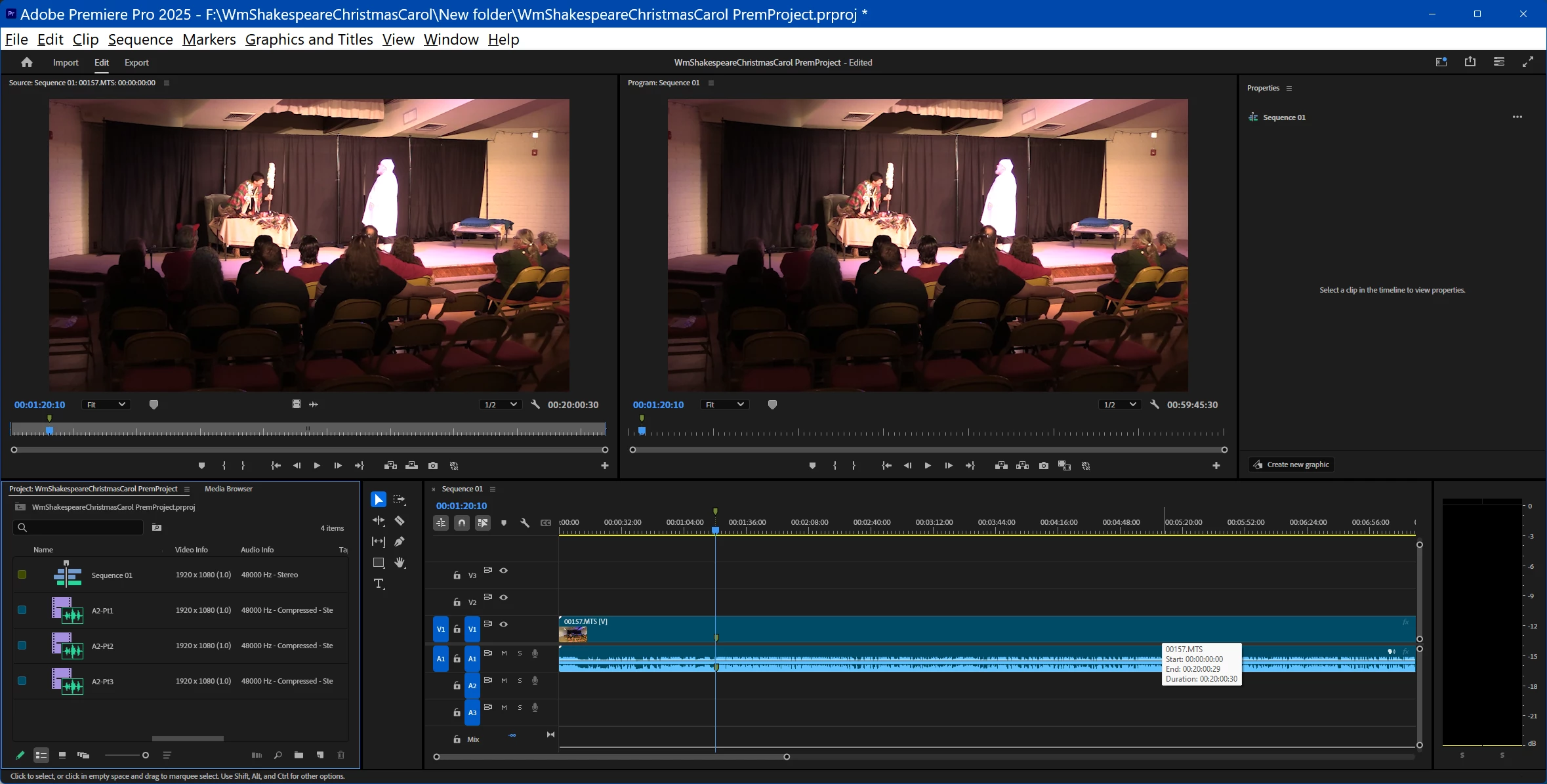
This photo shows my project, note audio works here. 2nd picture shows the Getting Started Tutorial. Note, clips show no audio info in the Project window.  For now, have to agree with @Marcus27094763j9ia 


This topic has been closed for replies.

1 reply

Participating Frequently
December 27, 2024

Also, I noted that the clip names entered into the Project window have not been picked up by the timeline or the monitor windows.

Roy

Participating Frequently
December 30, 2024

I was able to reacquaint myself with the 2025 version and things aren't as screwy as I thought they were.


HOWEVER, I have an odd thing happening.  I have three 20 minute clips from my Canon camera SD chip which I transfered to a hard drive.  I play the clips in Media Player and the sound is correct on all three clips.  I import the three clips to Premiere.  Clips 2 and 3 are a bit out of sync, but I suspect it's the working files that need to be rendered within Premiere.  Clip 1 (20:00:30 long) has an issue in that when I play it, even in the Monitor, at 18:22 the sound from the beginning of the clip fades into the clip, eventually replacing it within a few seconds.  The rest of the clip to the end, has the sound from the beginning of the clip.  This occurs if I play the clip in the Monitor.  I did Sequence>Render Audio on the sequence.  The Timeline changed from Yellow to Green across the entire project as it should, but the sound is still out of sequence at the end of clip 1.  The original clip as stored on the hard drive still plays correctly through those final 2 minutes in Media Player.  What could be going wrong and how can I fix it?