joeys17114076
Participant
August 6, 2017
Answered

Link Clips Together and Merge audio- Should be simple?

  • August 6, 2017
  • 2 replies
  • 487 views

Hi,

I shot an interview on a 5dmkii that splits the interview into small clips.

Recorded External Audio with zoom h4n that recorded audio in one big clip.

All i want is to merge everything together so that it makes one big, new clip that i can reference in the preview window periodically throughout the edit. Merge clips is greyed out, and i dont think nested sequence is what i want, as I cant reference a nested sequence it in the preview window.

Any ideas?
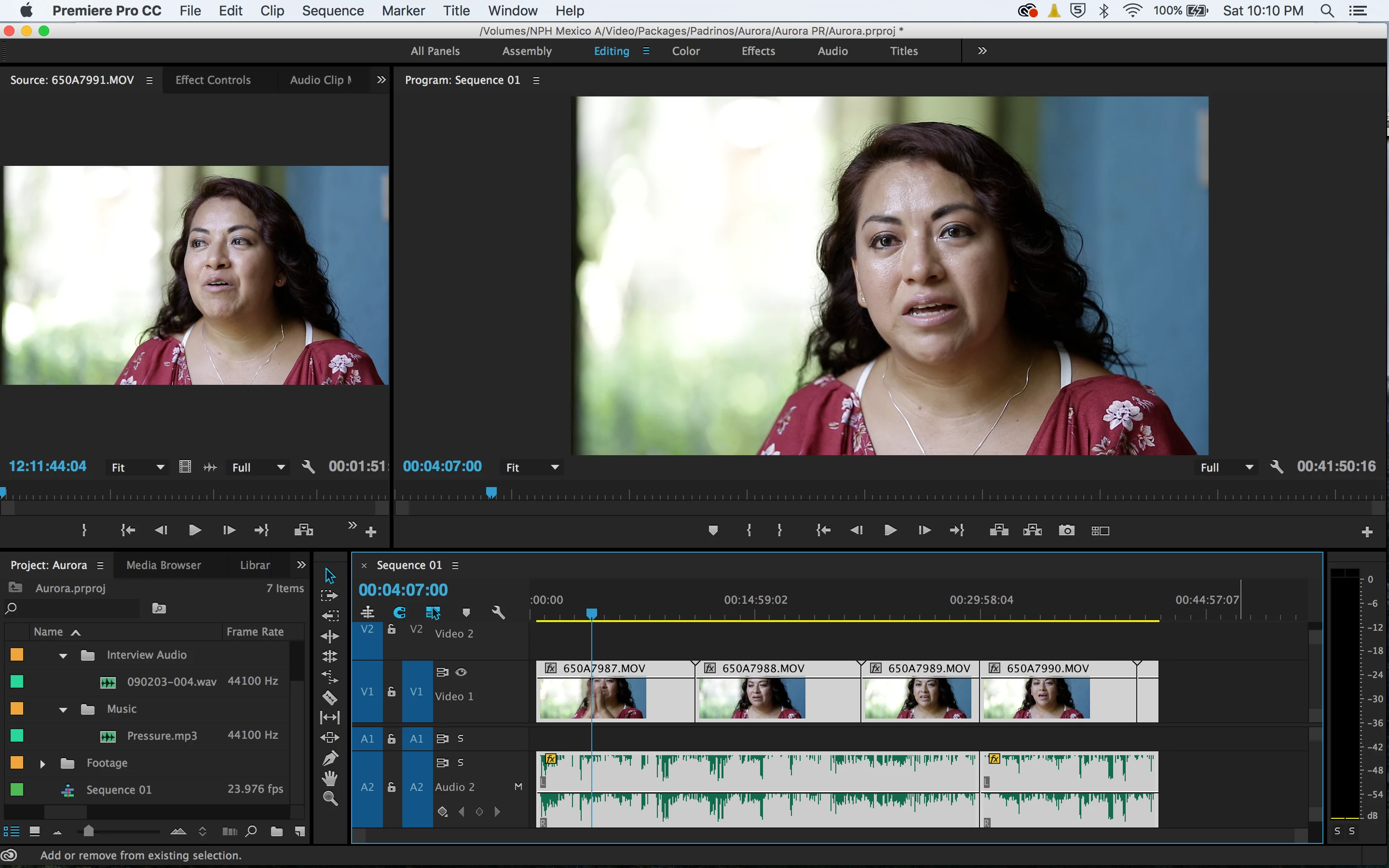
I just want to make this one clip

This topic has been closed for replies.
Correct answer Meg The Dog

joeys17114076  wrote

All i want is to merge everything together so that it makes one big, new clip that i can reference in the preview window periodically throughout the edit. Merge clips is greyed out, and i dont think nested sequence is what i want, as I cant reference a nested sequence it in the preview window.

I don't understand what you mean when you say "reference". You want to have it in the source monitor so you can play it back there while you edit on the timeline? Do you mean something else?

i dont think nested sequence is what i want, as I cant reference a nested sequence it in the preview window.

You can load a nest to the Source Monitor. You can't double click on it to load it there (if you do it will open the nest on the timeline) but you can drag the nest from the Project Panel to the Source Monitor and it will play there.

I just want to make this one clip

Well, another option is to export the timeline that contains all the merged clips to create a new file that contains the correct video and audio. Once you are done exporting the timeline, import that newly created file into your project. Now what was on the timeline will be one long clip.

MtD

2 replies

Meg The DogCorrect answer
Inspiring
August 6, 2017

joeys17114076  wrote

All i want is to merge everything together so that it makes one big, new clip that i can reference in the preview window periodically throughout the edit. Merge clips is greyed out, and i dont think nested sequence is what i want, as I cant reference a nested sequence it in the preview window.

I don't understand what you mean when you say "reference". You want to have it in the source monitor so you can play it back there while you edit on the timeline? Do you mean something else?

i dont think nested sequence is what i want, as I cant reference a nested sequence it in the preview window.

You can load a nest to the Source Monitor. You can't double click on it to load it there (if you do it will open the nest on the timeline) but you can drag the nest from the Project Panel to the Source Monitor and it will play there.

I just want to make this one clip

Well, another option is to export the timeline that contains all the merged clips to create a new file that contains the correct video and audio. Once you are done exporting the timeline, import that newly created file into your project. Now what was on the timeline will be one long clip.

MtD

R Neil Haugen
Legend
August 6, 2017

By "preview" I think you mean the Source monitor? That's on the left in your shot, Program monitor on the right.

When in the project panel, if you select the involved clips, right-click, that's when "merge clips" is greyed-out?

Neil

Everyone's mileage always varies ...