

Participant
March 29, 2023
Answered

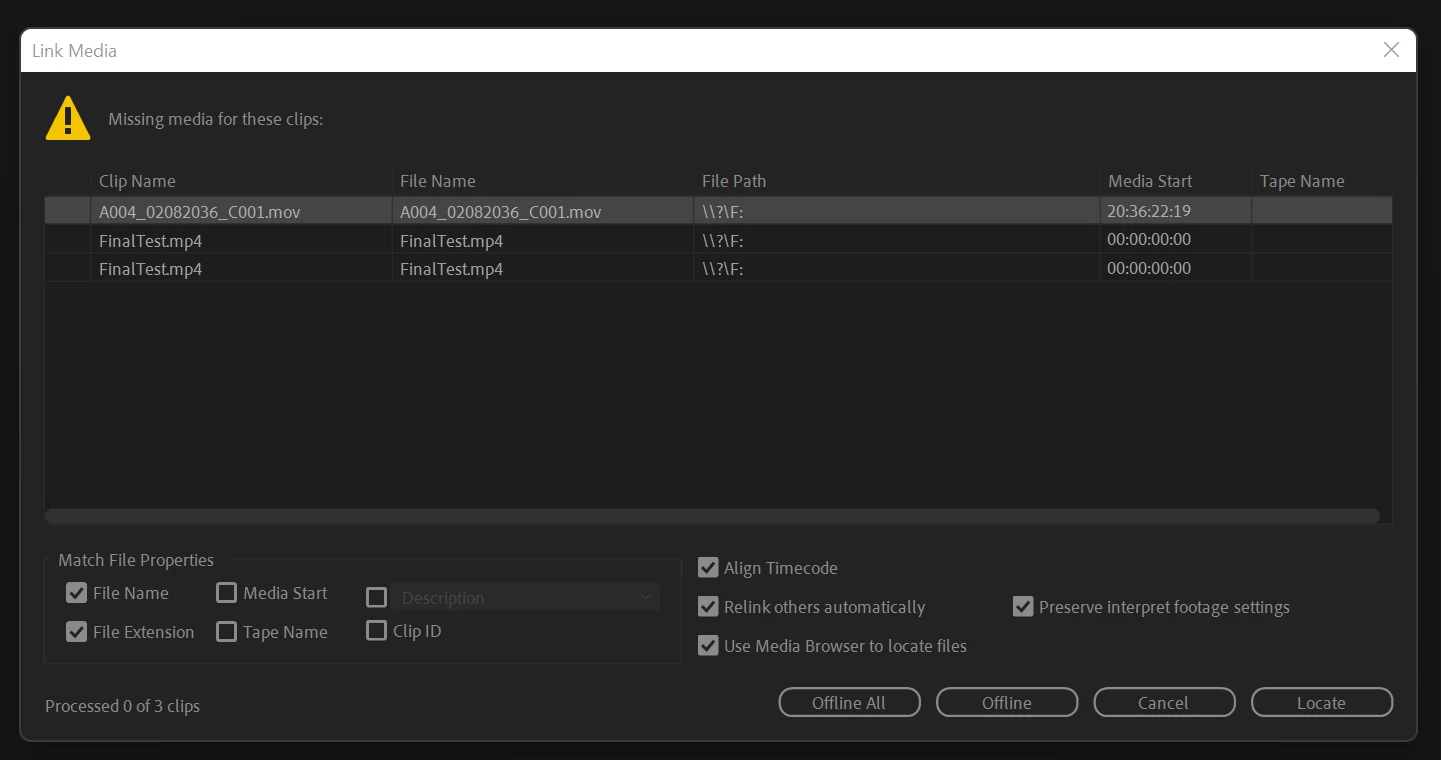
Link Media Error

  • March 29, 2023
  • 3 replies
  • 698 views

I import media into a Premier Pro project and save it.  When I come back to open it the below error appears.  Does anyone know hoe I fix this?  


This topic has been closed for replies.
Correct answer Timothy29084243lkw5

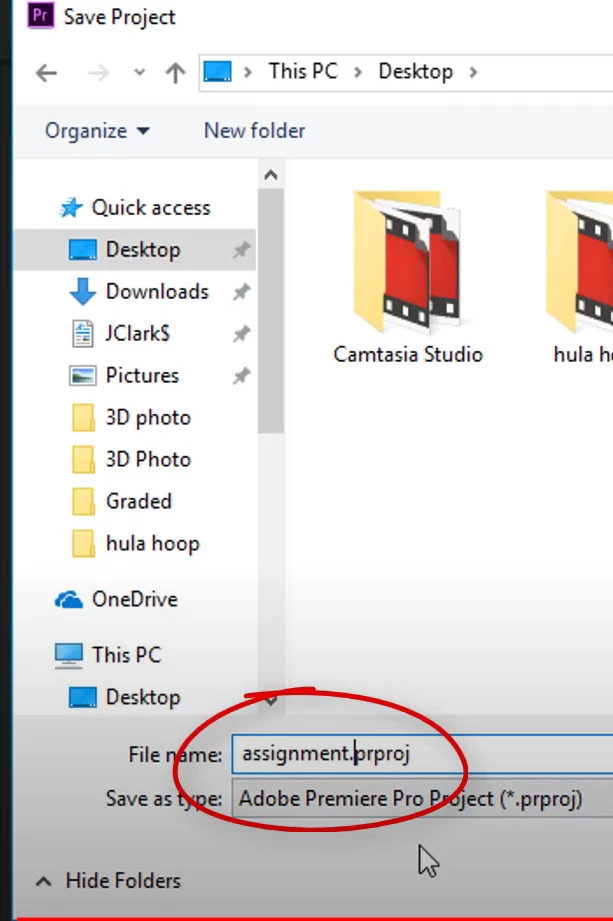
I found the problem.  I was not saving the file properly.  The file must be saved with prproj suffix attached.  I found this on a YouTube video and it fixed the problem.  


3 replies

Timothy29084243lkw5AuthorCorrect answer
Participant
April 1, 2023

I found the problem.  I was not saving the file properly.  The file must be saved with prproj suffix attached.  I found this on a YouTube video and it fixed the problem.  


Inspiring
March 30, 2023

When you "import" files in Premiere, it doesn't copy or transcode those files "into" the project the way, say, Avid imports files. Premiere just "imports" clips into the project file that link back to wherever those files are being imported from. So if you eject the hard drive those original video files are stored on, or if you rename them or move them into a different folder, Premiere loses the link and you have to tell it where those original files are. Mount the hard drive again and then hit "Locate" and find those files.

Peru Bob
Community Expert
Community Expert
March 30, 2023

Is your media located on an external drive that is not connected or doesn't have a fixed drive letter?
