James Ronan
Known Participant
February 15, 2018
Answered

Link Media - PP has changed the File name. How to change it back?

  • February 15, 2018
  • 3 replies
  • 7208 views

Hi Guys


Some work on a project was done initially on a Windows PC. This has now gone and and the project has continued on a mac...

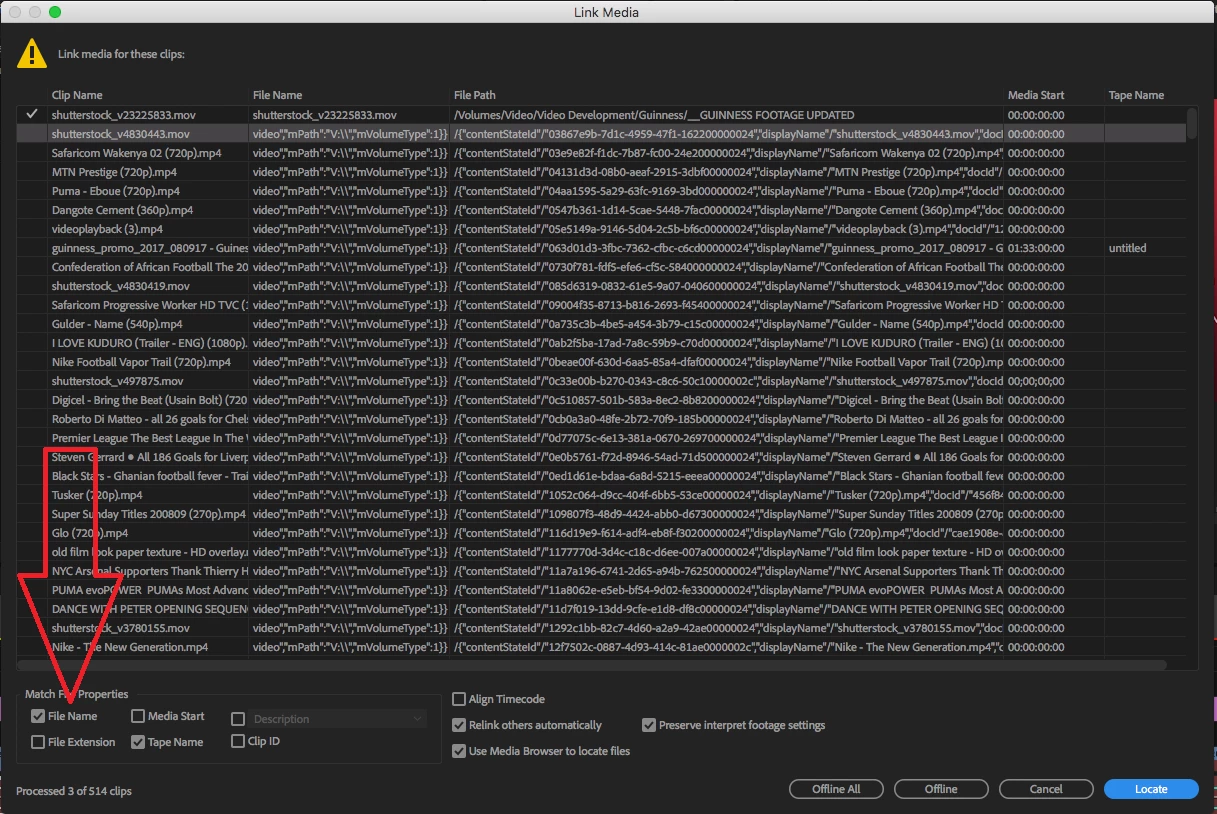
When trying to relink footage, it is showing that the File Name is different to the Clip Name? When in fact the File Name is still the same as the Clip Name, and still in the all the same folders etc. (All the project and it's contents has been worked off a central server)

It has changed every file name to:

video","mPth":"V:\\","mVolumeType":1}}

Relinking one by one works. but it won't do it automatically.

I can't see a way to change the File Name back to the Clip Name. Any ideas? I'm at a bit of a loss here have no idea and theres over 500 video files.


i've attached a screen shot for reference.

Any help massively appreciated!

James
This topic has been closed for replies.
Correct answer Vidya Sagar

Hi James Ronan,

Have you tried to uncheck the option File name in Match file properties & link? Please check.

Thanks,

Vidya

3 replies

Vidya Sagar
Adobe Employee
Adobe Employee
February 22, 2018

Hi James Ronan,

Are you able to resolve the issue? Please let us know the status.

Thanks,

Vidya

James Ronan
Known Participant
February 23, 2018

Hey Vidya,

Thanks a lot for your suggestion! Yeah this kinda worked... but it had to be done in really small increments.

E.g link media for no more than 3-4 clips at a time or the "Locating media..." window and PP would become unresponsive and crash.

So it was taking just as much time to relink as it was doing it manually aha.

Cheers

James

Vidya Sagar
Adobe Employee
Adobe Employee
February 26, 2018

Hi James,

Thanks for letting us know the status. Unfortunately, there is no further workaround for this current issue.

Vidya

Legend
February 15, 2018
Vidya Sagar
Adobe Employee
Vidya SagarCorrect answer
Adobe Employee
February 15, 2018

Hi James Ronan,

Have you tried to uncheck the option File name in Match file properties & link? Please check.

Thanks,

Vidya