Known Participant
December 24, 2016
Question

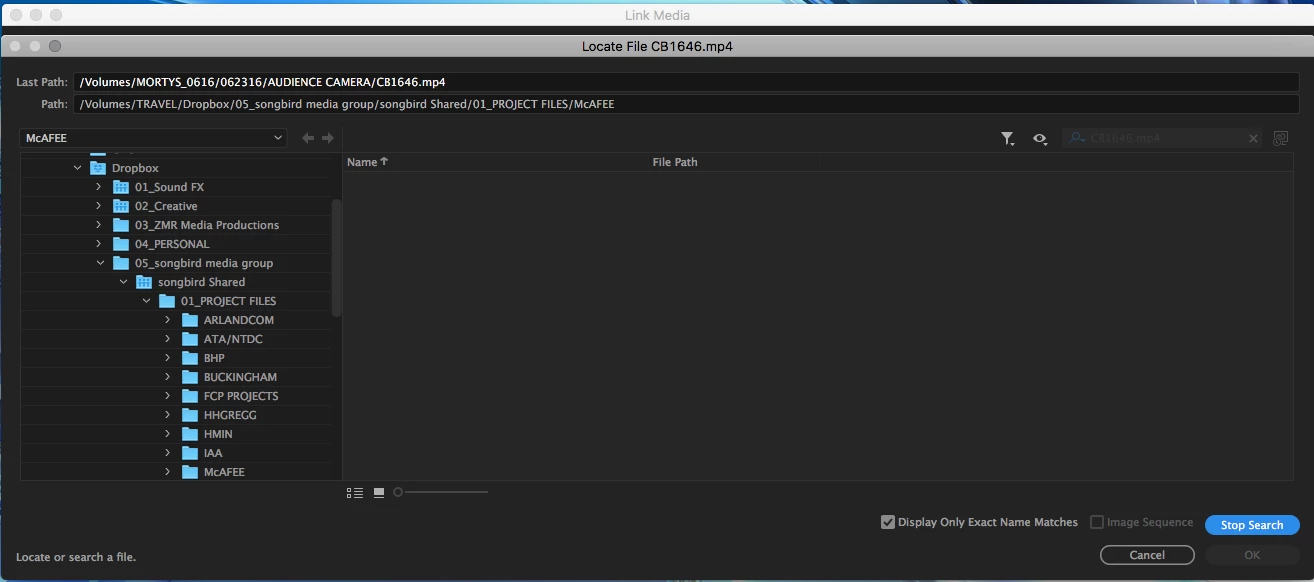
Link Media "SEARCH" Option NOT WORKING!

  • December 24, 2016
  • 1 reply
  • 704 views

When going through the process of relinking media, I've always been able to use the "SEARCH" option in the LOCATE FILE... window. As of 2 months ago, this feature stopped working. This was happening on multiple Mac Pro's we have but now 2 of 3 that were having the issue suddenly started working again. The last tower is still not working.

I've gone through the wonderful Adobe online tech support and they did the whole "Changing all my Adobe folders to Adobe1" thing which did absolutely nothing. Outside of an uninstall and reinstall, am I missing something here?
This topic has been closed for replies.

1 reply

Inspiring
May 27, 2017

Indeed, this is not working for me at all. Mac Pro 5,1.

noahb77864026
Participant
March 30, 2022

This is not working for me either all of the sudden... I have tried to uninstall and reinstall premiere and it still is not wokring ... someone please help

Kevin J. Monahan Jr.
Legend
March 31, 2022

Hi noahb77864026,

This issue is from quite an old post. What's going on? May we have more info, please? We like to have information about your computer, OS, and version of Premiere Pro. I don't have any trouble along these lines, so screenshots would help.


Thanks,
Kevin

Kevin Monahan - Sr. Community and Engagement Strategist – Adobe Pro Video and Audio