
Participant
December 4, 2024
Question

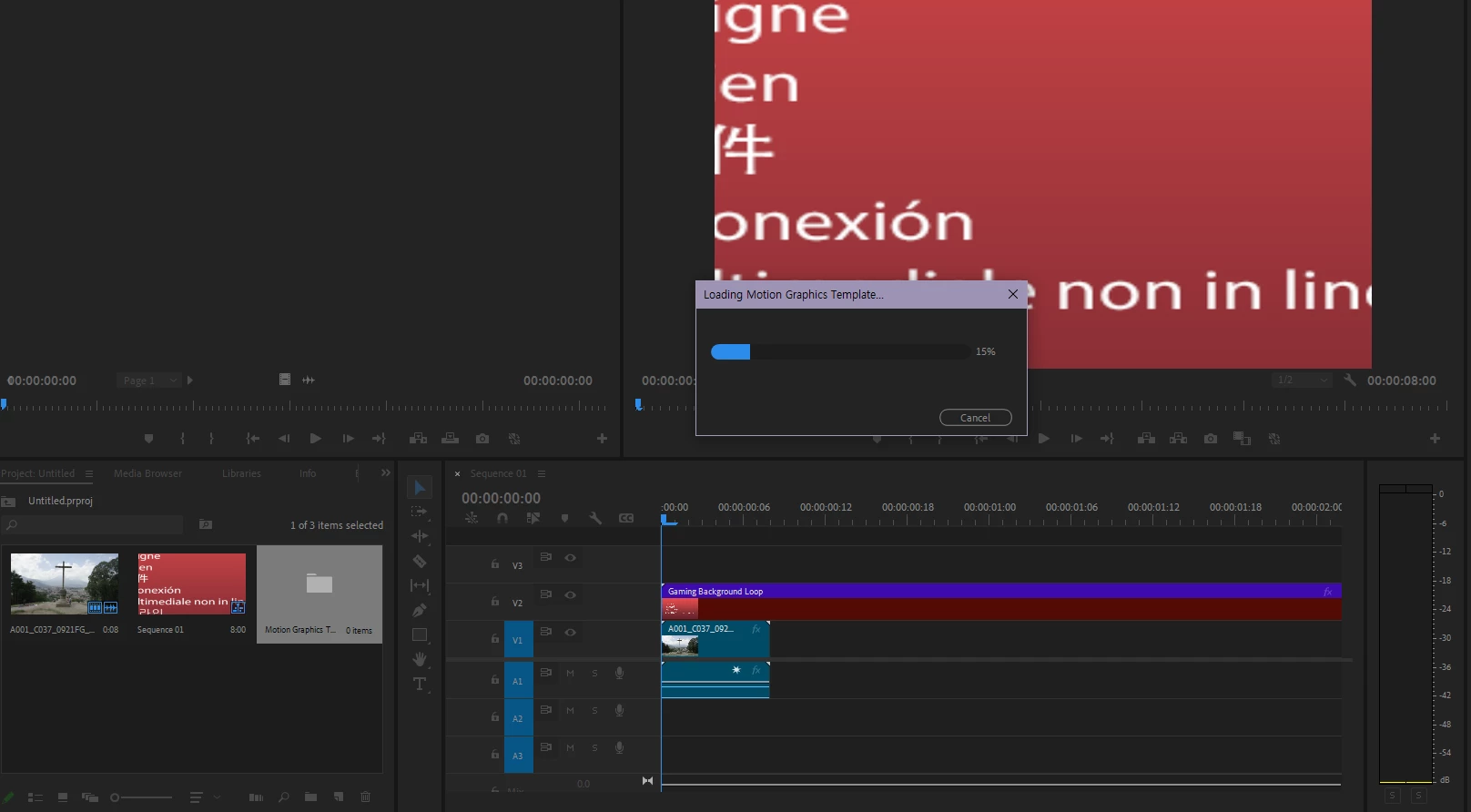
Loading essential graphics stuck at 15%
  • December 4, 2024
  • 2 replies
  • 385 views

This issue occurred first at 23.5, and it continues after updating it to 24.5.

When I drag and drop the mogrt on a timeline, "Loading essential graphics" popup would stuck at 15%.

It doesn't matter the mogrt is a stock one, which is provided by default. However I found that only the mogrt files contained in folders starting with [AE] makes problem, such as Sports Package or Video Gaming Package. It also occurs with the mogrt made by myself at AE.

I don't use any external plug-ins.

I already tried uninstall and reinstalling with CC Cleaner.

My graphic driver is already updated.

My AE version is also 24.5.


My desktop spec:

OS: Windows 10 Home

CPU: AMD Ryzen 5 7600X

Memory: 32GB

Graphics: NVIDIA GeForce RTX 3060


Can anyone please help me?

This topic has been closed for replies.

2 replies

Theresa Rostek
Community Manager
Community Manager
December 17, 2024

Hey @Trigonotis,


Sorry to hear you're running into issues. Can shut down Premiere Pro and look at the following folders and see how full they are? (Change out the <username> for your computer's account name)

C:\Users\<username>\AppData\Local\Temp\com.adobe.ae.cap\Premiere Pro

C:\Users\<username>\AppData\Local\Temp\com.adobe.ae.cap\Premiere Pro (Beta)


Try deleting the files from these folders, launch Premiere and see if the issue resolves?


Thanks!
Theresa


Motion Graphics, Premiere Pro
Participant
December 18, 2024

The folders don't exist. There's only After Effects folder and it's empty.

Ann Bens
Community Expert
Community Expert
December 4, 2024

Might want to upgrade to the most current version on Premiere.

Participant
December 9, 2024

Nope, still doesn't work.