
Participant
July 18, 2024
Question

Logitech MX3 + Timeline Control

  • July 18, 2024
  • 4 replies
  • 731 views

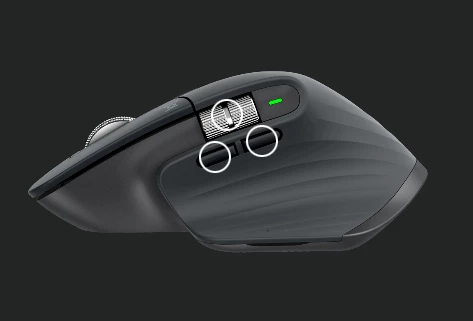
I use a logitech MX master 3, like I'm sure a lot of people do here - I set the side buttons to zoom in/out of my timeline and the side scroll to scrub the timeline through the app specfic control on logi options. These used to work flawlessly in previous versions of premiere but seems to be laggy in this current version. Will sometimes freeze up, or be delayed.


This topic has been closed for replies.

4 replies

LuMags
Inspiring
November 4, 2024

Hi Kevin,

On a similar vein, with the new update to 2025 the Options+ software doesnt offer any Adobe-centric options. My thumbscroller used to be timeline movement for example but now the software just offers generic Windows things like Cut, Paste etc. Similarly on PhotoShop the scroller wash brush size, not anymore.

Any ideas? Thank you

Participant
July 19, 2024

That post seems to be geared towards the shortcuts not working at all. The shortcuts do indeed trigger the proper functions of zooming the timeline in or out (I'm running PP2024 and MacOS). However, sometimes premire will seem to freeze up and there will be a 5-8 second delay, which I have not experienced previously working in PP 2023 while using the mouse shortcuts.

Kevin J. Monahan Jr.
Legend
July 19, 2024

Hi,

Sorry that the discussion did not help you. Have you contacted support at Logitech? Let the community know what they have to say. I hope together we can help you fix this issue.


Thanks,
Kevin

Kevin Monahan - Sr. Community and Engagement Strategist – Adobe Pro Video and Audio
Kevin J. Monahan Jr.
Legend
July 19, 2024

The status of this bug report has been updated.

Kevin Monahan - Sr. Community and Engagement Strategist – Adobe Pro Video and Audio
Kevin J. Monahan Jr.
Legend
July 19, 2024

Hi digitalchaos,

Thanks for writing in. I see that others have periodic issues with this mouse. Can you see if this post might hold a solution? https://adobe.ly/4bR8Ess


Let me know.


Thanks,
Kevin

Kevin Monahan - Sr. Community and Engagement Strategist – Adobe Pro Video and Audio