Participant
August 13, 2020
Question

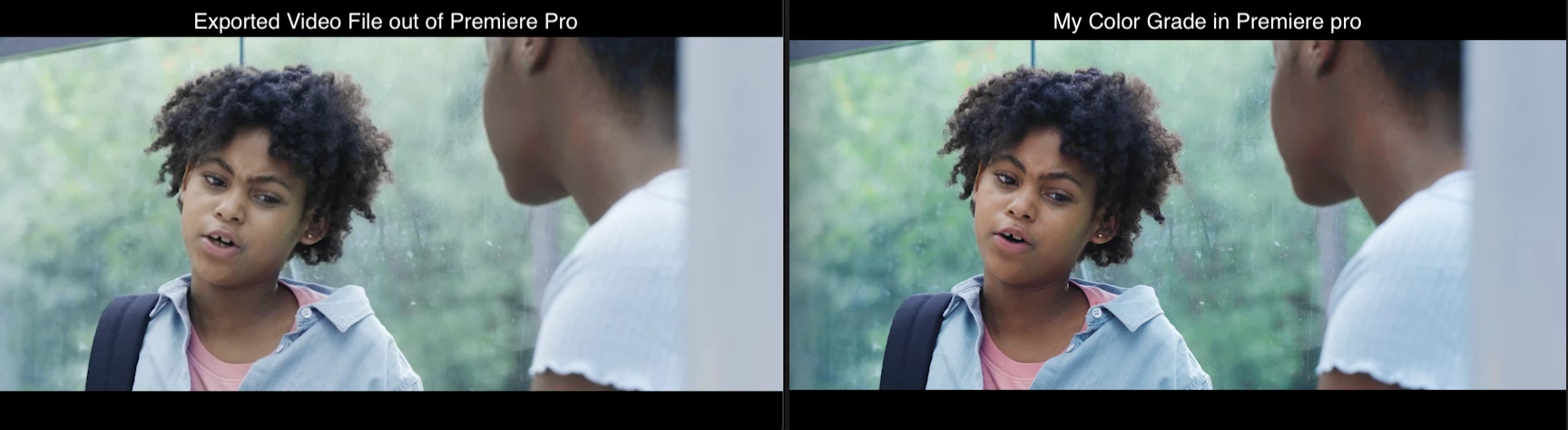
Losing Color Grade when I export videos from Premiere Pro

  • August 13, 2020
  • 2 replies
  • 258 views

Hello i'm losing my color grade when I export my videos. I'm not using a LUT, I'm using only the grading tools in Lumetri.  When I color grade I see the final image on the right, when I export the video, it seems to be washed out. I have tried many things. I'm stumped. Anyone please help.
This topic has been closed for replies.

2 replies

R Neil Haugen
Legend
August 14, 2020

That LONG thread Ann linked to covers it pretty much. It's purely a color management issue, and can drive you nuts.


Pro colorists spend a ton of money time & efffort to get a dead-on calibrated and profiled monitor at precisely Rec.709/gamma 2.4/sRGB primaries/100 nits brightness in a semi-darkened room. They can't even with all their training and gear get their reference monitor and the client monitor over on the wall to be precisely the same with the same signal.


And as soon as that media is published, whether broadcast, streaming, or web ... no one on any other screen will ever see exactly the image that they saw on their reference screen.


Every screen is different ... every browser, player, and service will have it's own 'thing' it does with the image. And some screens are in bright areas and some in dark. That will also affect things.


I include some additional resources.


Neil

Why Master On A Calibrated Display?

Color Management for Video Editors

Jarle’s Article on Premiere Color Management


And my video tutorial over at MixingLight.com on Premiere's color management and processing ... also referenced in Jonny Elwyn's blog above ...

How Do You Finish at the Highest Possible Quality in Premiere Pro CC?


Everyone's mileage always varies ...
Participant
August 17, 2020

Thanks for all this insight. Very much apprecaitted. I was able to find a solution with a Gamma Lut that I add in during the export.  All of this other info is great to know and get behind. 

Ann Bens
Community Expert
Community Expert
August 13, 2020
Participant
August 17, 2020

Thank you.