Participant
July 25, 2013
Answered

Loudness Radar in Premiere Pro for master control

  • July 25, 2013
  • 1 reply
  • 21574 views

I can get LM (loudnss Radar) to work on individual tracks, but can it work through the Master output, also I thought you should be able to export your clips as an audio sequence to go to Auditions "as is" into a multitrack configuration, so you are not disturbing your sequence settings and alignment, I can't seem to achieve this. Also in the timeline (PP) can you select a number of ie Titles around the program window as a group as opposed to individual.

This topic has been closed for replies.
Correct answer petergaraway

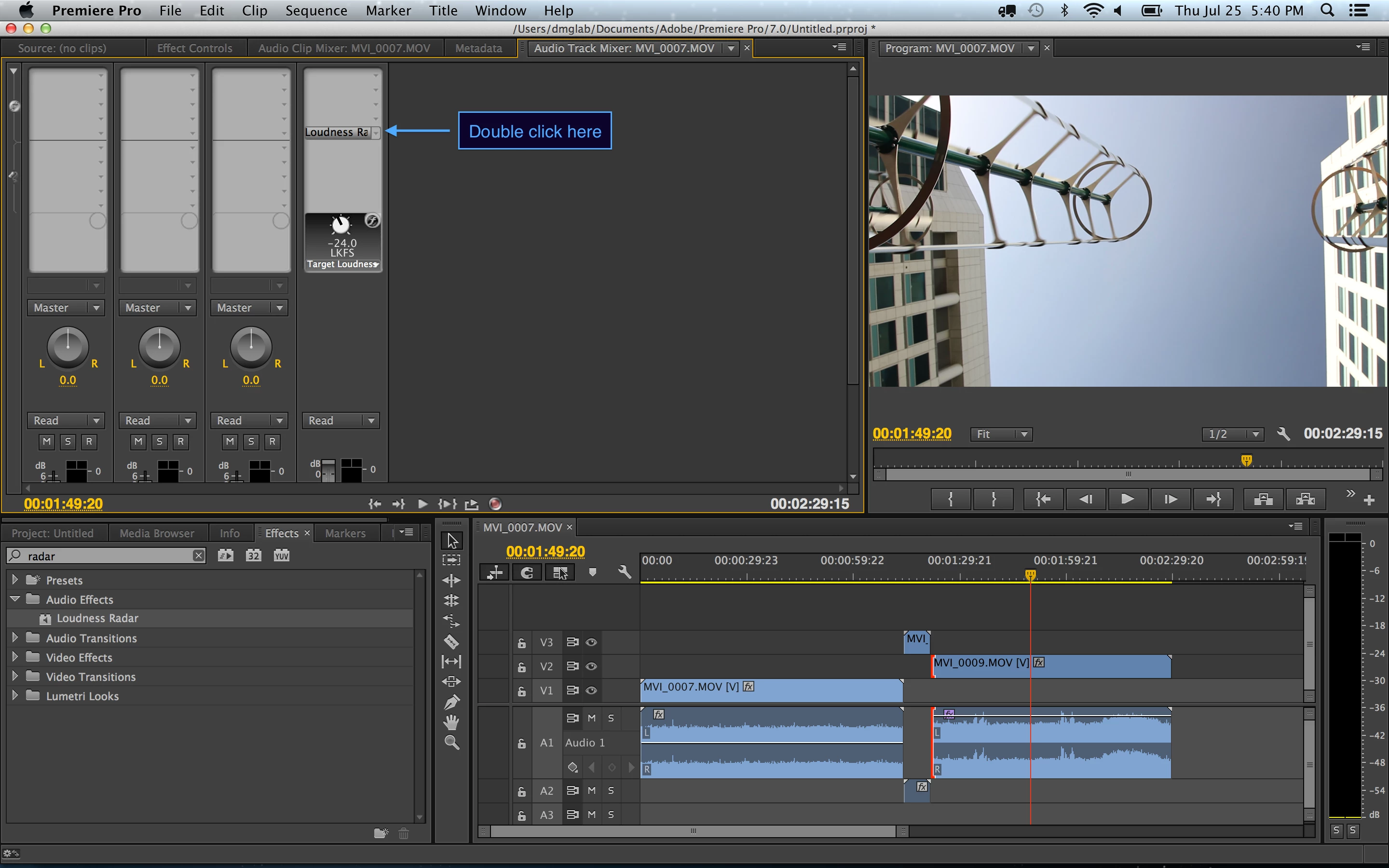
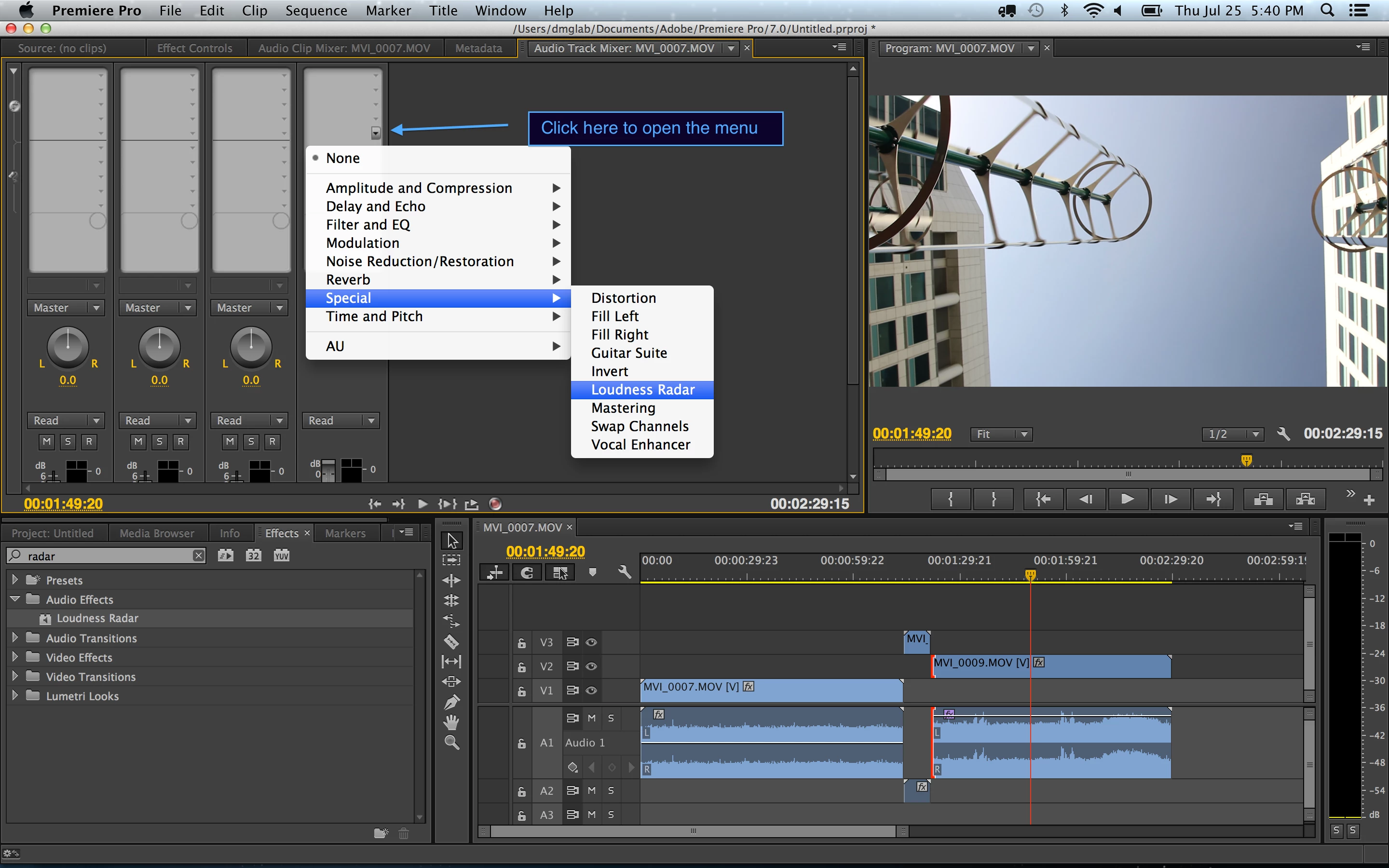
Hi Peter, thanks so much for your reply, we are getting somewhere now! we are missing an important element in the master control section on top, how do we launch the Loudness standard element section as is on your master fader? it is not sitting in our master fader section?

Mick


Follow these steps

Hope this does the trick.

Peter Garaway

Adobe

Premiere Pro

1 reply

Legend
July 25, 2013

The Radar works fine on the Master track.  Not sure about the others.

Erby2124Author
Participant
July 25, 2013

Thanks Jim, I was actually trying to find out HOW to get it to work on the master output as there are NO instructions or tutorials available, anyone else out there!

Legend
July 26, 2013

The same way you get it to work on the other tracks.