Inspiring
March 29, 2019
Question

Low Level Warning Nightmares

  • March 29, 2019
  • 12 replies
  • 3764 views

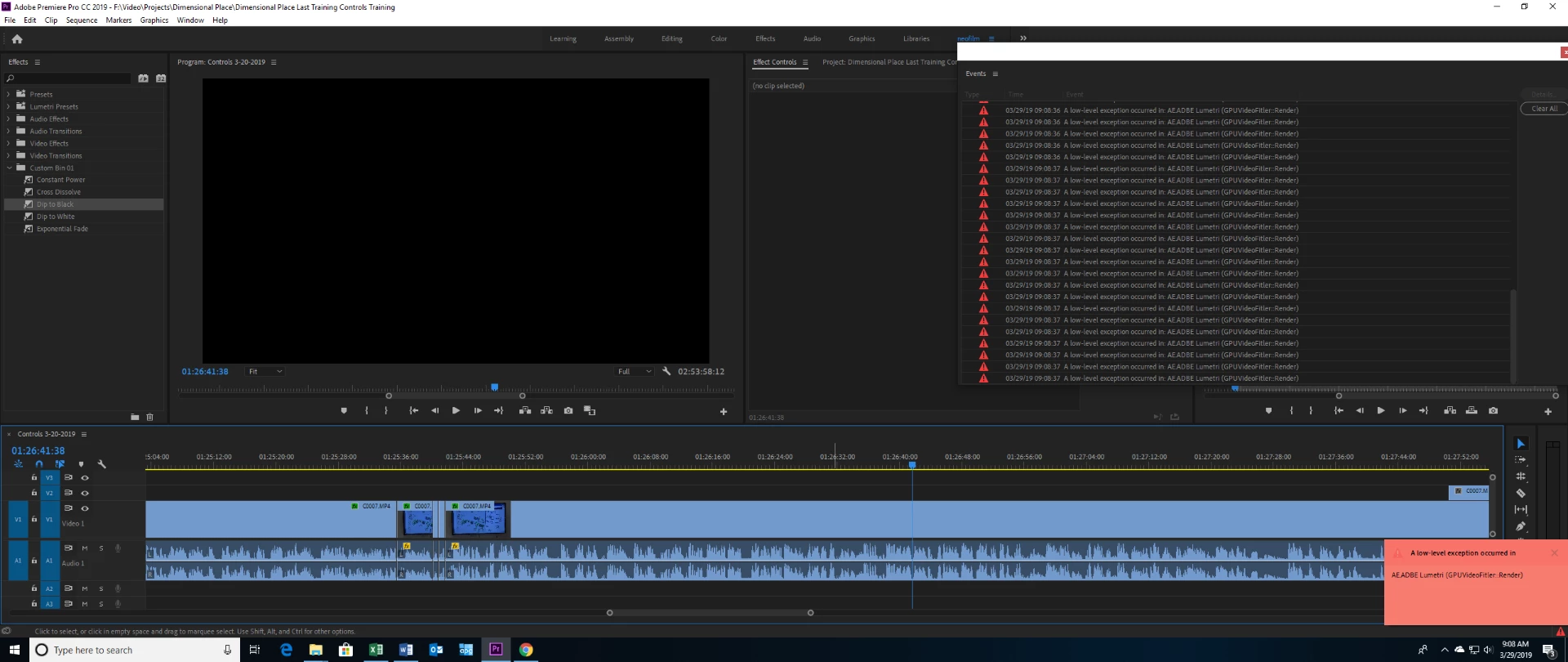
This happened yesterday with the same project. After about an hour of editing with no issues I suddenly get multiple warnings stating "A low-level exception occurred in: AE.ADBE Lumetri (GPUVideoFilter::Render)". Then my preview monitor turns black and I can’t see anything on my screen. Similar warnings happened on my other computer earlier this week with a completely different project.

This really messes my workflow up. Closing and restarting the project seems to resolve it. But it shouldn’t be happening in the first place. My video card is a massive, $1,400 video card, 2080 ti on a new PC. I never had this problem on my old computer/video card until earlier this week when it also started having low level warnings. So, these warnings are happening on two completely different machines.

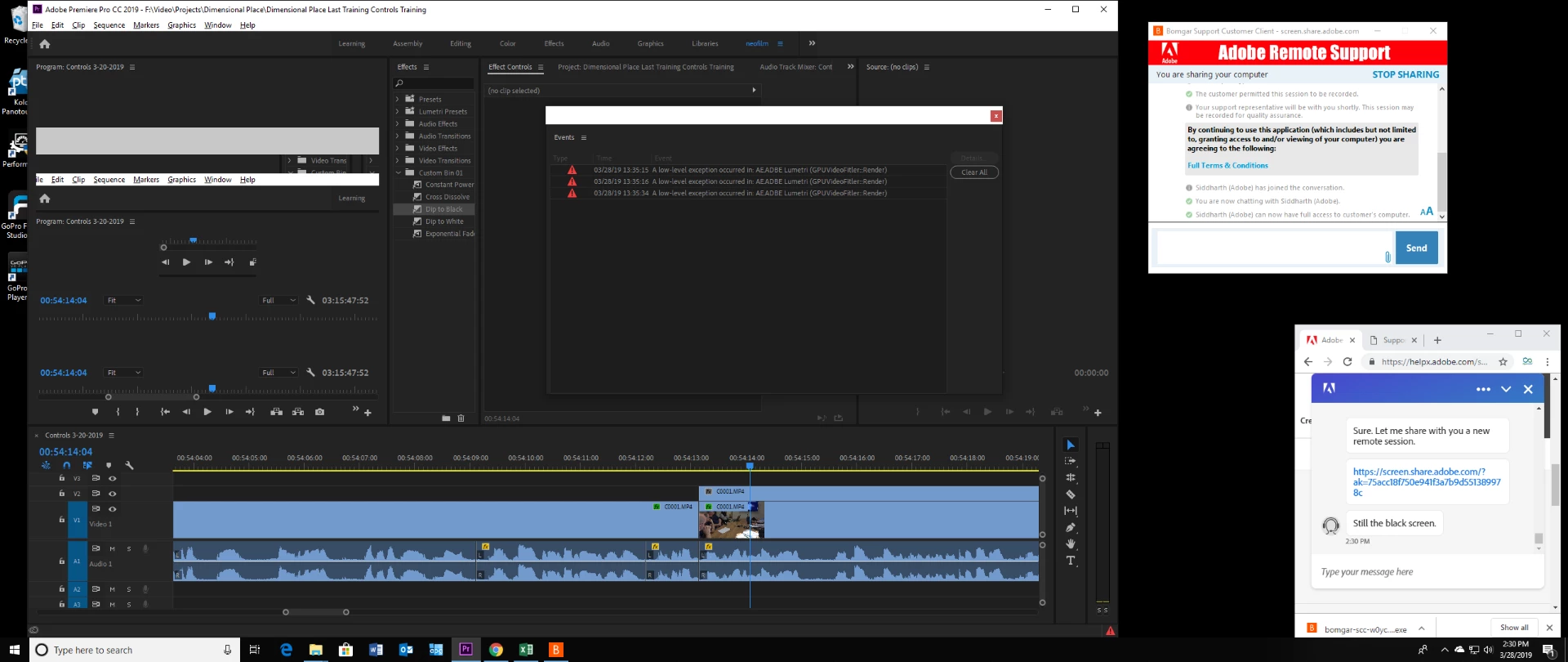
Yesterday I tried to resolve this through adobe help center chat and spent an hour trying to get someone on chat. The chat support was never able to help me resolve it because they would either end the conversation prematurely until finally I got someone that tried to log onto my computer but they were not able to see my computer for some reason.

Do I need to do something to improve the performance or better setup my 2080 ti? This was never a problem before this week with my ten year old computer. Now suddenly it's a problem with both my ten year old computer and my new, awesome computer...

Here's a screen shot showing the warnings and how the preview pane for my timeline goes black. The only thing I can do is restart premiere to resolve this and get back to editing:
Here's a screen shot of the same thing happening yesterday. The preview pane went black also but then it started showing a repeat of premiere in some weird way. As you can see I was trying to get adobe chat support to help. But, I gave up after an hour of waiting for them transferring me to the wrong person three times and then finally getting someone that claims they're the right person they were not able to connect and see my computer for some reason.
    This topic has been closed for replies.

    12 replies

    NeofilmAuthor
    Inspiring
    March 30, 2019

    Just started working on a different project and got these warnings AGAIN!

    chrisw44157881
    Inspiring
    March 30, 2019

    does it crash at the same spot with the same media?

    did you delete cache?

    does it crash with software render only?

    have you stress tested your card?

    these may sound like silly questions, but believe me, if you don't get the dumb questions out of the way, you'll probably never resolve the issue.

    NeofilmAuthor
    Inspiring
    April 3, 2019

    does it crash at the same spot with the same media?

    no, it's been different projects, sometimes 4k, sometimes hd, sometimes lumetri effect, sometimes no effect, most of the time after about an hour of editing straight and it seems like often with rolling edit but not sure how often with rolling edit.

    did you delete cache?

    the cache has been in different locations with each project. This last project was a completely new project and still had an issue.

    does it crash with software render only?

    I'm using Mercury Playback Engine GPU Acceleration (CUDA). I'm usually in the middle of editing serious for about an hour or more.

    have you stress tested your card?

    No, this is my third and most expensive card and overall build and I've never needed to stress test anything before. It sounds like fun but no I have not. I did a benchmark and this build scored in the 99 percentile. I tested my hard drives for the most part. But, I haven't done anything special with my video card, I don't know how to do it though. After a quasi quick read it sounds a bit dangerous.

    Peru Bob
    Community Expert
    Community Expert
    March 29, 2019

    Have you tried different video drivers?

    NeofilmAuthor
    Inspiring
    March 29, 2019

    No, I just built this system a couple of weeks ago. I think (it's been a hectic couple of weeks...) that I just used the windows drivers, I don't recall... It's a evga geforce rtx 2080 ti on a Z390 Aorus Master by Gibabyte mobo. I'll look into that now. This issue has happened two more times since I posted this today!