Participant
January 30, 2024
Question

lumetri color blank

  • January 30, 2024
  • 1 reply
  • 126 views

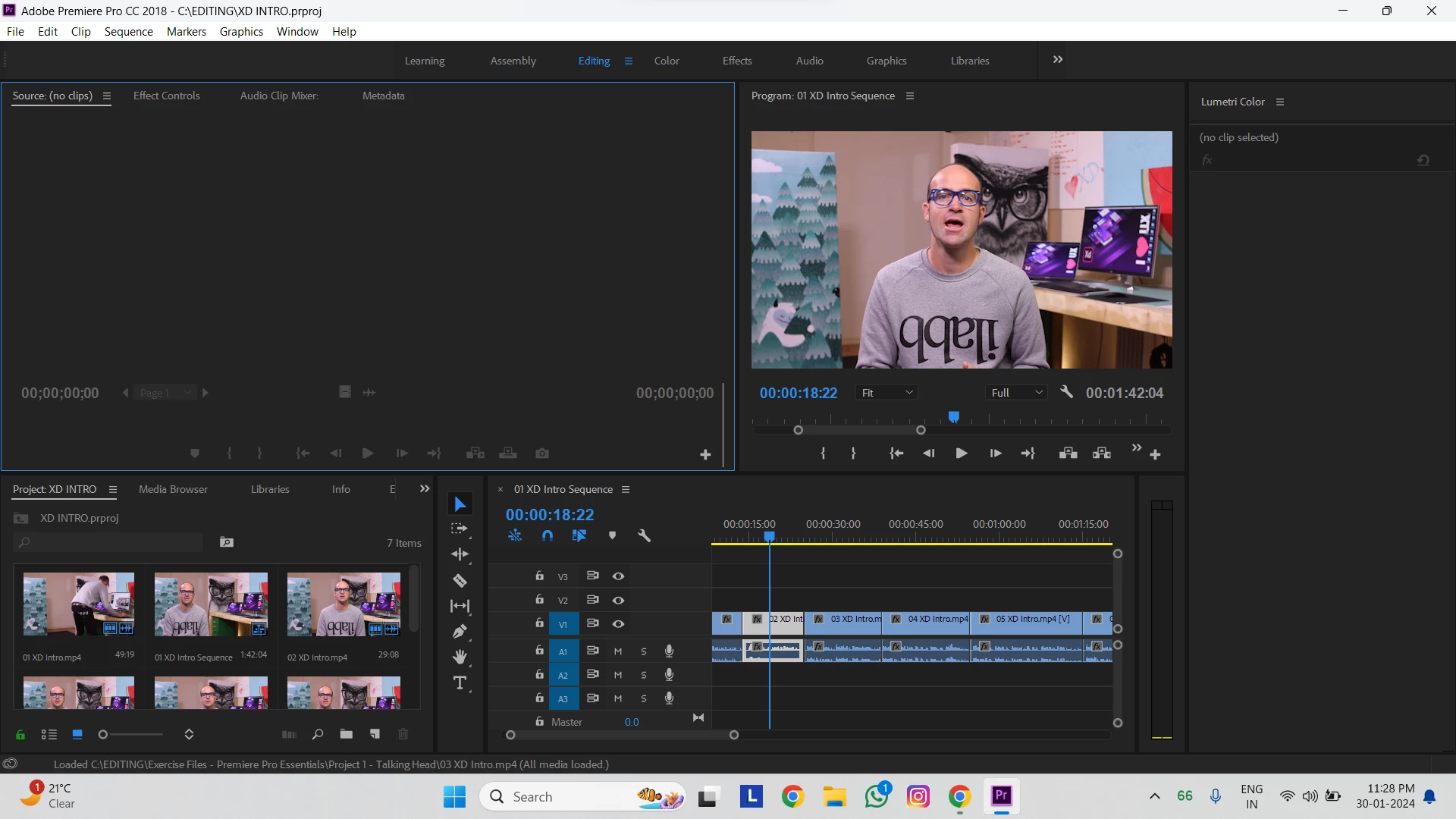
i am using premier pro 2018. when i click on lumetri color it opened but it's not showing any options please help

This topic has been closed for replies.

1 reply

R Neil Haugen
Legend
January 30, 2024

Do you see the blue line around the upper left panel group, the Source panel currently "active"? That blue line means Premiere is focused on what's in the Source monitor.


Which doesn't have a clip loaded. Ergo, "no clip selected" is correct ... if puzzling.


Click in the Timeline panel, or use the keyboard short to get to the Timeline panel, then make sure there is a clip selected (like is currently showing ) ... and your Lumetri controls will appear.


Because there will be a clip in the selected "active" panel.

Everyone's mileage always varies ...
Participant
February 5, 2024

I have tried, but it doesn't work. Still the same problem