Participant
November 25, 2019
Answered

Lumetri Color Bug

  • November 25, 2019
  • 2 replies
  • 1336 views

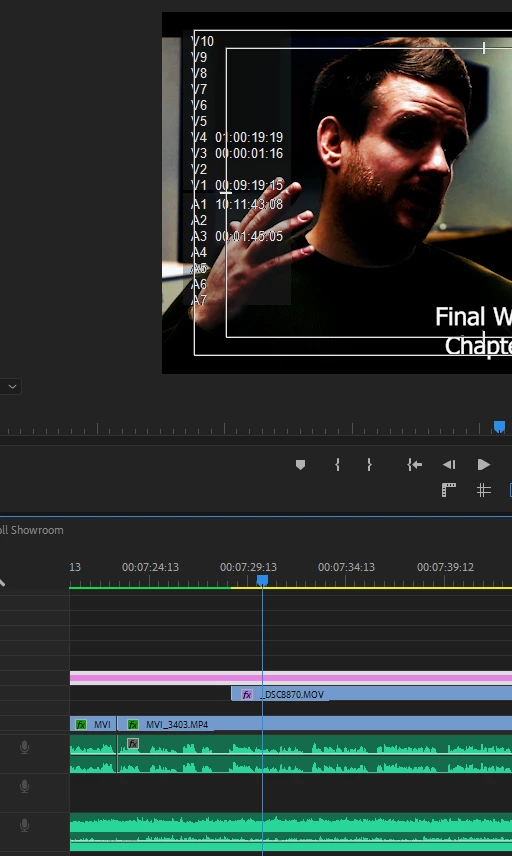
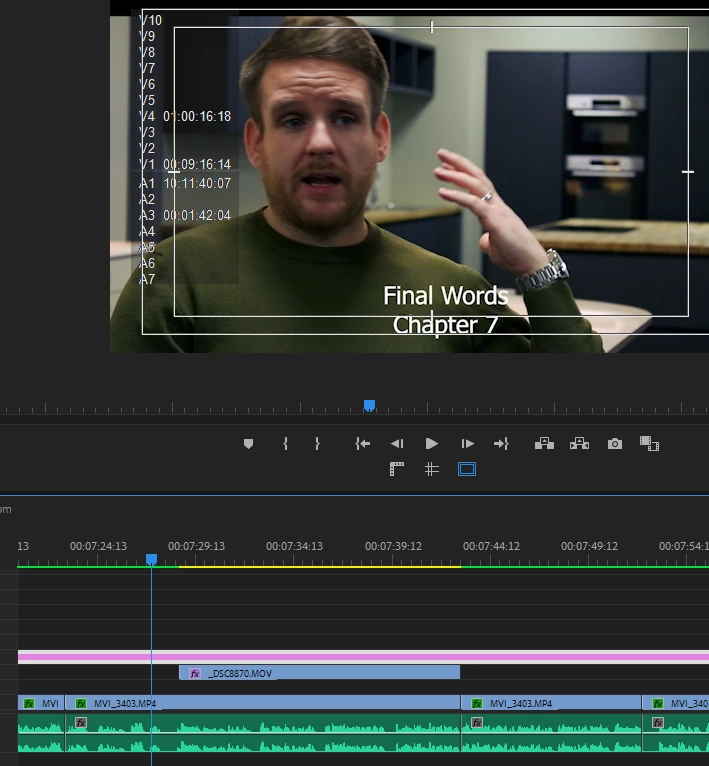
I have no idea how to describe what is happening but i was done correcting/ grading an interview and out of nowhere when i launched PP the lumetri colors are gone all washed but it only seem to affect only the parts of the interview that were covered by other footage ive tried copying same settings into a fresh clip but now it gives me that same washed look. 
 

This topic has been closed for replies.
Correct answer Richard van den Boogaard

Please try the following approach:

- Drag the text layer to layer 5

- Include an Adjustment Layer on Layer 4, spanning the entire length of the sequence

- Cut (CTRL/CMD+X) the Lumetri effect from Layer 1 to the Adjustment Layer on 4.


What happens?

2 replies

Richard van den Boogaard
Community Expert
Community Expert
November 25, 2019

Please try the following approach:

- Drag the text layer to layer 5

- Include an Adjustment Layer on Layer 4, spanning the entire length of the sequence

- Cut (CTRL/CMD+X) the Lumetri effect from Layer 1 to the Adjustment Layer on 4.


What happens?

Participant
November 25, 2019

Fixed* - I ended up just removing Lumetri Color all together and recoloring the interview on an adjustment layer. From what i gathered what caused the problem was the LUT i was using, when i originaly applied it, it gave me a flatened look which i then worked off of, but however PP decided to read picture information after a few drafts it just got washed and the issue wasn't just with the lut it was also corrections that were made, if i remeber correctly i first noticed this bug just after 2020 update when i launched the new version i saw what happened and i imediatly went back to 2019 (paying no mind to it) which fixed the issue but today it just appeared on the entire sequence, but i would still like to know what could've caused this in case it happens again.

Participating Frequently
February 18, 2020

Super interested in an explanation as I am currently in this corner of hell myself.  Do a color pass.  And the next time I restart the project color is ALL over the place.  Randomly.

Richard van den Boogaard
Community Expert
Community Expert
November 25, 2019

Appears that you have two instances of Lumetri being applied at once. Please check the super-imposed clip _DSC8870.mov if it does not have an instance of Lumetri in the Effect Controls tab.

Participant
November 25, 2019

Thats what i thought at first but no its just lumetri doing its thing,
for example if i adjust just the position of the unaffected part of the clip it will jump straight to example B with all colors washed out


Richard van den Boogaard
Community Expert
Community Expert
November 25, 2019

Can you please include a few screen shots of the effects applied on layer 1, 3 and 4?