laurenr76200719
Participating Frequently
January 24, 2019
Question

Lumetri Color Causing Random Pixels On My Footage

  • January 24, 2019
  • 2 replies
  • 2453 views

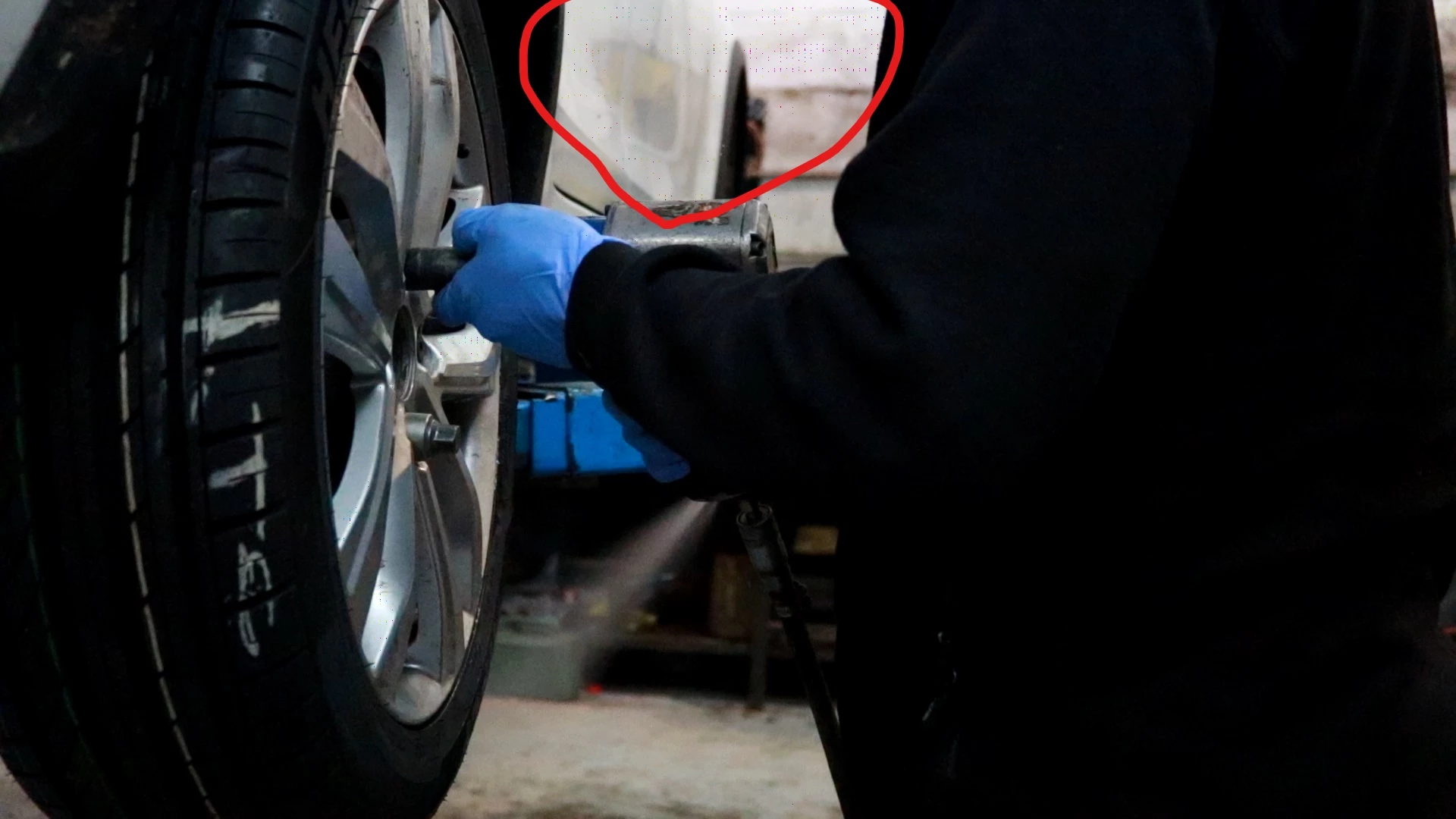
I use lumetri colour to colour correct my footage and recently I have noticed random pixels appearing. Does anyone know how I can get rid of this? I is only appearing when I add this effect to my footage. It is important that I continue to use this effect.

I have Premiere Pro CC 2019.

Any helpful response would be greatly appreciated.
This topic has been closed for replies.

2 replies

Legend
January 24, 2019

Do you see that in the export, or only in the Program Monitor?

laurenr76200719
Participating Frequently
January 25, 2019

I am seeing this issue both in the program monitor and in the export.

Inspiring
January 24, 2019

What renderer are you using, Software Only or OpenCL, Metal, or CUDA? What OS and GPU are you using? Is your GPU driver up-to-date, or did you recently update it? Is this happening all the time or does it temporarily go away when you restart your machine?

This looks like a GPU issue, so without knowing any of the answers to the questions above it's hard to guess.

laurenr76200719
Participating Frequently
January 25, 2019

The renderer I am using is software only but for some reason, I am not being given the option to change this.

Windows 10 Pro is my OS and GPU is NVIDIA GeForce GT 710.

I am about to have my GPU driver updated so it will be up-to-date.

It is happening all the time.

Legend
January 25, 2019

Your GPU is woefully out of date.  My first recommendation would be to upgrade to a 1000 or 2000 series GTX card.