Participant
December 4, 2021
Answered

Lumetri Color change not reflected in the Program monitor

  • December 4, 2021
  • 1 reply
  • 760 views

Premiere Pro newie here. The same in-app tutorial project works on my Intel based MBP, but not on my new 2021 MBP M1 Max.


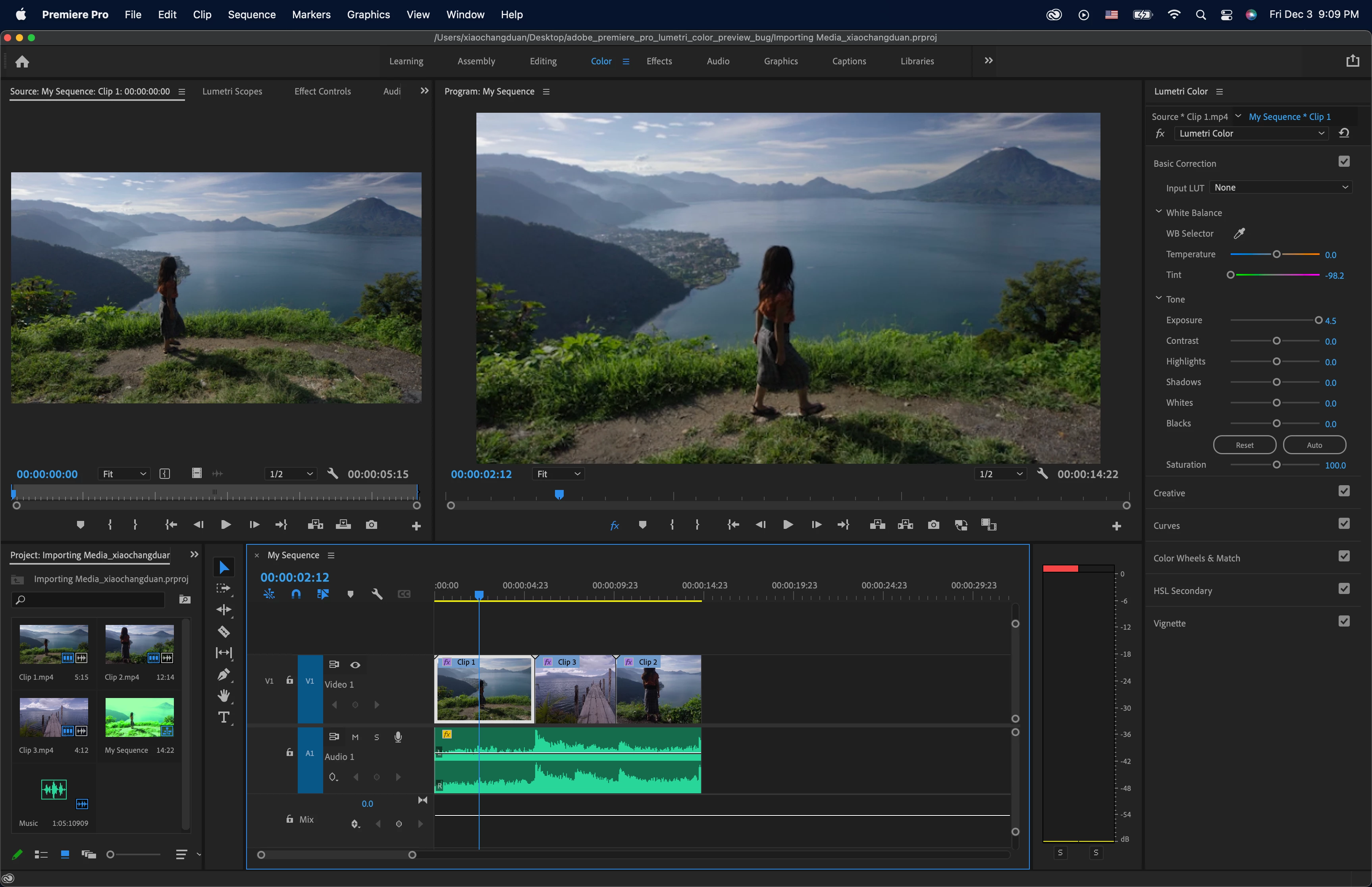
I ensure the timeline cursor is on the clip I wanted to adjust; I changed the tint to far green side for the demostration purpose. The Program monitor does not reflect the change at all and either does the playback. Wierdly I noticed that the Imported Media panel got a new copy of the current clip with the Lumetri change I made.


I must have made some stupid mistake but could not figure out why. I tried the Intel version Premeire Pro app on the same M1 Max and saw the same error. I also tried uninstalling Premiere Pro and reinstallation, but nothing solved the problem.


Any hint to point out what I missed here is highly appreciated! 🙂 Dave
 

This topic has been closed for replies.
Correct answer HugeFedererFan

Never mind. Found the answer at https://community.adobe.com/t5/premiere-pro-discussions/effects-show-no-change-on-the-program-monitor/td-p/9813811. I have the global fx button disabled by accident. Apparently it's sticky across projects.

1 reply

Participant
December 4, 2021

Some context project here. I found the problem with my real project. Thought it could be some camera/video format support problem and so I tried the same flow with the In-App tutorial. Below is a snapshot of my real project which only has 1 clip. I increased the exposure to the maximum level and maxed out green tint, but the Program monitor content stayed as dark as the original clip.


Thanks!

dave


HugeFedererFanAuthorCorrect answer
Participant
December 4, 2021

Never mind. Found the answer at https://community.adobe.com/t5/premiere-pro-discussions/effects-show-no-change-on-the-program-monitor/td-p/9813811. I have the global fx button disabled by accident. Apparently it's sticky across projects.