Participating Frequently
February 28, 2025
Answered

Lumetri Color "CROPS" the entire clip??

  • February 28, 2025
  • 2 replies
  • 539 views

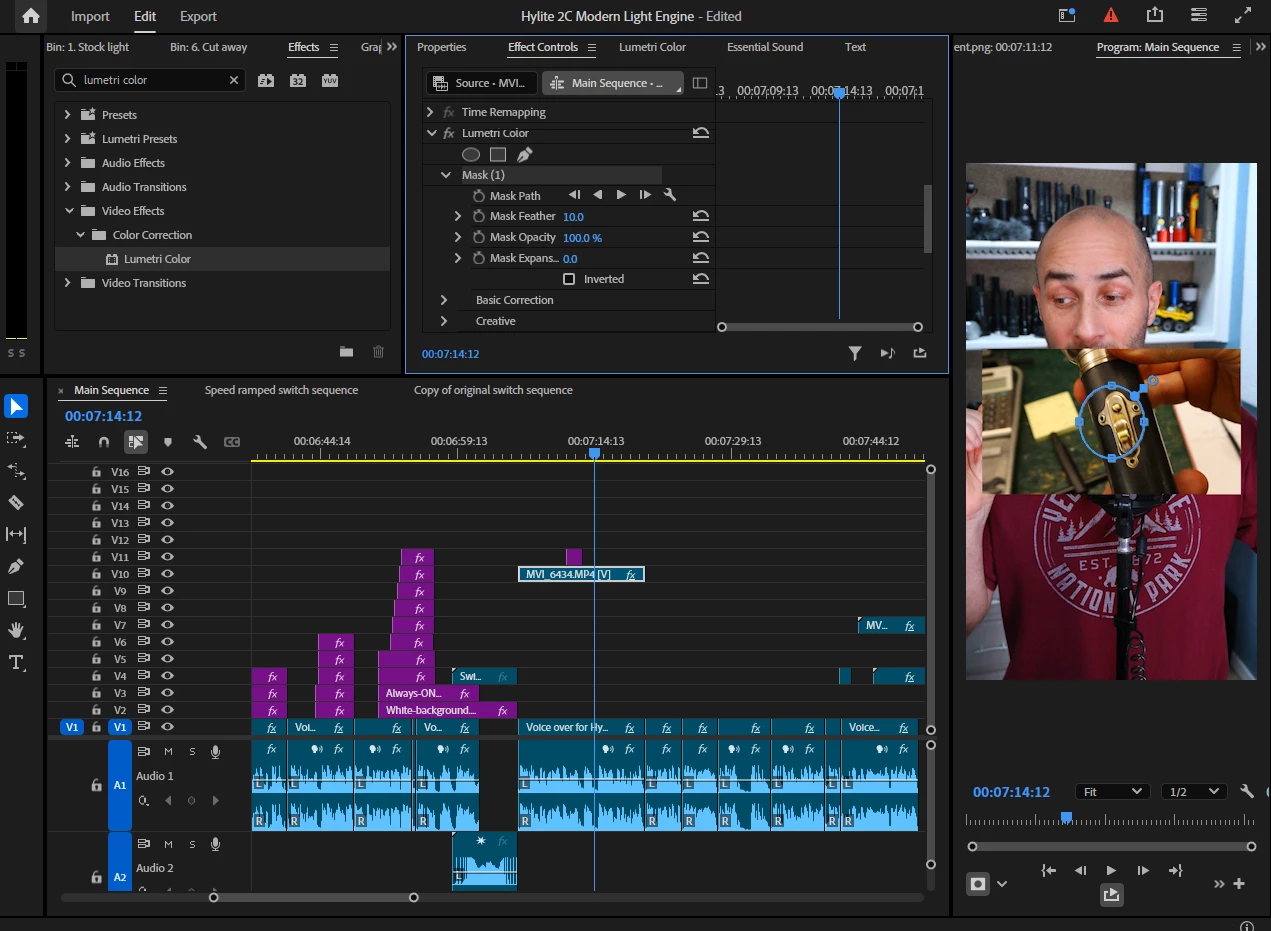
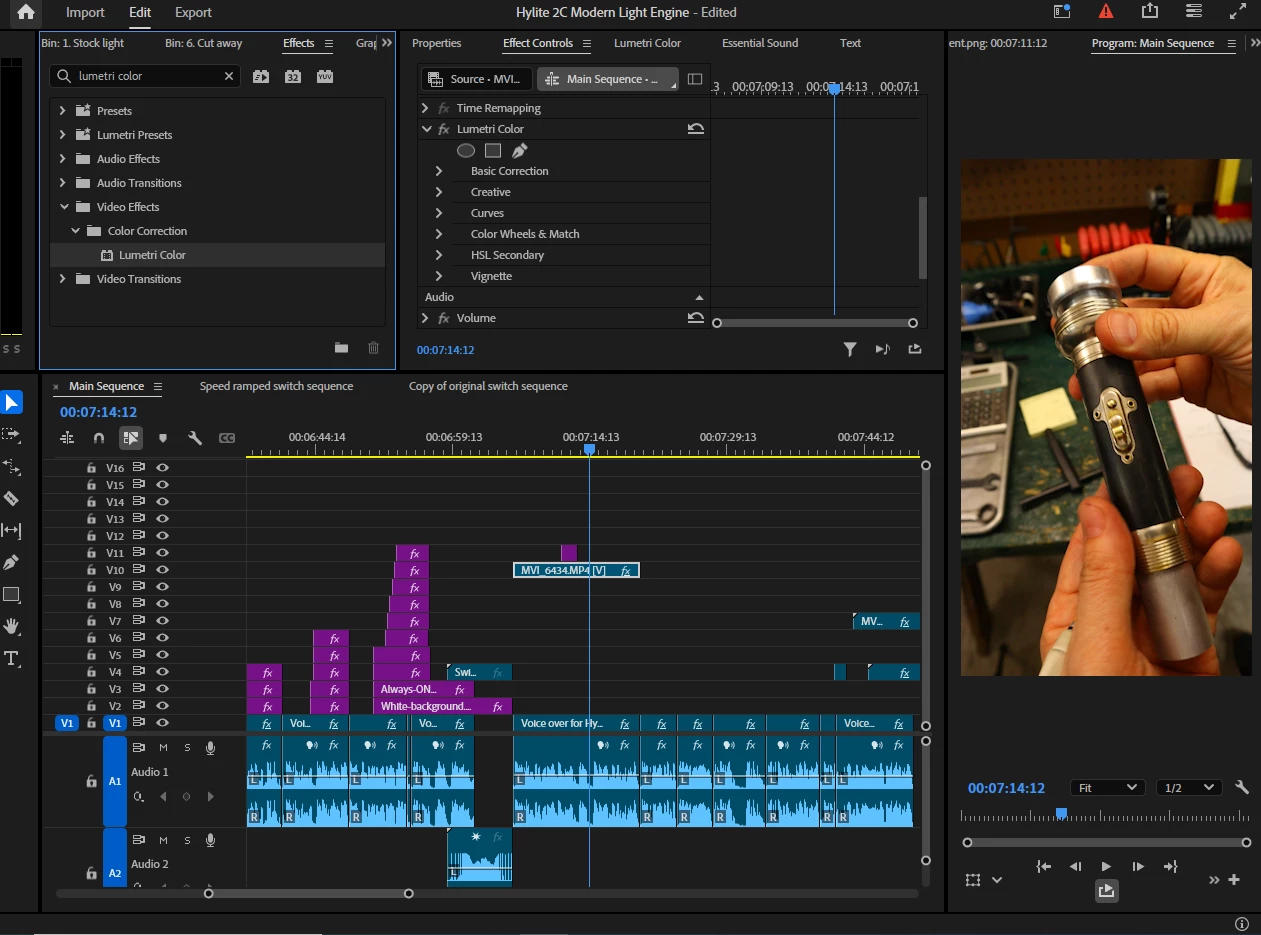
Hi everyone, I'm pretty new to PP.  The problem I'm having is that when I apply the Lumetri color effect and then select the mask tool it "crops" the entire clip, revealing the clips below it on the timeline.    This first image is with Lumetri color added to the clip.  It looks like its working just fine.  However the second picture is what happens after I click the mask effect.   
 

Here is a video of what its like when it happens https://youtu.be/Si35RPm9DZ0

Correct answer R Neil Haugen

Once you applied the Transform effect, you needed to Nest the clip before doing any other effects work.

2 replies

Community Expert
March 1, 2025

What method did you use to scale up the clip you're applying the Lumetri effect to?

Participating Frequently
March 1, 2025

I applied "transform".  Rotated 90 degrees, and then upscaled to 200%.    I recorde those clips in profile mode 1920x1080p.   My camera recognizes when I fip it sideways, but for some reason when I pull the footage off the card it still sits horizontal so I have to go back and manually correct them to profile mode.    After I applied the lumetri mask, the clip appears to stay in profile mode, but it gets cropped back to horizontal 1080p.   At least that is what it "looks" like.

R Neil Haugen
R Neil HaugenCorrect answer
Legend
March 1, 2025

Once you applied the Transform effect, you needed to Nest the clip before doing any other effects work.

Everyone's mileage always varies ...
Kevin J. Monahan Jr.
Community Manager
Community Manager
February 28, 2025

Hi @Forgiven1!,

Thanks for the question. That is rather strange behavior. I was not able to reproduce the issue. Have you tried resetting preferences? That may work for such an unexpected issue. I hope the community can assist. Sorry for the problem.


Thanks,
Kevin


Kevin Monahan - Sr. Community and Engagement Strategist – Adobe Pro Video and Audio