
Participant
March 30, 2023
Answered

Lumetri color doesn't show up

  • March 30, 2023
  • 1 reply
  • 305 views

Hi there,

I tried to google my issue a lot but still don't have an answer.


When I go to the Color panel and try to show up Lumetri color tab there is just a black screen instead.

Problem appeared right after update from Premiere Pro 2022 to Premiere Pro 2023. When I install 2022 version Lumetri color tab works but I can't open projects from 2023. So that's why I can't be using 2022 version anymore.
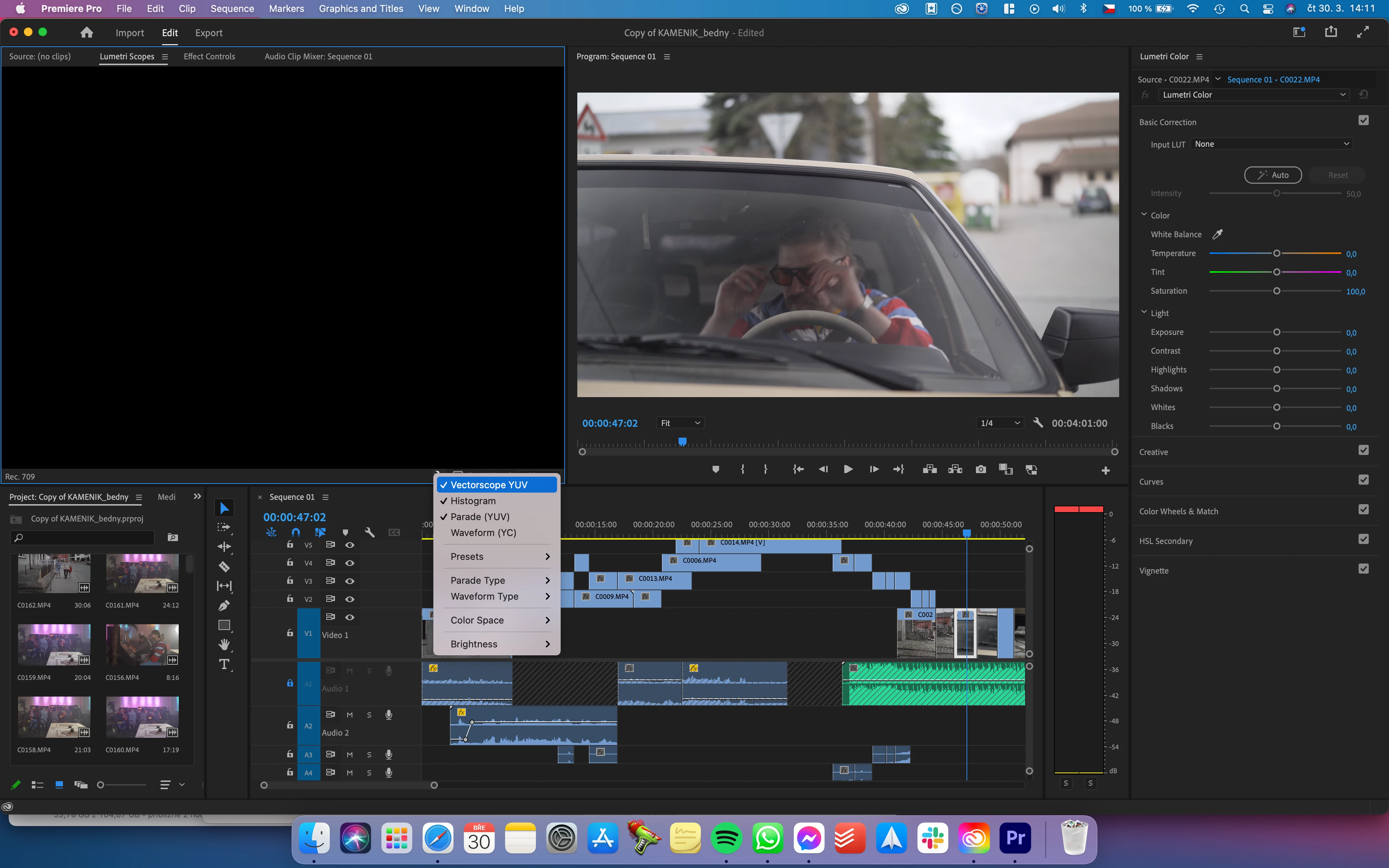
 

What might be a problem?


I have Macbook Pro late 2013

NVIDIA GeForce GT 750M 2 GB

Intel Iris Pro 1536 MB

MacOS Big Sur 11.7.5


Thanks for the answers.

Barry

This topic is closed to new replies. Start a new post to keep the conversation going.
Correct answer Kevin J. Monahan Jr.

Hi @barryrb,

Be sure to load the clip into the Effect Controls panel, then the controls will appear. I hope the advice helps.


Thanks,
Kevin

1 reply

Kevin J. Monahan Jr.
Kevin J. Monahan Jr.Correct answer
Legend
May 14, 2024

Hi @barryrb,

Be sure to load the clip into the Effect Controls panel, then the controls will appear. I hope the advice helps.


Thanks,
Kevin

Kevin Monahan - Sr. Community and Engagement Strategist – Adobe Pro Video and Audio