


Lumetri color Highlights and Shadows does not work as expected
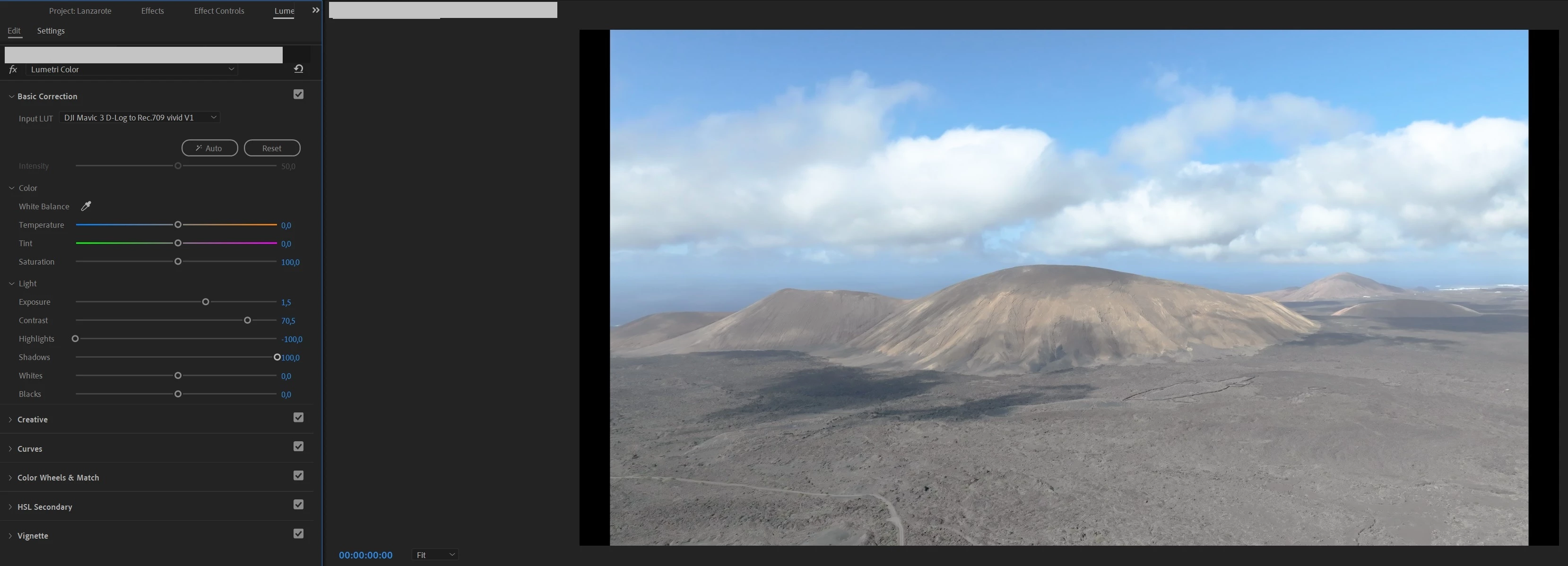
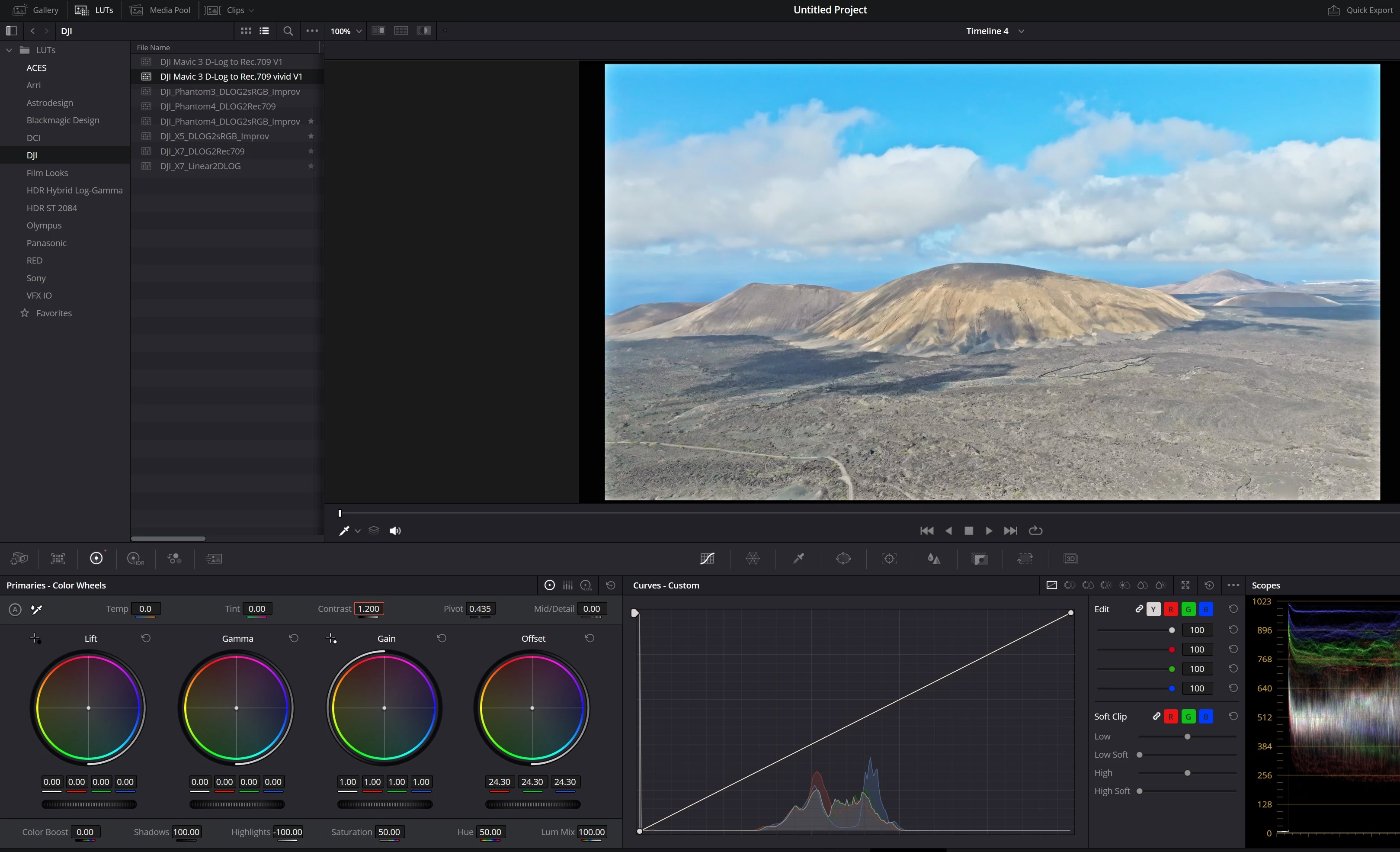
Hello, I’m new to Premiere Pro, I used to adjust Highlights and Shadows in Lightroom to recover the details of the clouds and brighten the ground, but when I tried the Highlights and Shadows in Premiere Pro Lumetri color, the result is terrible, even with highlight -100, the clouds are still too bright, and the shadow doesn’t make the dark part bright enough, but it make the entire image gray, if I increase the contrast the image is less gray but it remake the clouds brighter and the ground darker. I tried different combinations, I tried the Curves and Color Wheels, can't get a satisfying result. I tried do the same in Davinci Resolve by adjusting Highlights, Shadows and contrast, I get a much better result. Can anyone tell me how to achieve the same result in PR please ?
This is what I got in PR:
This is what I got in Davinci:
 AdChoices