Participant
December 30, 2019
Question

Lumetri dropdown panel missing in PPro V.14 on Win10

  • December 30, 2019
  • 1 reply
  • 442 views

Hi community,

I have a problem with the Lumetri panel, where the "dropdown menu" is completely missing (As seen on the image)
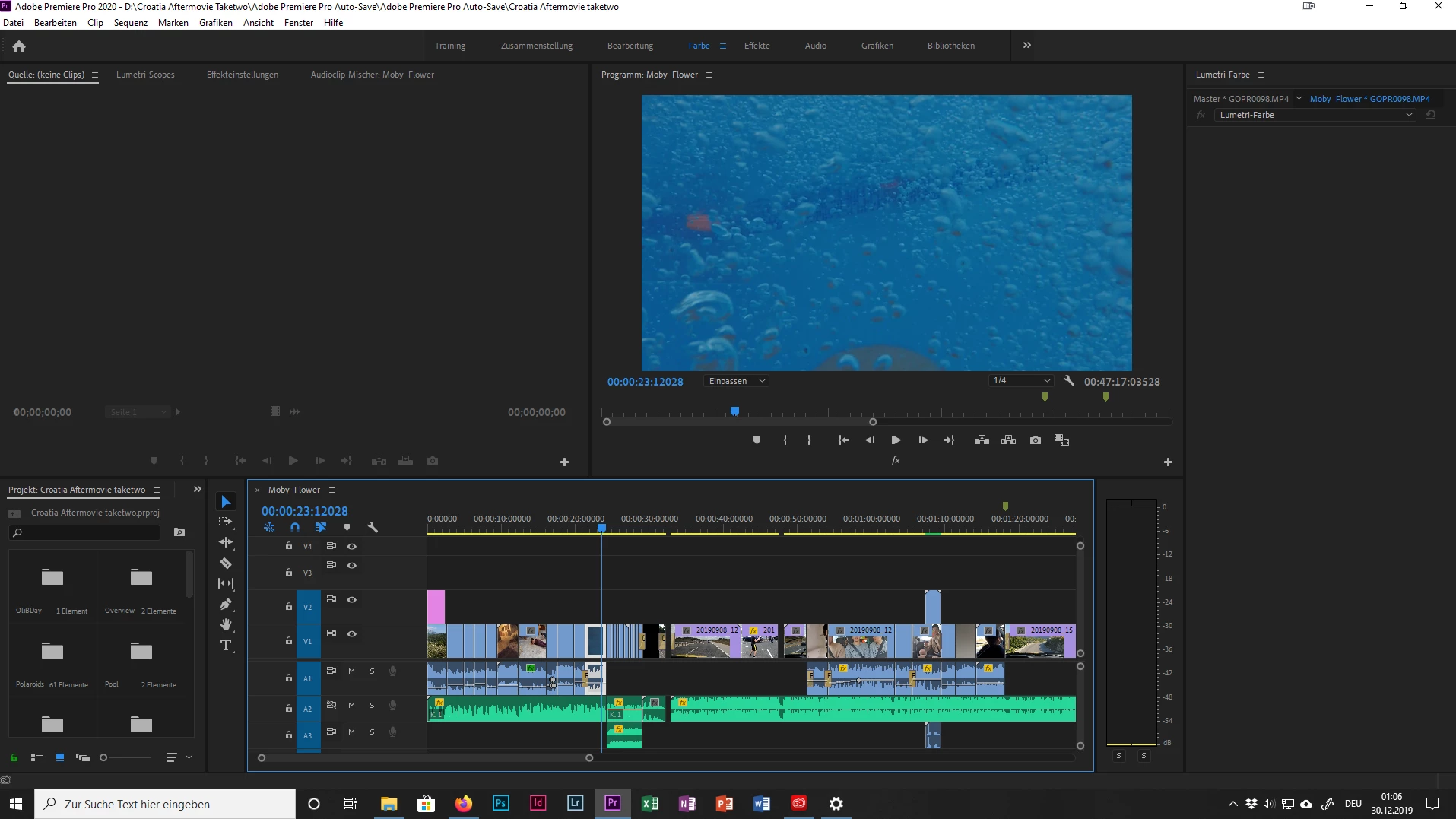
I'm working with the latest Version of Premiere Pro 2020 (V.14) on Windows 10 with an GTX1070 (latest driver installed).

However the problem shows regardless of the used project, also with a newly created project.

I tried deinstalling and reinstalling PPro, deleting the folder with the workspace presets, checked for updates for windows and my graphics card but everything to no avail.

Now Lumetri works fine when using V.13.1.5 on the same PC and also in V.14 on my MacBook though.

Searching online for solutions showed up nothing.


Thanks for your help

This topic has been closed for replies.

1 reply

gerikp
Community Expert
Community Expert
December 30, 2019

Maybe try resetting your workspace. Window > Workspaces > Reset to Saved Layout.


Might also try resetting your preferences How to reset (trash) preferences in Premiere Pro? https://community.adobe.com/t5/Premiere-Pro/FAQ-How-to-reset-trash-preferences-in-Premiere-Pro/td-p/8236158


Participant
December 30, 2019

Thank you so much for your quick response!

I already did your first suggestion, didn't work

But your second suggestion with resetting the preferences worked like a charm.

It's funny how deleting the presets, uninstalling Premiere even with the CreativeCloudCleanerTool and reinstalling again didn't do anything about the preferences.


So thanks again, you saved me a lot of time


rmexpress22
Inspiring
December 30, 2019

Your preferences should sync across installations. It's not that you weren't clearing everything, it's that they were syncing as soon as you reinstalled.