
Inspiring
November 14, 2021
Pregunta

Lumetri Scope unresponsive sometimes

  • November 14, 2021
  • 3 respuestas
  • 1014 visualizaciones

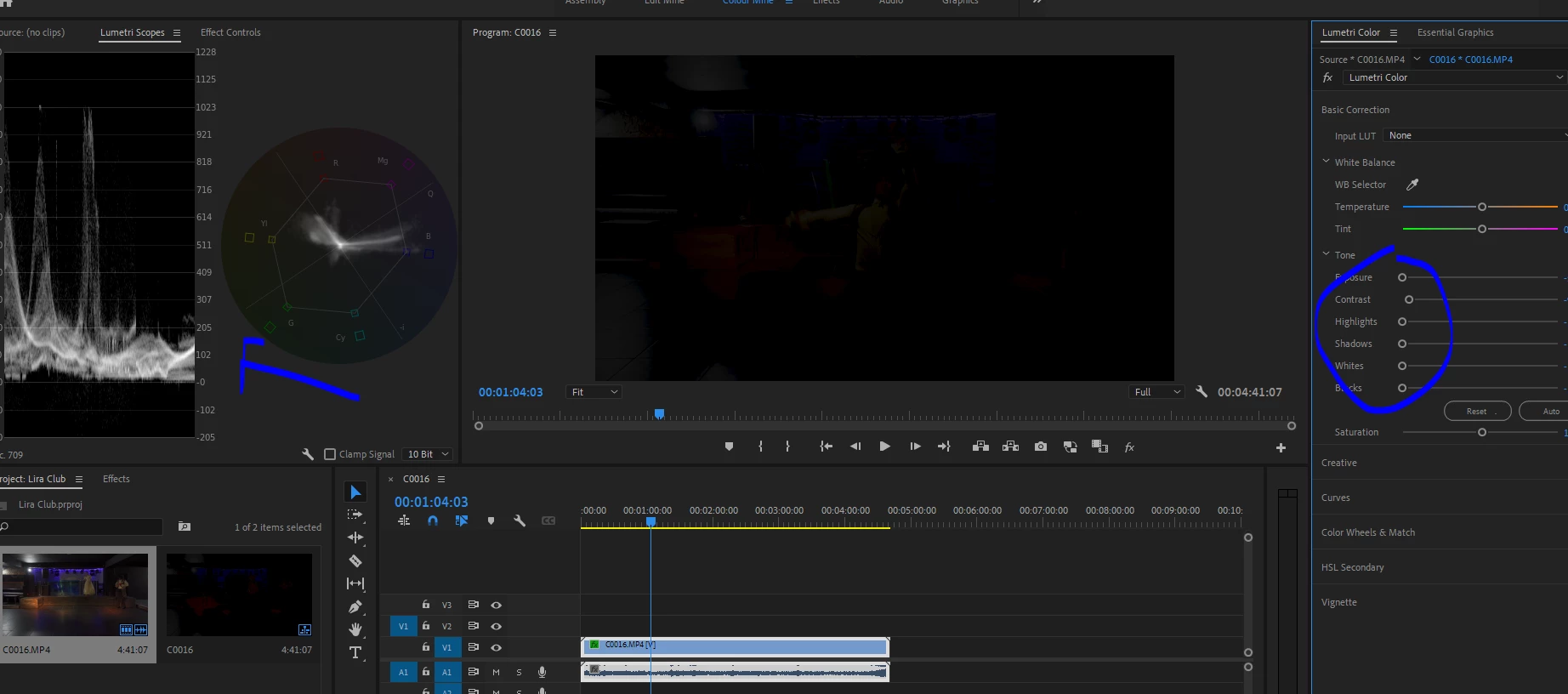
I noticed in recent versions of Premiere Pro 15.x that lumetri scope don't update when i make  changes in lumetri panel. It used to be realtime.. Now it gets stuck. I have to click arround and change some tabs and then it works. 

Here is one exmaple, i dropped all the sliders  but the scopes don't update. Untill i switch some panels and click arround the screen . It as if it's stuck somehow.  


In the summer it was fine i remember.
 

3 respuestas

Participating Frequently
March 20, 2024

Having the same issue and it is all the time. Been happening for months and I just don't use scopes any more. In fact, I have stopped shooting in Log altogether because of this issue.  Just needed to edit a LOG clip and was reminded of this most annoying glitch. PLEASE resolve this, Adobe, daddy. 

R Neil Haugen
Legend
March 20, 2024

That would be so annoying! I work from scopes, yea, that would drive me around the bend immediately!


That said, I can't replicate, and it's not a common complaint, so we need to do the ol' troublshooting thing 'we' need data.


What's your hardware ... OS/CPU/GPU, what's your media? Any other effects used?


And does it play back 'normally' or glitched also?

Everyone's mileage always varies ...
Participant
December 12, 2024

This problem is happening to me, as well.
I have a Windows laptop, nvidia rtx 4080 and an intel i9-14900HX. My media is usually 4k25p, but it happens with wtv media I'm working on. No glitches, tho. Btw, I'm a newbie so Idk if this is the info that u needed. But yeah, this bug is persistent and annoying, so I'll give any info that u need to resolve this problem. :')

Community Expert
March 5, 2022

I've found the Lumetri scopes to be quirky sometimes. When they don't update I go to the blue outline around the panel and do a slight re-size and the scope updates.

Hope this helps.

Participant
March 4, 2022

Any resolve to this issue? I'm finding the same thing happening to me.