
LUT menu greyed out in new Color Mode
I am adapting to the new color mode workflow, but I’m stuck because I am unable to apply LUTs to my footage in the new Color Mode space. This is what happens:
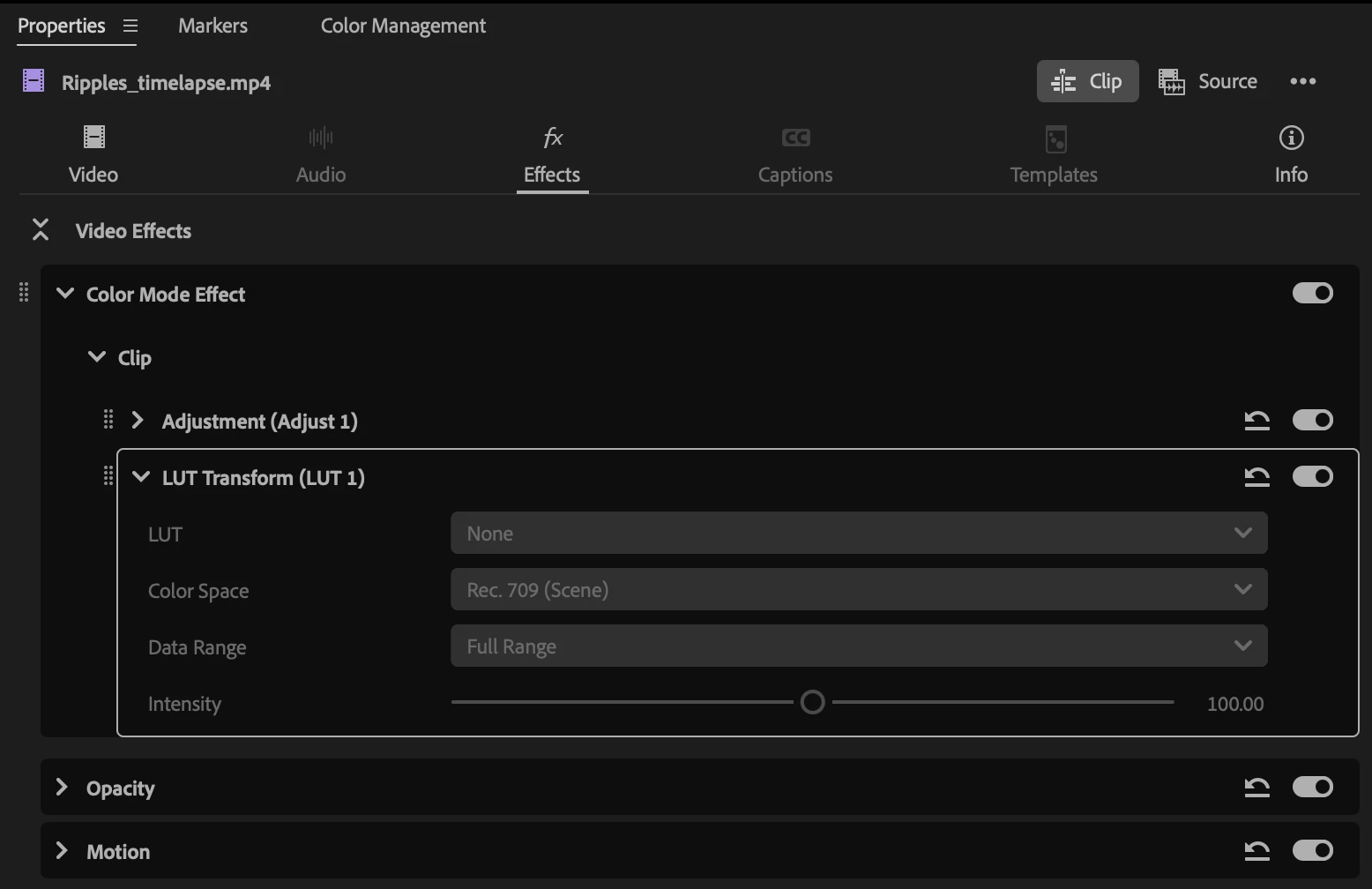
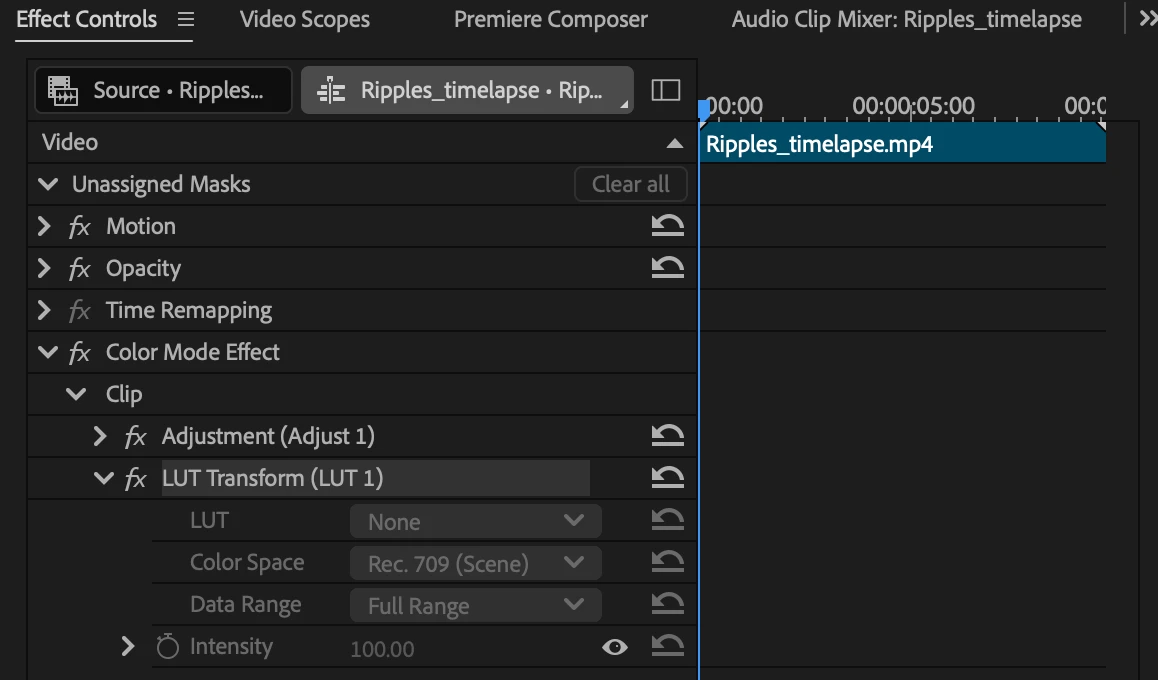
I click on the ‘Color’ button in the bar at the top, which takes me to the new Color Mode space. I then click on the plus (+) icon under ‘Clip’ and select ‘Add Clip LUT’. I can see a drop down menu, but it’s empty. No options can be selected. The buttons for ‘Rec. 709 (scene)’ and ‘Full Range’ are greyed out, as well as the ‘Intensity’ button.
I thought this could be caused by working on projects that were started in v.26 and brought to v.27, but this keeps happening even in projects started from scratch in the new version.
From the three places where I can see the ‘color mode’ menu (effects controls, properties, and the color mode space itself), all of them are greyed out.
This happens when adding a LUT to individual clips but also to groups and to the entire sequence.

 AdChoices