
Participant
September 11, 2025
Question

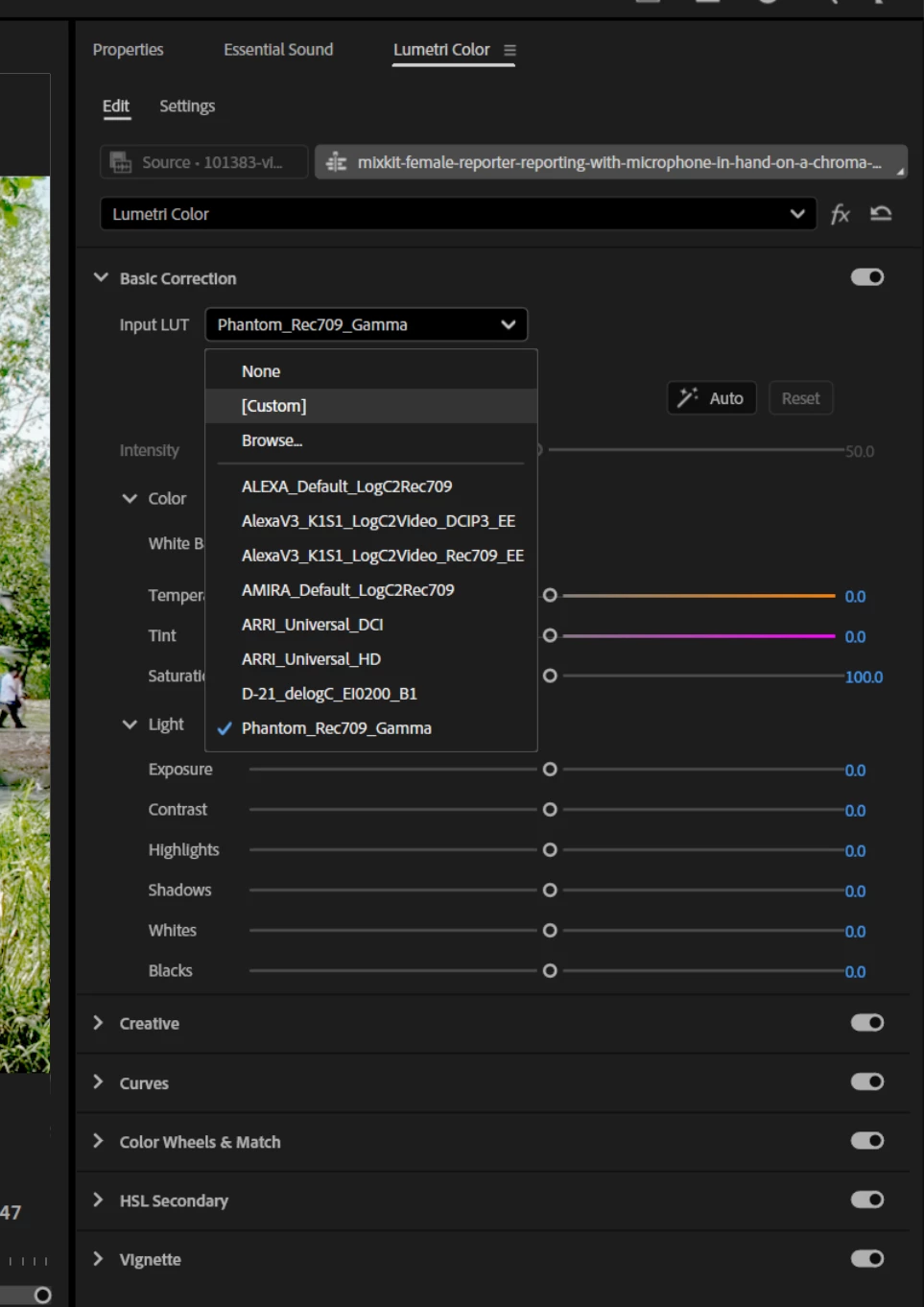
lut menu to import from pc not opening
  • September 11, 2025
  • 1 reply
  • 100 views

Hi, can someone tell me if this is a glitch? I'm trying to import a LUT from my files. When I click on custom or browse, it automatically selects a random option from the drop-down menu. When clicked on, browse should ideally open the file explorer to get the file.

Can someone please help me fix this?


1 reply

R Neil Haugen
Legend
September 12, 2025

I'd close Premiere, and hold down Shift while launching, selecting to clear the cache files.


Also, then try None the click on the Browse or Custom option, both of which bring up Explorer on my PC.


Also, if you have regular LUTs you use, they do have two locations each on Macs and PCs, where you can park your own and they will appear in the drop down lists in either the Basic tab or Creative tab. Information on that is in the Help files.


And do not ever add LUTs to the folders where the built-in LUTs 'live'.

Everyone's mileage always varies ...
Participant
September 12, 2025

Thank you for replying.

Storing the luts in the Premiere Pro folder and then applying is working.

 I tried deleting the caches by holding shift, file explorer is still not opening.

When I click on browse or custom, Premier automatically selects a pre-installed LUT and does not open File Explorer.


R Neil Haugen
Legend
September 12, 2025

I do hope you are not using the Program/Package files/Adobe/Premiere Pro/Lumetri/LUTs folder, where the included files of Premiere are stored, within the program folders?


As anything in those folders is not accessed by name, but by relative location in the folder after sorting by name. As in "fifth LUT file" not "Arid Look".


So by adding any LUTs to that folder, you are changing which LUTs will be used for other things you may have already thought were something else.

Everyone's mileage always varies ...