
Participating Frequently
January 7, 2018
Question

Magic Bullet Looks won't initialize in Premiere Pro CC 2018

  • January 7, 2018
  • 4 replies
  • 4790 views

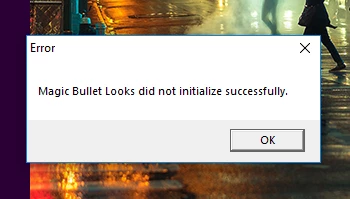
Since upgrading to CC 2018, Magic Bullet Looks gives me a 'did not initialize properly' error while Premiere is loading (see below).

Red Giant has a blog post with an upgrade for CC 2018, which I installed as a possible fix. It changed nothing. I've tried uninstalling and reinstalling both Premiere and Looks, but that doesn't help either.

I even tried re-downloading Premiere Pro CC 2017, and installing it along with the previous non-CC-2018 version of Looks, 13.0.2. And now it gives the same exact 'did not initialize' error as the 2018 version.

I can't find anything online about this issue online. I've submitted a trouble ticket to Red Giant, but it's been 5 days and they haven't even replied. Can anybody help with this? I have a project that I wanted to finish 2 days ago, but I'm waiting on getting Looks to work again.
Thanks.

This topic has been closed for replies.

4 replies

Participant
March 26, 2019

As of this week (today is March 26, 2019), I have been getting this same error. To top that off, Premiere crashes just after all plugins have loaded. Has anyone who had the similar problem ever come to a resolution?

Participating Frequently
December 28, 2018

It's now December 2018 and I have just had this error message come up on my system.

Has anyone had any success in trouble shooting this issue?

Cheers

debojitb63604423
Participant
March 11, 2018

Was this solved?

mcgd18Author
Participating Frequently
January 7, 2018

Any suggestions at all are welcome. I'm stumped on this after 2 days of research.

Ann Bens
Community Expert
Community Expert
January 7, 2018

Best is to contact RG.

mcgd18Author
Participating Frequently
January 7, 2018

As stated in the OP, that's already happened.