Known Participant
November 2, 2021
Answered

Magnifying Glass / Zoom Tool Equivalent?

  • November 2, 2021
  • 2 replies
  • 1206 views

Hello helpful community,

I have a question that I can’t seem to find the answer to.

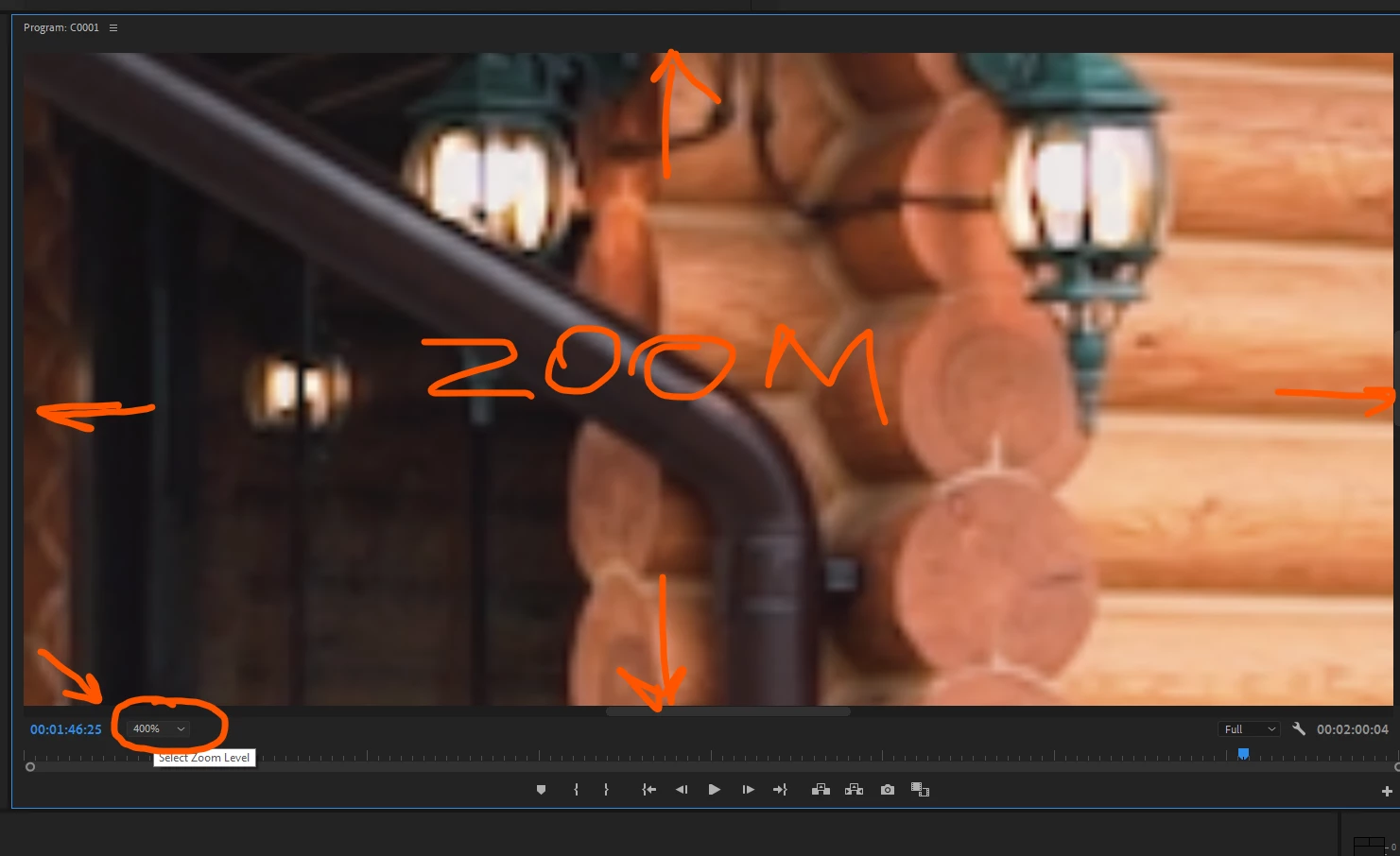
I want to zoom in or magnify on a section of video so I can align two elements.

I don’t mean to zoom or magnify as PART of the video edit, just to make it much bigger so I can precisely arrange things.

I know that I can make the monitor panel larger but I want to get even closer.

In Animate or Photoshop or Illustrator this would be the Magnifying Glass/Zoom tool but is there an equivalent in Premiere?
This topic has been closed for replies.
Correct answer Baffy19

 enjoy ✌

2 replies

Baffy19Correct answer
Legend
November 2, 2021

 enjoy ✌

evocrimAuthor
Known Participant
November 2, 2021

Ahhhhhhhhhhhhhhhhhhhhhhhhh, that's it! That's exactly it. Thank you.


It's funny how you can't see the things right in front of you.

Ann Bens
Community Expert
Community Expert
November 2, 2021

I have but one screen too.

Ann Bens
Community Expert
Community Expert
November 2, 2021

No there is no zoom tool as in Ps or Id.

I usually set the Program Monitor to full screen (grave)  and set it to 400 if I want to get into close.

evocrimAuthor
Known Participant
November 2, 2021

Thanks for the reply Ann. You must have multiple screens then.

I have a good quality, wide screen but only one.

On a single screen, if the monitor is full screen then you can't edit anything.


What do you mean by "set it to 400" though?