
tbreb11
Participant
October 2, 2019
Answered

Making Subclips with Specific Audio Tracks

  • October 2, 2019
  • 1 reply
  • 1600 views

Hello,


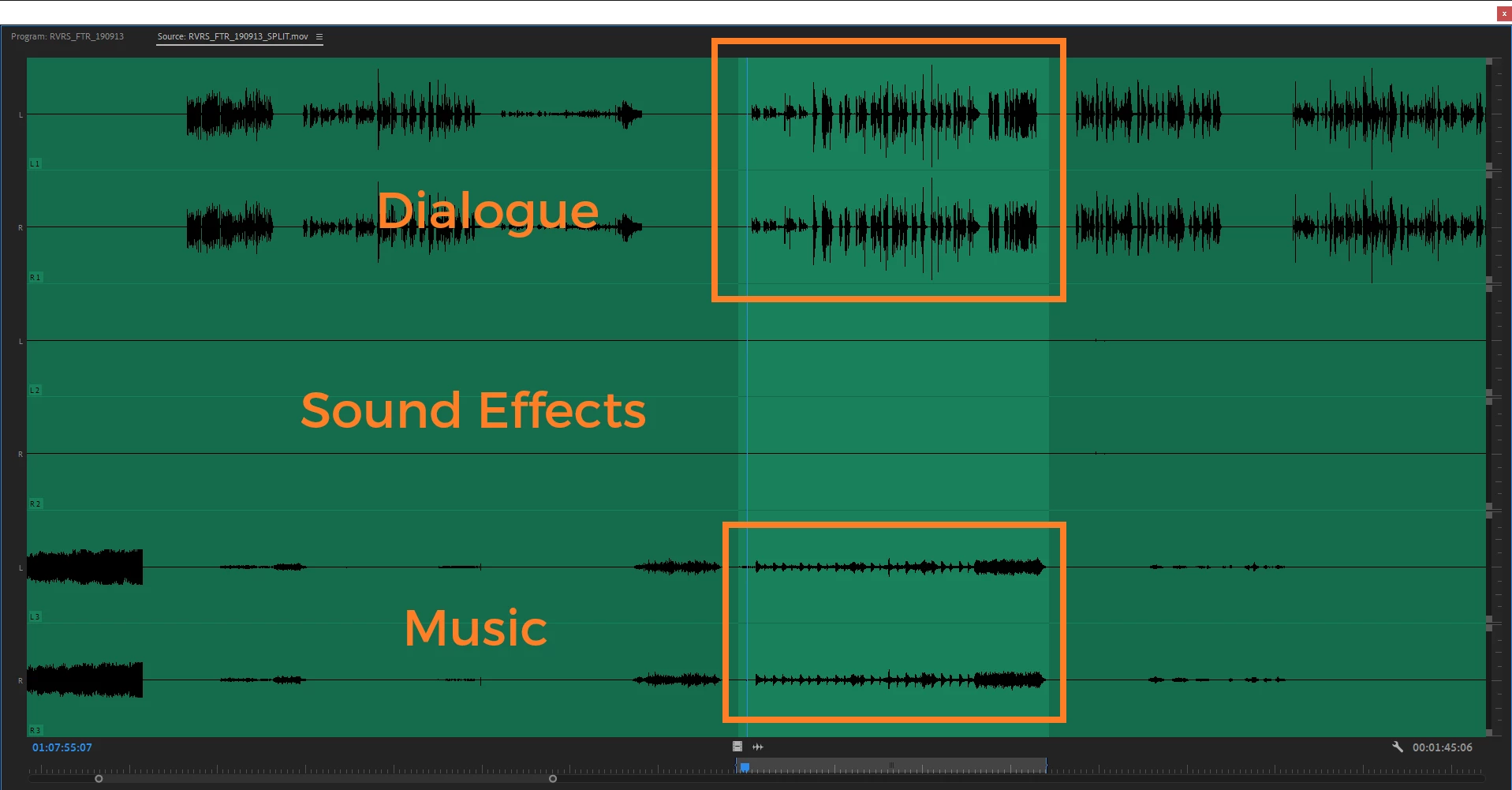
We are working with a source that has split audio like this:


A1: Dialogue

A2: Sound Effects

A3: Music


It seems subclips will just always keep tracks V1 and A1-3. Is there a way to tell premiere to make the subclip but only keeping V1 and A1 if I am subclipping dialogue? And alternatively, if I want just to subclip music I only want A3 to be selected with no video.


Screenshot supplied with the different tracks tied to the clip and an example of that I would just want a subclip containing only the dialogue and a subclip containing only the music.


Many thanks!

This topic has been closed for replies.
Correct answer Michael Grenadier

well you can create copies of the clips (I would assume by just reimporting them - but not sure what the best workflow would be) and then select the clips in the bin within Premiere and go to "clip: modify: audio channels" and change which channels are included in the clip.   Always test this sort of thing a few times to make sure it works for you.  Note, if you've edited clips in to the timeline and modify them, the clips in the timeline are not changed...

1 reply

Michael GrenadierCorrect answer
Legend
October 2, 2019

well you can create copies of the clips (I would assume by just reimporting them - but not sure what the best workflow would be) and then select the clips in the bin within Premiere and go to "clip: modify: audio channels" and change which channels are included in the clip.   Always test this sort of thing a few times to make sure it works for you.  Note, if you've edited clips in to the timeline and modify them, the clips in the timeline are not changed...