
Mask going out of control when moving past starting frame.
Adobe Premiere Pro 2024, Windows
I'm trying to create an effect where the legs pass over the text.
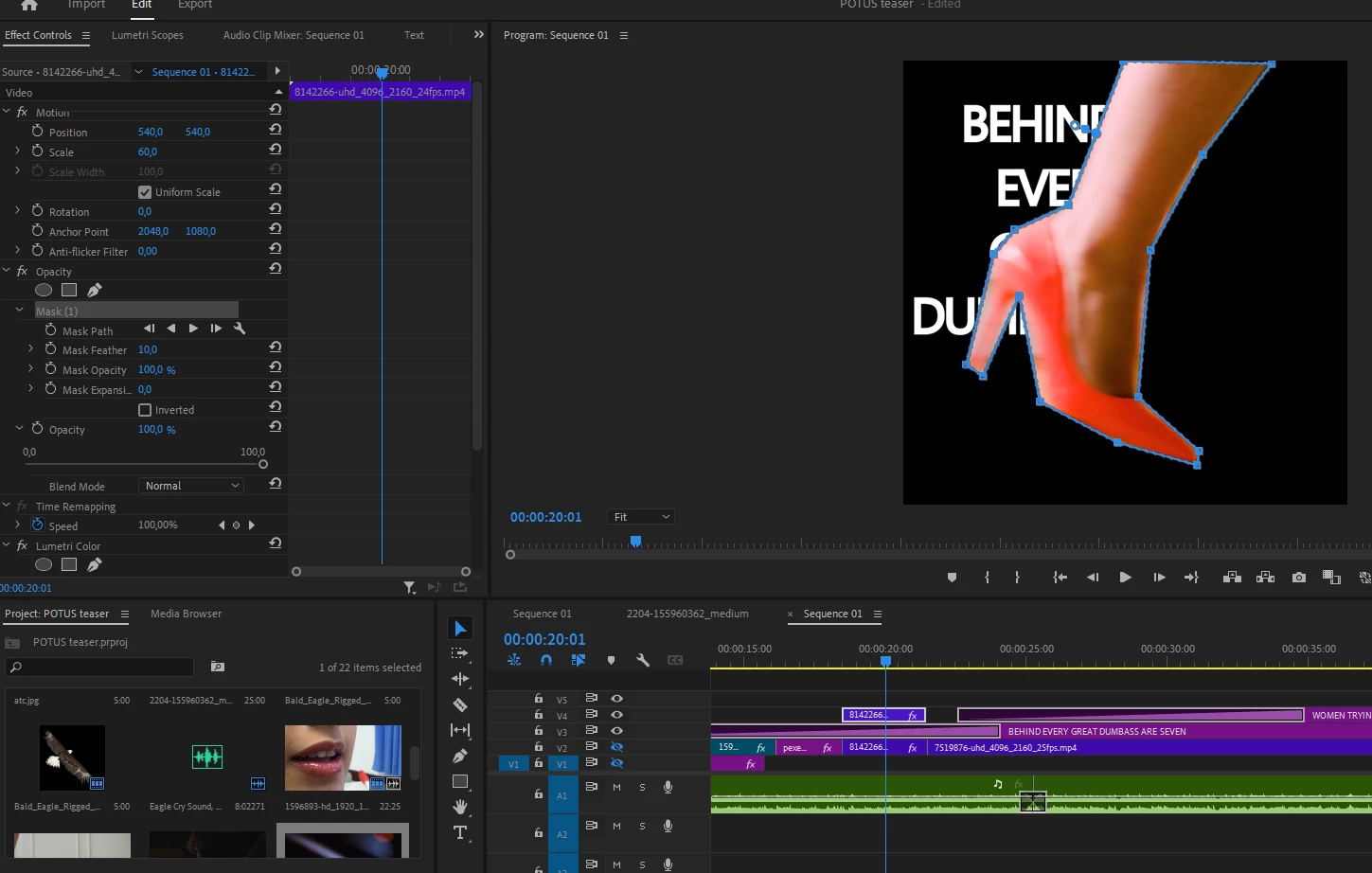
I have the text on V3, the background on V2, and the duplicate of the background (where I manipulate the mask on the legs) on V4. (I've disabled V2 so the problem is clearer to see.) The mask looks perfect for a single frame, but then when I try to go to another frame and adjust the mask accordingly, the mask is just not working properly anymore.
This is the first frame working properly:
I move a few frames ahead and the mask lines no longer correspond with the actual mask:
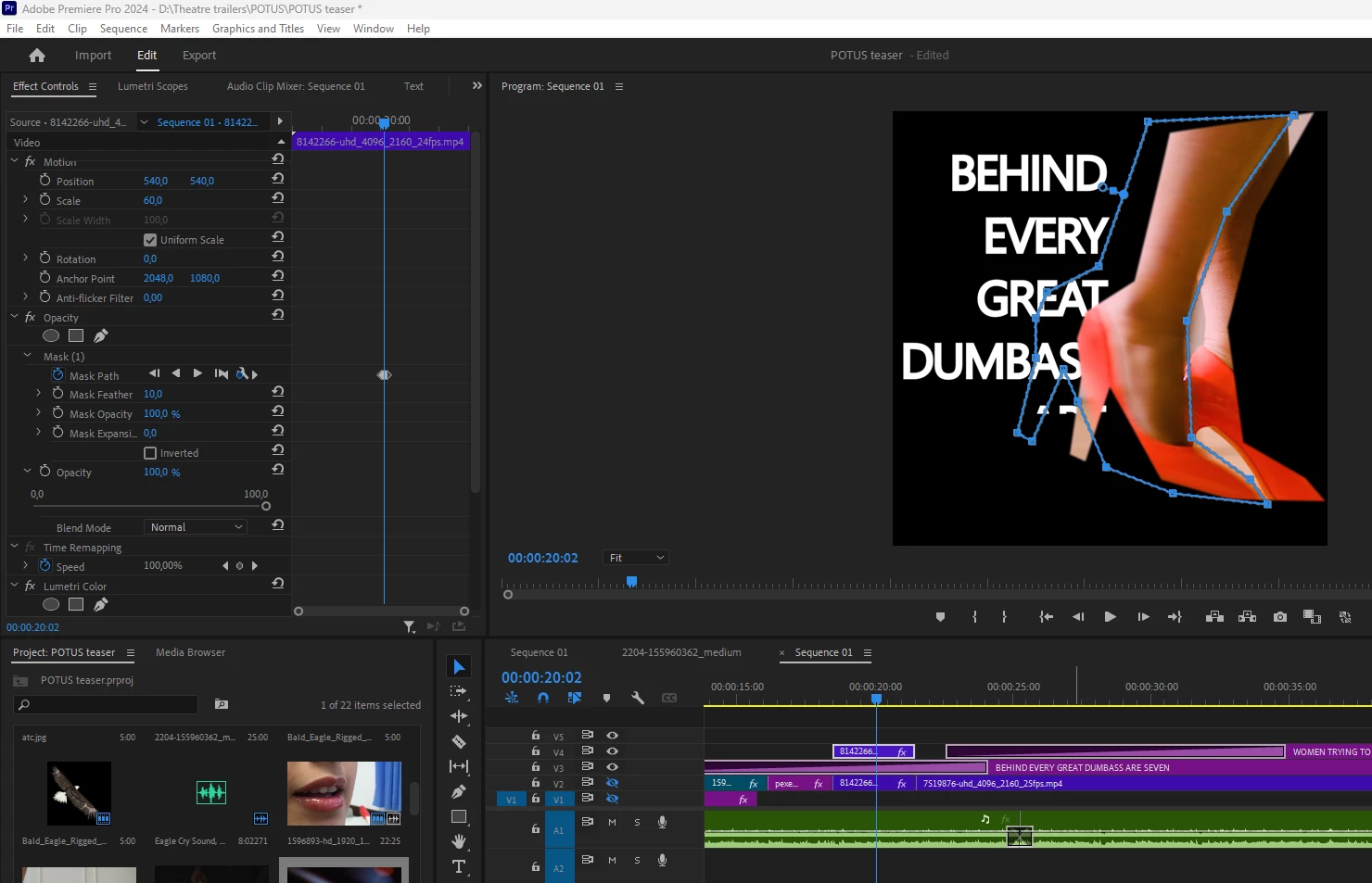
I've tried restarting multiple times and the same thing keeps happening: no problem with the first mask, and the moment I start moving it around, the area no longer corresponds.
Thanks in advance for any advice!


 AdChoices