



fbcmusicman
Inspiring
May 12, 2020
Answered

Matrix Cannot Be Inverted Error Message Please Help!!!!!

  • May 12, 2020
  • 4 replies
  • 29902 views

I have now been using Premiere Pro for over two weeks and have done fairly well in creating video to put online for our church. I am now experiencing a problem that I cannot find in this forum. This started about Thursday last week. 


Here is what I was doing:

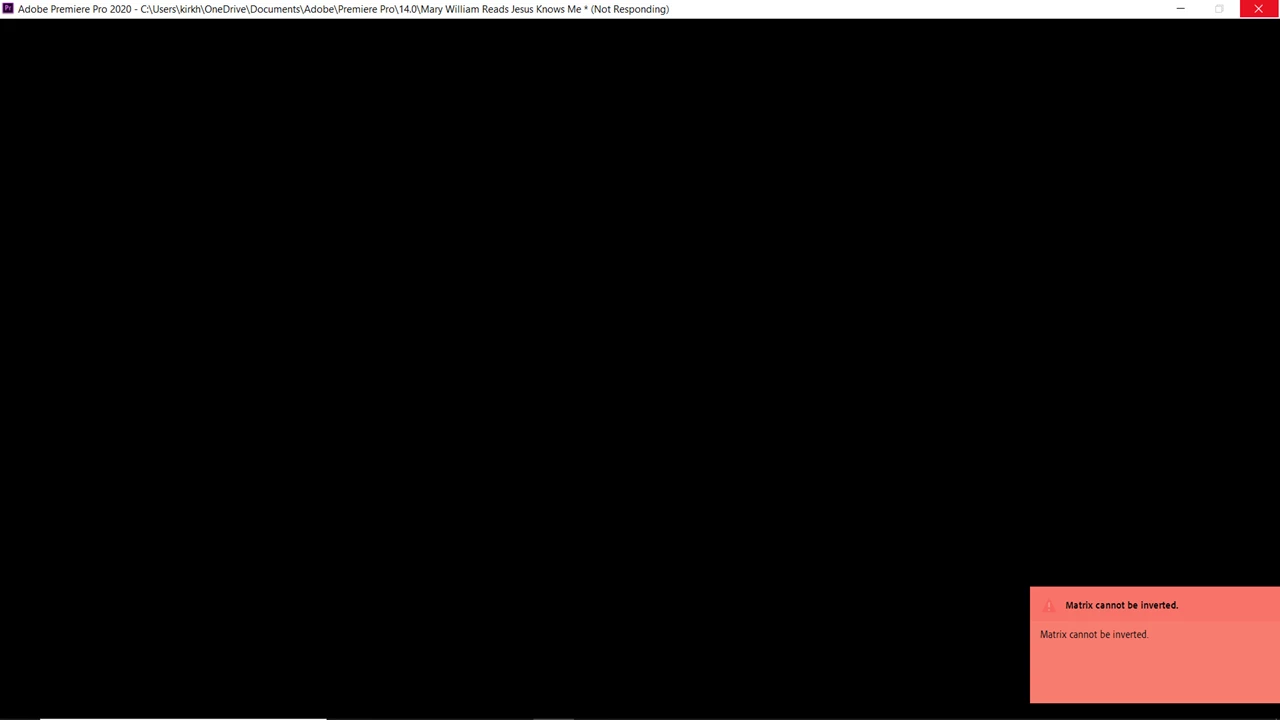
I have Created a sequence file using two .mov videos shot from iPhones. (Same iPhones I have been using with no problem.) I follow the steps of creating a bin, putting my two clips in the bin, create a multi-camera sequence based on the audio, wait for the sequence folder  to create and then click the file in the folder and select New Sequence from Clip. I immediately get a salmon colored box in the bottom left corner of the screen with "Matrix cannot be inverted" example below. the screen goes black and the only way to get close the program is to close it through Task Manager.


Why would this start after using Premiere Pro for almost two weeks? 


I am running Window 10 and Using Premiere Pro
Correct answer Wen.Krogg

I have the same problem.   How do I fix this.  It will not let me see any project panel.  I can navigate timelines but can't do any project management.


I have been using Premiere Pro (many versions) for the last 20 years and tonight was the first time I've ever experienced this issue. I resolved it by creating a new project and importing the entire project that was having the issue into the new project. This fixed it for me and I was able to see the project window again. It was a super quick fix. I hope this helps.

4 replies

Participant
December 21, 2024

This problem has been driving me crazy for the last year. I spend hours every time trying to get the Project panel to appear. I have been paying for Adobe products for years. But we are struggling with these ridiculous problems that cannot be solved.

Participant
April 20, 2025

I have removed all the Matrox code, and it no longer appears.

Participant
April 23, 2025

How did you remove the Matrix codes?

Participant
July 10, 2024

A colleugue of mine has started getting this error when creating a brand new project, and not even importing any footage etc, creating a new sequence of any settings (resolution) etc causes the error to occur. Used different project save locations, cleared all caches, app preferences etc, currently reinstalling to see if that does anything.

Participant
July 10, 2024

Weve updated all drivers, reinstalled to latest version, still getting error. Rollinig back now to v23

Participant
July 10, 2024

Rolling back to v23 worked. No errors, so he'll stick with that forever i guess.

Participant
March 11, 2024

Hi Adobe Team,

Do you have any solution for this problem yet? Especially when I use transition pack. 

I'm using adobe premiere pro v.2024

Participant
March 12, 2024

Yes .. would be nice to hear how to resolve this. Just today, I got this message .. unsure why.

cliffclof
Inspiring
April 4, 2024

I have the same problem.   How do I fix this.  It will not let me see any project panel.  I can navigate timelines but can't do any project management.

Peru Bob
Community Expert
Community Expert
May 12, 2020

Delete the Media Cache and Media Cache files:
https://community.adobe.com/t5/premiere-pro/faq-how-to-clean-delete-or-trash-media-cache-files/td-p/....

If that doesn't work,try resetting the preferences:
https://community.adobe.com/t5/Premiere-Pro/FAQ-How-to-reset-trash-preferences-in-Premiere-Pro/td-p/...

If that doesn't work, try resetting the Workspaces:
Reset a workspace
Reset the current workspace to return to its original, saved layout of panels.
1. Do one of the following:
• Click the Workspace menu icon and select Reset to Saved Layout.
• Choose Window > Workspace > Reset to Saved Layout.
from here:
https://helpx.adobe.com/premiere-pro/using/workspaces.html

If that doesn’t work, try updating or rolling back your graphics driver directly from the video card manufacturer’s site.


fbcmusicman
Inspiring
May 12, 2020

Thank you so much for responding


I got totally locked out of the forum and decided to call Customer Service. The rep had never seen this error message before and tried and tried to fix the issue. He took control of my computer and watched what I was trying to do. He tried to do it as well and kept getting the same error. 


Seeing as I was watching a tutorial video made back in 2017 (which I used to create a sequenced file several times till I kind of learned how to do it) He tried a different approach.


He finally started a new project and showed me how to click on the two video files,

right mouse click, choose create multi camera sequence,

which creates the processed clips file and then

right mouse click on the grouped file and select new sequence cfrom clip


I guess I was doing it the old school way and Premiere Pro 14.0.4 (Build 18) doesn't like to do it that way now.


I am up an rolling and now they are trying to figure out why I haven't been able to log into the Community Forum which you can see I am in the Community Forum.


Don't ask, I have evidently given two reps now something they have never seen!

Blessings...