
Media Encoder Saying Bebas Neue Font Missing Even Though It's Installed
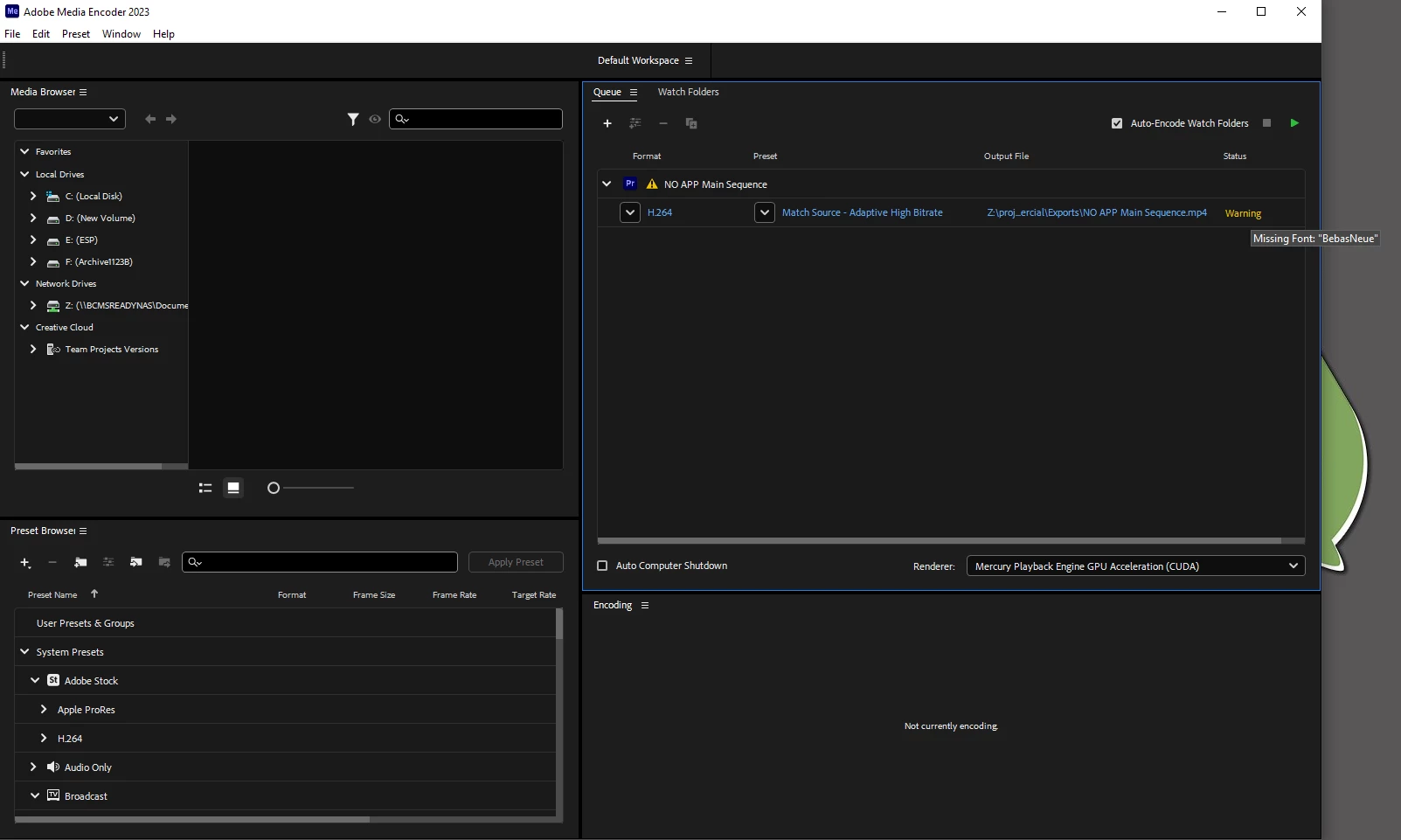
I keep running into an issue with Adobe Media Encoder whenver I try to export a video from Premiere that has text using the Bebas Neue Font. Everytime I send it to Encoder, under status it says "Warning" and if I hover my mouse over it it says "Missing Font: Bebas Neue." If I try exporting the video it replaces whatever text I used Bebas Neue on with a different font. I don't know why it says this, as I am able to use it in Adobe Premiere. When I try to export it from Premiere instead of sending it to Encoder, it exports the video with Bebas Neue.
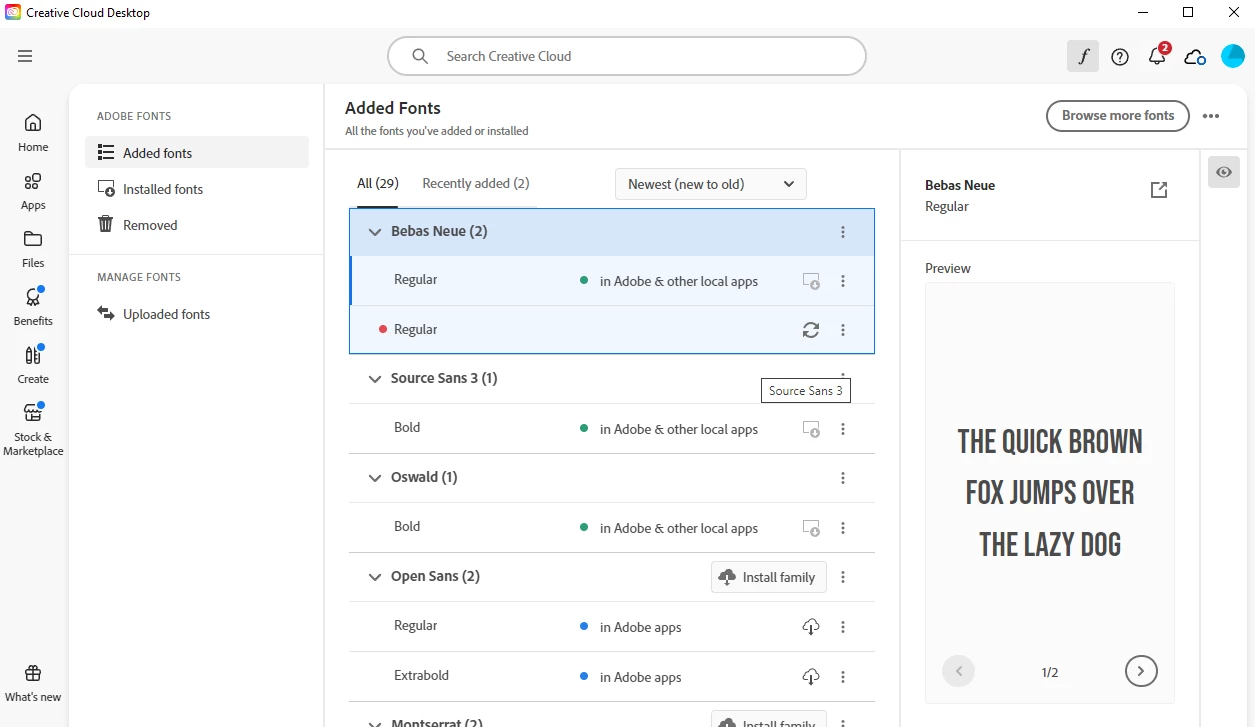
I tried going into Creative Cloud to see if the font was active and it was. I tried removing and reinstalling the font from Creative Cloud. I tried reinstalling the font from the OTF file. I tried resyncing Encoder with our Adobe account. I tried uninstalling the version of Encoder we use and reinstalling it. None of that seemed to fix the issue with Encoder as it still says the font is missing. For some reason, this doesn't seem to happen on the other computers in the office.
Unfortunately, updating Premiere and Encoder on my computer to the most recent version is not an option, as all the computers in our office are using version 23.6.2 for Premiere and 23.6.8 for Encoder. If I update Premiere on my computer, then no one else in the office will be able to open any projects I create or save on their computers since you can't open a newer Premiere project file on an older version of Premiere, and updating it on everyone else's computer at the moment would be really messy.
The only work around I can see is to either just use Bebas instead of Bebas Neue or just export from Premiere every single time I use Bebas Neue, but we have a lot of template projects using Bebas Neue that would be arduous and convoluted to change all of them to Bebas, and it would be nice to just be able to export videos using it from Encoder with no issues.
Any help is appreciated! Thank you!


 AdChoices