Participating Frequently
March 31, 2017
Question

Media mismatch error after update

  • March 31, 2017
  • 2 replies
  • 568 views

Adobe if this is a bug please fix it, it is affecting my job. After the update all my video files are shown as offline and I get this error when I try to relink
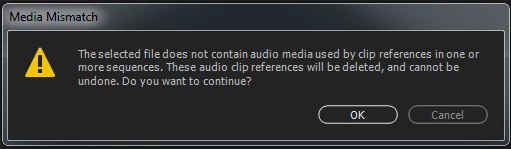
The only way around this seems to be going into the media area of preferences and cleaning media cache files. I then have to rename folders where my videos are located so premiere is forced to relocate them when opening the project file. If this is a bug please fix it.

    This topic has been closed for replies.

    2 replies

    R Neil Haugen
    Legend
    April 3, 2017

    Ann Bens "catches" a lot of the posts where someone has had the little corruption or whatever it is in cache and database files that causes this. And provides the remedy, which you have actually already done.

    It seems to happen irregularly here and there.  Some systems and users get it more, others very rarely if ever. It's got a quick fix (relatively). So it's a pita, but probably not all that high on the big list in the sky of issues for the engineers to fix.

    Not the ideal situation but at least it's just a minor momentary irritation once you know how to deal with it.

    Neil

    Everyone's mileage always varies ...
    R Neil Haugen
    Legend
    March 31, 2017

    Do you have to do this every time you open a project, or just once for each project after the update (whichever it was) occurred?

    Neil

    Everyone's mileage always varies ...
    dorsman84Author
    Participating Frequently
    April 3, 2017

    I only had to do it once but this happened to me another time previously after an update and I had to use the same work around for a few projects I was working on at the time.