
Known Participant
October 6, 2020
Answered

Media offline despite having not moved or renamed media files.

  • October 6, 2020
  • 2 replies
  • 1884 views

I am in panic mode.


I have some very important videos to finish and put on our company's website by tomorrow. The main one is about 16 minutes long and there are some shorter ones. 

I nearly finished the 16 minute one last night. When I opened it up this morning I am getting the dreaded media offline message for almost all the clips in my sequence. This is despite the fact that I have not moved or renamed the original media files. When I try and relink these after clicking on locate and search it gets stuck on search and the ok button is greyed out.

The original videos are in my Mac Photo library.

Please see screenshot. 

I am so stressed about this becuase my whole company is relying on me with this project and it has been advertised to go online tomorrow.
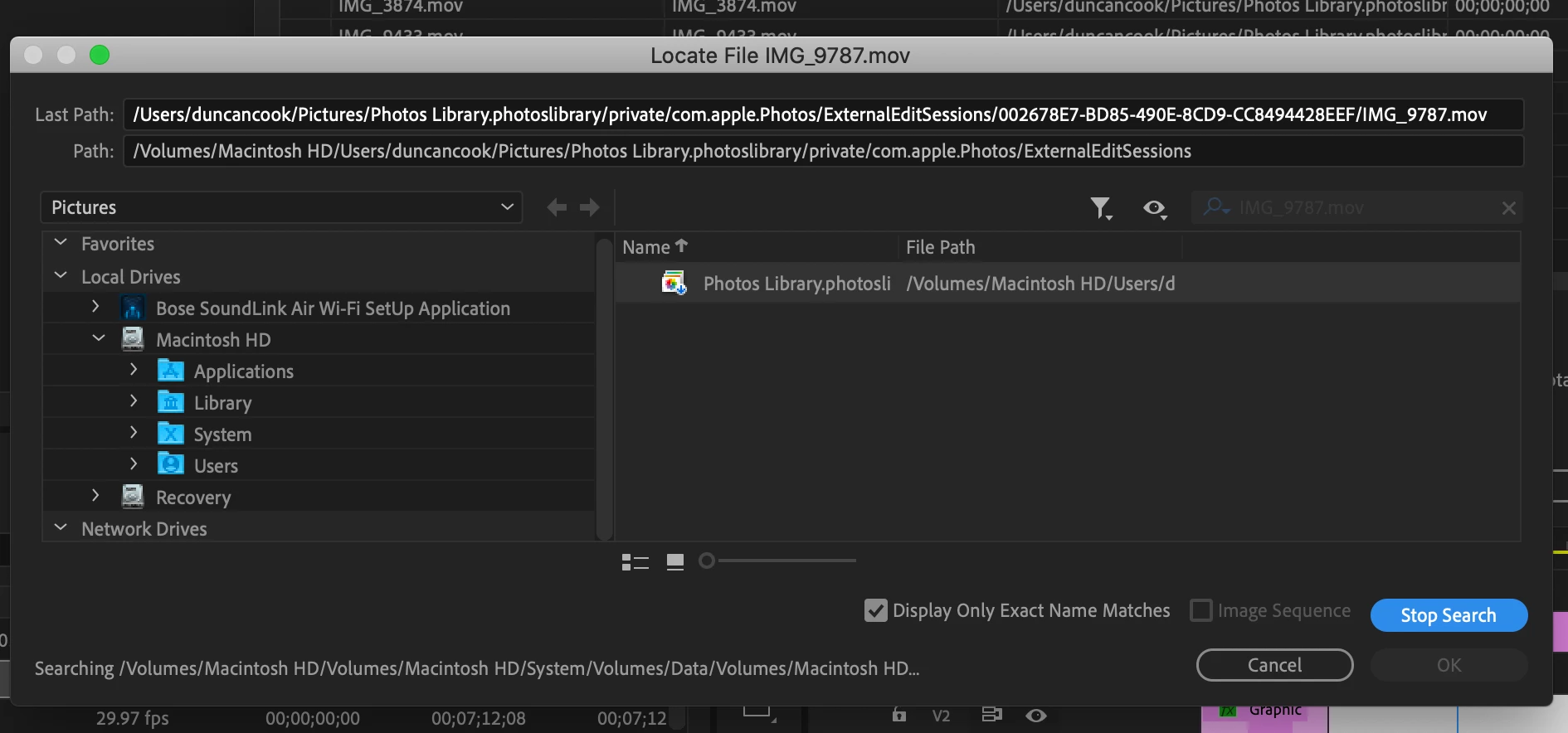
 

[Title edited by mod]

This topic has been closed for replies.
Correct answer Joëlle Bh

Can you please copy these files from your photo library to another folder on your desktop and relink your offline footage to these copied files?

2 replies

Joëlle Bh
Community Expert
Community Expert
October 6, 2020

You need to go manually to the desktop ..Press the desktop word on the left and choose the folder where you exported the file and link it this way .. the OK button should not be greyed out anymore

Known Participant
October 6, 2020

Ok so I managed to link that one file but how do I know it won't go offline again? Is there a better place to save the files? I think my desktop files are saved on icloud.

Joëlle Bh
Community Expert
Community Expert
October 6, 2020

It's always a better idea to link your files to a local drive but other ways also work, so it's good for now that the relink issue worked ... so copy all your footage to the same folder so when you relink one file all the other files will relink automatically

Joëlle Bh
Community Expert
Joëlle BhCommunity ExpertCorrect answer
Community Expert
October 6, 2020

Can you please copy these files from your photo library to another folder on your desktop and relink your offline footage to these copied files?

Known Participant
October 6, 2020

Thank you for the suggestion. I have tried it with one file. Exported it to a different folder. When I try and locate it I get the message that a file has been found that matches the selected criteria but the OK button to link it is greyed out. See screenshot.