Participant
June 22, 2019
질문

Media showing in preview, but not rendering (Premiere Pro CC)

  • June 22, 2019
  • 4 답변들
  • 1123 조회

Hey guys,

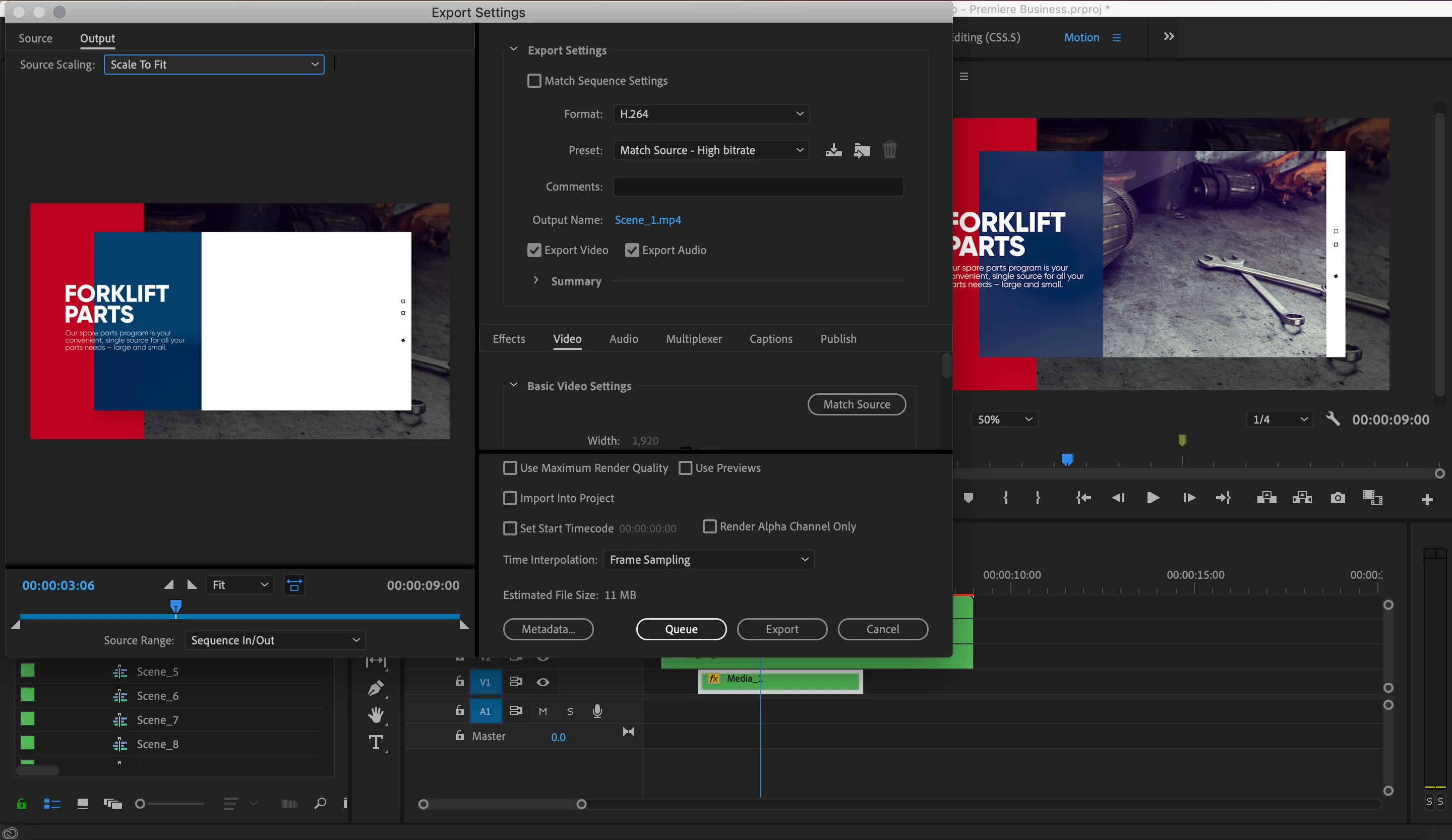
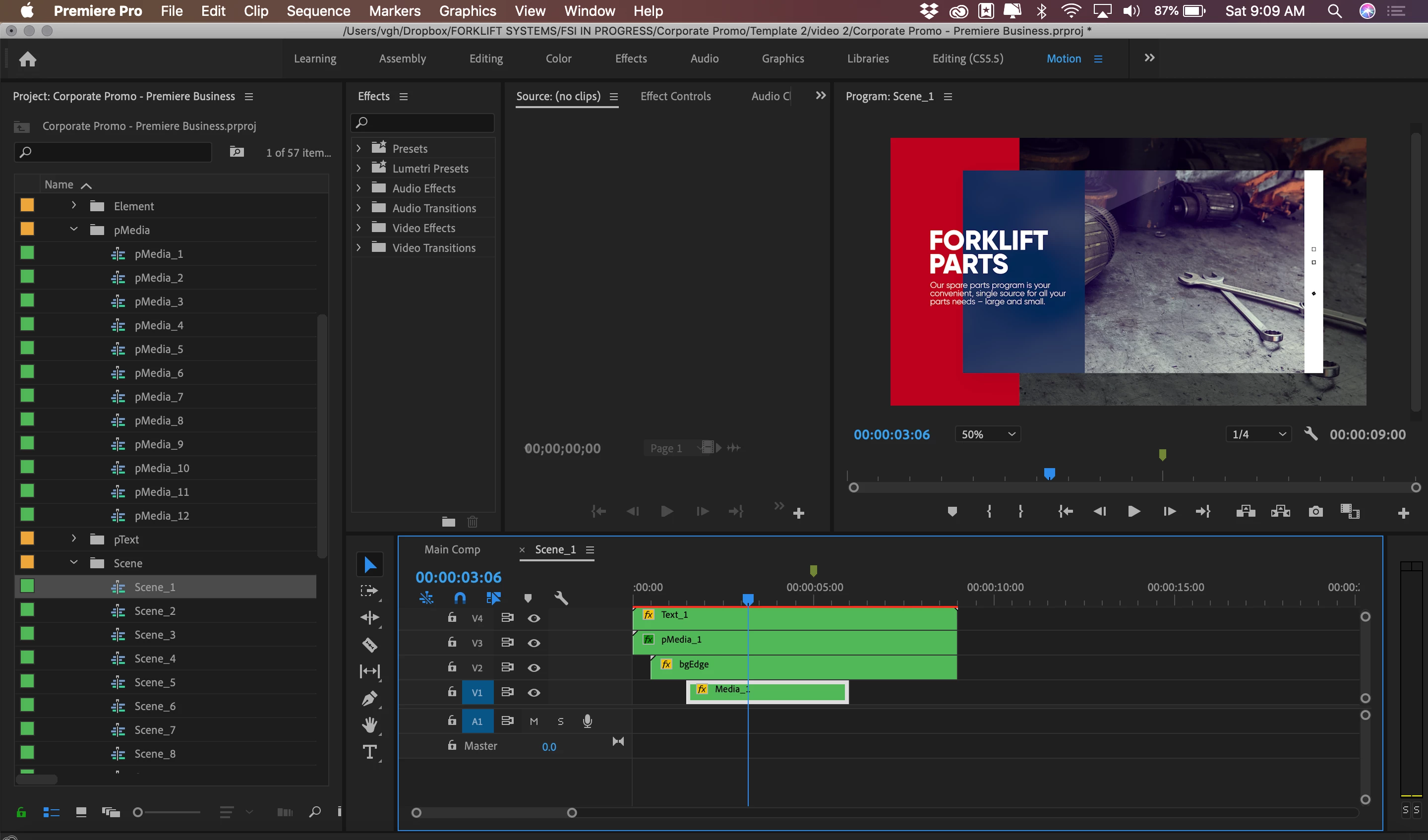
This is driving me insane! I downloaded a video template, followed all of the instructions (mind you, I'm not a newb) and my video is perfect in the editor preview, but as soon as I go to export, part of it disappears-- I can't figure it out! I have this issue for every scene in the video. See attached pics. and ill add a dropbox link to a copy of the project.

Help, please!
Link to project: Dropbox - Corporate Promo - Help - Simplify your life 

    이 주제는 답변이 닫혔습니다.

    4 답변

    MyerPj
    Community Expert
    Community Expert
    June 22, 2019

    It was all working for me.

    Did you try deleting your cache files... here's where they are located in Windows;

    %UserName%\AppData\Roaming\Adobe\Common

    See post #16 here

    Re: Blank monitor and source monitors, still not resolved.

    Legend
    June 22, 2019

    If source is showing same thing then you're in luck I think...  there's something screwed up with your timeline dimensions, the position of the template in that space, and you just need to move the source stuff to fill the frame properly … in my opinion...but I'm an idiot so take with grain of salt.

    Legend
    June 22, 2019

    In the top left of your 2nd screenshot.. you see source and output.. when you click on source it probably shows the frame correct in program monitor.. but when you click on output it gets weird... try to compare the two things ( specs etc. ) and see if there is some obvious reason for the discrepancy.

    It's probably a setting in the output .. that differs from the source.

    studiovgh작성자
    Participant
    June 22, 2019

    actually, source is showing the same issue! Im stumped.

    Ann Bens
    Community Expert
    Community Expert
    June 22, 2019

    Cannot reproduce.

    Trash preferences:

    FAQ: How to reset (trash) preferences.

    If that does not help make new project and import old one.

    My timeline shows a yellow render bar, yours in the screenshot is red: do you have a dedicated videocard?

    studiovgh작성자
    Participant
    June 22, 2019

    i did both of those, and no luck.

    no, i do not .