Answered
Menu Windows do not fit on screen
I am using a 21.5 inch monitor with a resolution of 1366x768. In Premiere Pro, when I open Sequence settings or any other very long menu, they do not fit on screen. My display scale is 100%.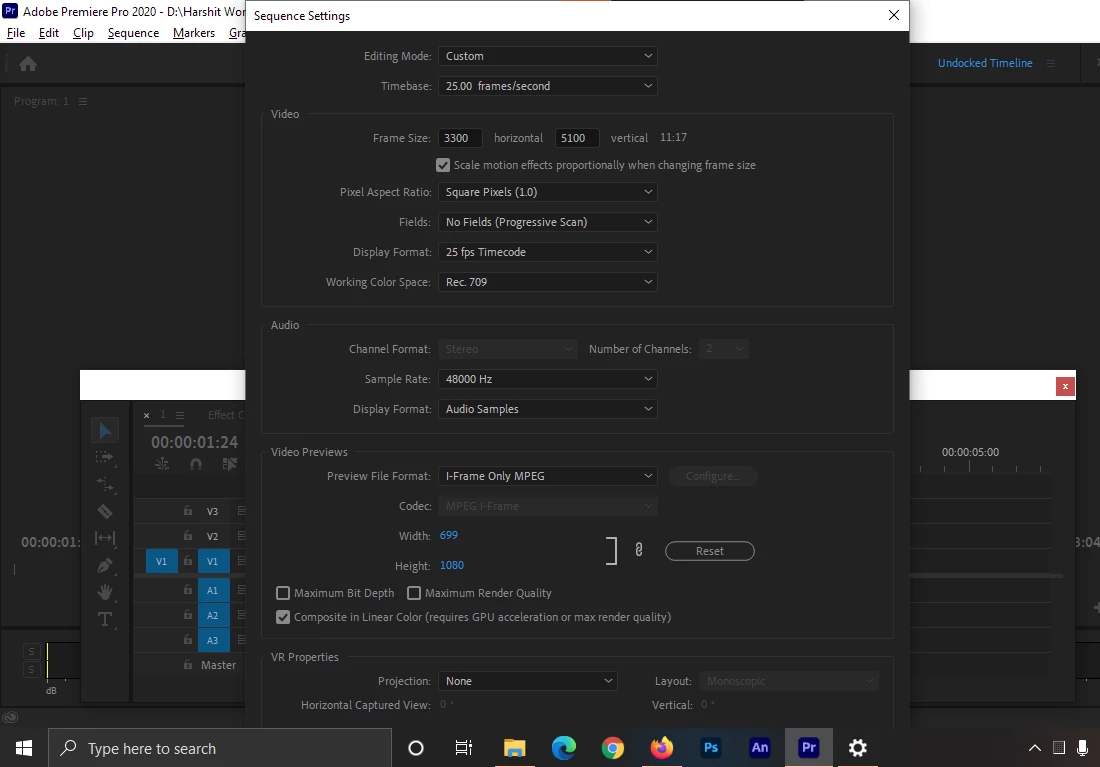

I am using a 21.5 inch monitor with a resolution of 1366x768. In Premiere Pro, when I open Sequence settings or any other very long menu, they do not fit on screen. My display scale is 100%.
The only way to somewhat get around the 800 pixel vertical requirement is to use the Tab key to bump from item to item in dialog boxes.
Neil
Already have an account? Login
Enter your E-mail address. We'll send you an e-mail with instructions to reset your password.
 AdChoices