


Inspiring
November 4, 2013
Answered

Mercury Playback Engine GPU not available

  • November 4, 2013
  • 2 replies
  • 36129 views

I've been reading through forum postings and have not found a solution, so I apologize if there is a solution posted elsewhere.

I have a 27" iMac (late 2012) with NVIDIA GeForce GTX 680MX graphics card running Mac OS 10.8.5.

I'm using Adobe Premiere Pro CS6.0.3, and when I updated my OS to 10.9 Maverick, I began to experience several problems, including:

  1. The dreaded spinning beachball and "Premiere not responding."
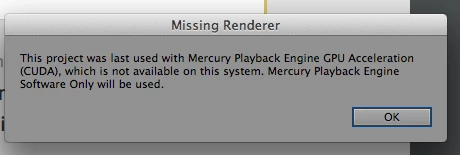
  2. "This project was last used with Mercury Playback Engine GPU Acceleration (CUDA) which is not available on your system. Mercury Playback Engine Software Only will be used.
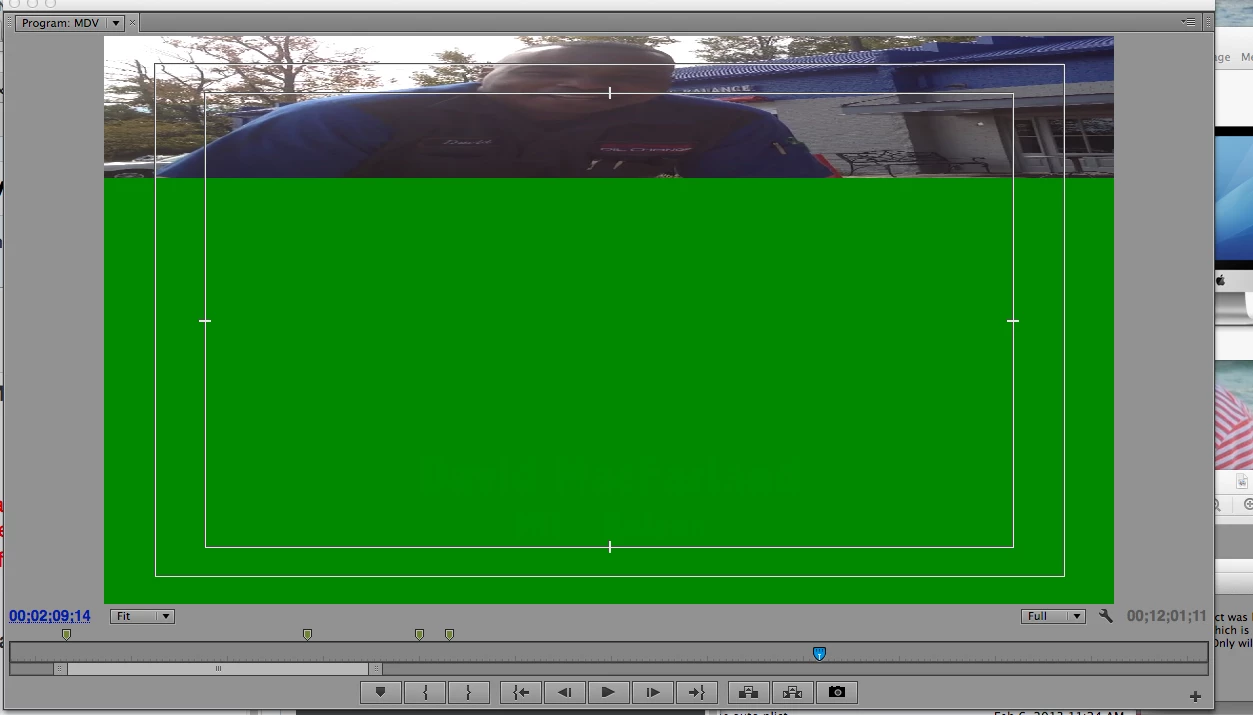
  3. Video files - I think they were all .MOV - became "squished" to the top of the Program Monitor (movie only took up about 1/3 of program monitor window).

After a long chat with Adobe Support, he indicated that the update to 10.9 Maverick was the problem, so I:

  1. Updated to Premiere 6.0.5, but that did not fix any of the issues.
  2. Logged in as "Root," which worked for a while but I also received 3 "Premiere encountered problem and must shut down."
  3. Deleted preferences, repaired permissions, basic troubleshooting practices, etc, but problems persisted.

No help.

Eventually I restored my computer from a Time Machine backup to a day prior to the OS 10.9 update, and this seemed to fix all the issues. So I was back to Mac 10.8.5 and Premiere 6.0.3.

But the .MOV-compressed-in-the-program-monitor problem began to surface again (see  photo below).
So I updated to Premiere to 6.0.5 (but not my OS - it's still 10.8.5), and the "Mercury Playback Engine" error is back.
And the .MOV files are still compressed in the Program Monitor. I have a project that I completed in 6.0.3, but is now messed up in 6.0.5.

Help please. Is the only solution downgrading to Premiere 6.0.3, and if so, must I do a clean install of the program from the DVD?

Thanks,

RW Harris, Director of Training

Express Oil Change & Tire Engineers

Birmingham, AL

This topic has been closed for replies.
Correct answer John T Smith

Windows nVidia Hack http://forums.adobe.com/thread/629557 - which is a simple entry in a "supported cards" file - and Mac http://www.vidmuze.com/how-to-enable-gpu-cuda-in-adobe-cs6-for-mac/

2 replies

Kevin-Monahan
Community Manager
Community Manager
November 6, 2013

RW,

Your video card is not supported for hardware acceleration for the Mercury Playback Engine in Premiere Pro CS6.

Thanks,

Kevin

Kevin Monahan - Sr. Community & Engagement Strategist – Pro Video and Audio
Inspiring
November 6, 2013

HI Kevin, that's odd! We have a bunch of iMacs using this graphic chip set and after hacking the "cuda_supported_cards.txt" file, we do get cuda acceleration - on Mac OS and Win7. (The computers are dual boot.) See my post 1 about checking the .txt file.

Kevin-Monahan
Community Manager
Community Manager
November 6, 2013

Andrew_S,

I'm in support and the official line from my perspective is that the card is not supported. I can't recommend an unsupported way to enable hardware acceleration for any customer.

I hope this makes sense.

Thanks,

Kevin

Kevin Monahan - Sr. Community & Engagement Strategist – Pro Video and Audio
Inspiring
November 6, 2013

Have you checked to see if the graphic card is listed in the Cuda_Supported_Cards.txt file?

You must have done the hack originally, as the GTX 680 is not usually in the list.

Inspiring
November 6, 2013

Hello Andrew,

I've never hacked a Mac in my life, and I am a nearly a 30 year user of Apple. I started with the Mac SE in 1986 and have been using them ever since.

I'm certainly not opposed to doing what you suggest, and I've seen the steps on how to do, but can't remember where they are.

Can you provide the instructions, or point me to where they are? If it's working for you, then I'd rather go that route than try and get my vendor to swap out hardware.

Thanks so much! If this works, I'll see if I can get you a free oil change (as long as you can get to one of our 200+ locations from Texas to Florida to S. Carolina)!

Randy

John T Smith
Community Expert
John T SmithCommunity ExpertCorrect answer
Community Expert
November 6, 2013

Windows nVidia Hack http://forums.adobe.com/thread/629557 - which is a simple entry in a "supported cards" file - and Mac http://www.vidmuze.com/how-to-enable-gpu-cuda-in-adobe-cs6-for-mac/